Keep Design Options Alive: Project Risk Register for Design Teams
Keep Design Options Alive: Project Risk Register for Design Teams

A project risk register for design teams is a living, shared record that ties every uncertainty to a decision, a deliverable, and a named owner. The single rule that makes it work: write each entry as cause, event, and consequence, then assign someone to watch for the trigger. Skip either part and the register turns into a document nobody trusts by month three.
TL;DR:
- A design risk register should document cause, event, and consequence for each uncertainty, with a named owner and trigger to ensure trust and accountability.
- The register is most effective when targeted at building transparency and learning, not just risk elimination, covering categories like unresolved requirements and interface clashes.
- Regular review and updating are essential, especially after client decisions or coordination meetings, with residual risk rescored to gauge mitigation effectiveness.
- Linking risk entries to specific decisions or source conversations maintains context and enables faster, more accurate reviews, especially through structured decision records.
- Using practical templates and software that track origin details can help teams keep the register alive, relevant, and integrated into daily workflows.
Table of Contents
- What Is a Project Risk Register for Design Teams?
- Why Design Teams Need a Different Kind of Register
- The Minimum Fields Every Design Register Needs
- Scoring Likelihood, Impact, and Residual Risk
- Preventive Actions vs. Contingent Responses
- How to Run the Register Week to Week
- Common Pitfalls in Design Risk Registers
- Three Sample Risk Register Entries
- How Project Memory Tools Support a Living Register
- Case Studies: Risk Registers in Real Design Projects
- Balancing Rigor and Creativity in Design Risk Management
- Keep Your Design Register Connected to Its Source
- Standards and Templates Worth Consulting
- Sources
- FAQ
What Is a Project Risk Register for Design Teams?
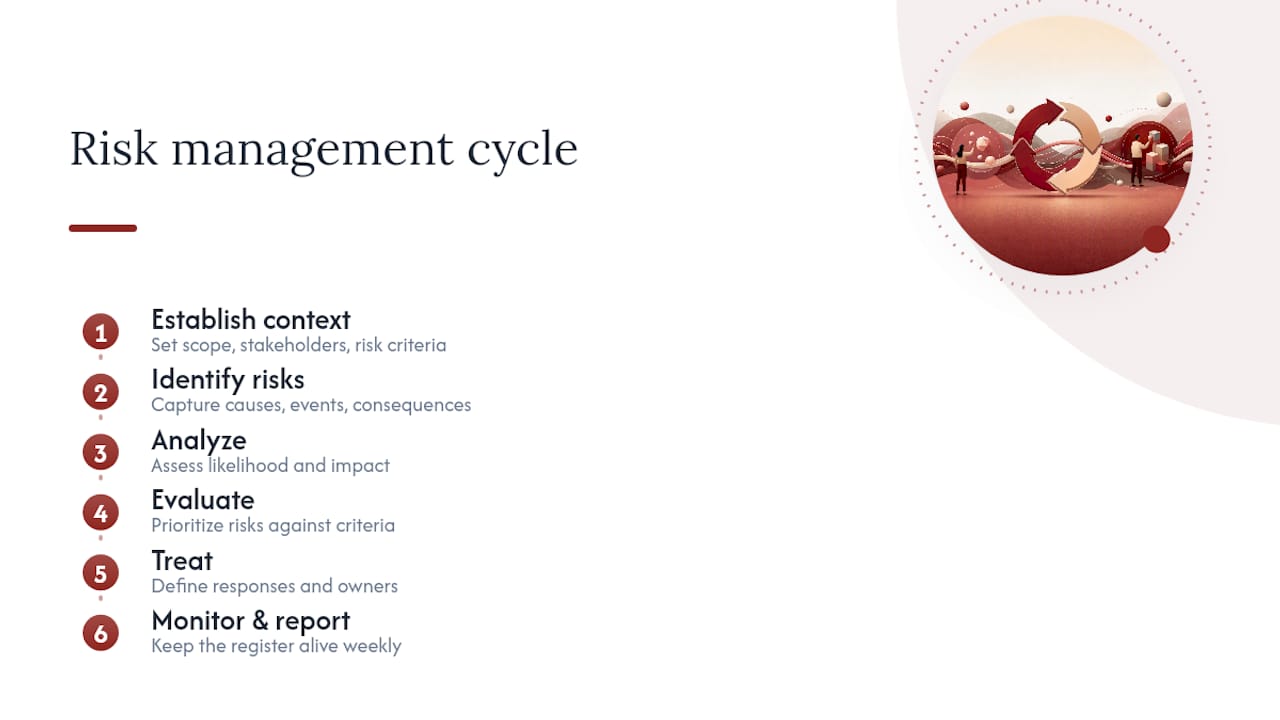
A risk register is the central output of the Identify Risks process. PMBOK treats it as a living document, not a one-time deliverable, and recommends writing entries in cause, event, consequence format so a reader six months from now understands why a risk exists, not just that it does. ISO 31000:2018 frames the whole exercise as a continuous process: establish context, identify, analyze, evaluate, treat, then monitor and report. A register is the record that carries that process forward week to week.
Design projects break the generic template in a specific way. Construction and manufacturing risk registers track known unknowns around schedule and cost. Design risk lives earlier and messier, in unresolved requirements, unconfirmed assumptions, interface clashes between disciplines, pending approvals, and long-lead procurement decisions that lock in geometry before anyone has tested it. A concept sketch involves different types of risks than a set of stamped construction documents, even when the underlying uncertainty hasn’t changed.
Who owns it varies by studio size, highlighting the critical role of project management for creative teams in maintaining effective oversight and engagement. In a small practice, the project lead usually maintains the register directly. In larger teams, a project manager owns the document, but discipline leads (structural, mechanical, interiors) feed entries during coordination reviews. Either way, the register fails the moment only one person looks at it. It has to sit where the design work actually happens, not buried in a project management tool nobody opens between status meetings.
Why Design Teams Need a Different Kind of Register
Standard risk registers optimize for one thing: reducing exposure. Applied blindly to design work, that instinct kills good ideas before they get a fair test. Risk-Driven Design research from Oehmen and Seering argues the opposite approach works better: use the register to build transparency about where uncertainty actually lives, then decide deliberately whether to invest in learning (a prototype, a test, a consultant review) or accept the exposure and move on. The register becomes a tool for justifying ambition, not just containing it.
That distinction matters because design risk research has identified a real failure mode on both ends. Teams that treat every uncertainty as a threat to eliminate tend to cancel promising concepts too early. Teams that delay risk conversations until deadlines force the issue let critical risks sit unaddressed for months. Design Society research on risk as a learning strategy recommends logging open learning questions right alongside hard threats, so “we don’t know if this facade detail will pass thermal bridging calculations” gets tracked with the same discipline as “the client hasn’t approved the floor plan.”
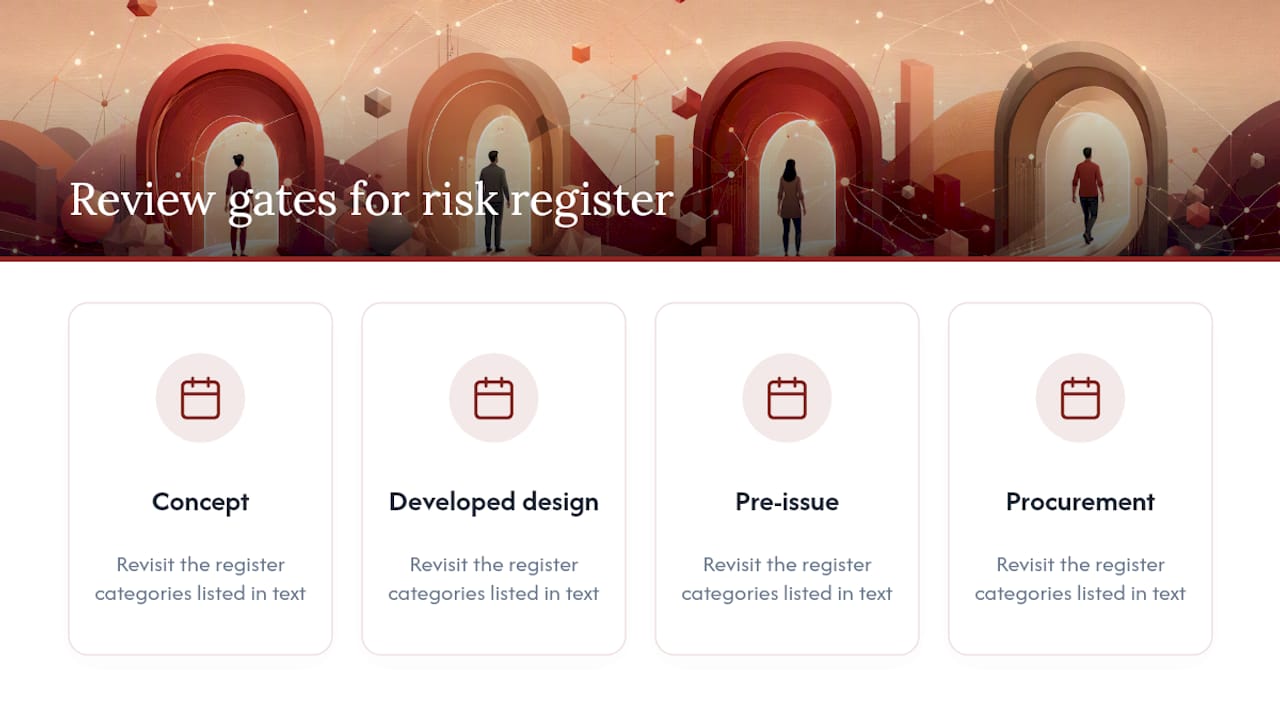
Categories worth building into your register from day one: unresolved requirements, unconfirmed assumptions, concept and technical interface risk, consultant coordination gaps, approval and permitting delays, long-lead procurement items, cost and schedule exposure, information quality (are you designing against confirmed data or guesses), constructability, and health-and-safety-by-design hazards. Revisit these at concept, developed design, pre-issue, and procurement gates, not just once at kickoff.
The Minimum Fields Every Design Register Needs
A workable template doesn’t need to be elaborate. It needs to force specificity. Based on practical risk-register guidance, here’s the field set that holds up across studio sizes:
- ID and date identified — simple tracking, but skip this and you lose the ability to spot patterns over time.
- Design stage and discipline — a risk logged at schematic design reads differently than one surfacing at construction documents.
- Cause, event, consequence — the core of the entry. Example phrasing: “Because the client hasn’t confirmed occupancy load [cause], the egress path design may need revision [event], which could delay permit submission by three weeks [consequence].”
- Category — requirements, coordination, procurement, approval, cost, information quality, or safety.
- Initial likelihood and impact — scored before any treatment, so you can measure whether mitigation actually worked later.
- Rating — the combined score, usually low, medium, or high.
- Assumptions and evidence — what you’re basing the score on. A guess is not the same as a confirmed test result.
- Owner — a named individual, never “design team” or “PM office.”
- Preventive treatment — the action that reduces likelihood.
- Contingent response — what happens if the event occurs anyway.
- Trigger — the specific signal that activates the contingent response.
- Action owner and due date — who executes the treatment, and by when.
- Residual likelihood and impact — the rescore after treatment lands.
- Status, last review, next review — keeps the register honest about whether anyone’s touched it recently.
- Linked decision or source record — the meeting, email, or decision log entry this risk traces back to.
Include a cost or time exposure figure when you have one worth trusting; a rough dollar range beats no number, but label it clearly as an estimate rather than a confirmed figure. If the underlying data is genuinely uncertain, say so in the assumptions field instead of forcing false precision into the impact score.
Scoring Likelihood, Impact, and Residual Risk
Score every risk against your project’s actual objectives: time, cost, quality, and program. A likelihood of “medium” should mean the same thing across every entry in the register, which only happens if the team agrees on a rubric before anyone starts scoring.
A basic version, adapted from documented risk-register practice:
- Low likelihood: unlikely without a specific trigger event, low precedent in similar projects.
- Medium likelihood: plausible given current project conditions, some precedent.
- High likelihood: already showing early signals, or near certain given current trajectory.
- Low impact: absorbed within existing schedule or budget contingency.
- Medium impact: requires a scope, schedule, or budget adjustment the client will notice.
- High impact: threatens program milestones, budget thresholds, or client approval.
Pro Tip: Document the basis for every score in the assumptions field. A score with no evidence behind it is a guess dressed up as data, and six weeks later nobody will remember why a risk was rated “high.”
Escalate to the client or a governance body whenever a risk crosses a threshold your team can’t resolve alone: budget exposure beyond contingency, schedule slippage past a contractual milestone, or scope changes that alter the brief. Once treatment is underway, rescore the risk to capture residual exposure. That rescore is what tells you whether the mitigation actually worked or just felt productive.
Preventive Actions vs. Contingent Responses
These are different tools solving different problems, and conflating them is how registers become vague. Preventive actions change something now to reduce the odds an event happens at all: revising a detail, requesting missing information, adjusting a coordination workflow. Contingent responses define what happens if the event occurs anyway: a fallback assembly, a resequenced procurement path, an alternate supplier.
- Preventive example: reroute a mechanical shaft during developed design rather than waiting for a structural clash to surface in construction documents.
- Contingent example: pre-approve a backup finish material in case the specified one is unavailable at the long-lead deadline.
Every action needs a named owner, a due date, defined acceptance evidence (what proves the action is actually done), and a monitoring trigger. ISO 31000 is explicit on this point: treatment plans without accountable people and completion dates don’t function as treatment plans at all. For procurement-linked risks, tie the action directly to supplier confirmation dates so a stalled quote shows up as a live risk trigger, not a surprise. Tracking these actions consistently is worth its own system; a structured approach to action tracking keeps owners and due dates from quietly disappearing between meetings.
How to Run the Register Week to Week
A register that only appears in a monthly steering pack isn’t being managed. It’s being reported on after the fact. Keep it where the design work happens, whether that’s a shared spreadsheet, a project management platform, or a dedicated register tool, and review the top risks on a cadence that matches your project’s pace.
- Review weekly for fast-moving phases (concept through developed design), when assumptions and requirements shift most.
- Update immediately after critiques, client decisions, and coordination reviews rather than batching updates for a scheduled meeting.
- Treat failed checks or missed milestones as automatic triggers to log a new entry or escalate an existing one.
- Rescore after every treatment action closes, so residual risk reflects reality instead of the original guess.
- Produce a short top-risk summary for governance covering the five or six entries that actually threaten schedule, budget, or approval, not the full list.
Linked decision records and meeting notes do a lot of quiet work here. When a risk entry points back to the specific conversation or decision that created it, reviewers don’t have to reconstruct context from memory. That link is often the difference between a five-minute review and a twenty-minute argument about what was actually agreed.
Common Pitfalls in Design Risk Registers
Most registers don’t fail from lack of effort. They fail from a handful of repeatable habits that quietly drain trust in the document.
- Stale entries: nobody’s touched the register in six weeks, so the team stops checking it.
- Vague phrasing: “coordination risk” tells you nothing; cause, event, consequence phrasing forces specificity.
- Ignored interdependencies: one risk triggers another, but the register treats them as unrelated line items.
- Overdefensive cancellation: killing an ambitious concept the moment a risk appears, instead of investing in a prototype or test to resolve the uncertainty.
- Reporting-only mindset: the register exists to satisfy a governance checkpoint, not to guide daily decisions.
The fix for most of these is the same: assign named owners, write cause, event, consequence entries, link every risk to the decision or conversation that created it, and schedule rescoring as a routine step, not an afterthought. Run a quick audit periodically. Pick five entries at random. If you can’t tell who owns them or when they were last reviewed, the register has already gone stale.
Three Sample Risk Register Entries
-
Unresolved client requirement. Cause: the client hasn’t confirmed final occupancy count. Event: the egress and fixture layout may need revision after design development is underway. Consequence: potential three-week delay to permit submission. Owner: project architect. Preventive action: schedule a confirmation workshop before developed design starts. Trigger: no client sign-off by the developed design milestone.
-
Long-lead material delay. Cause: the specified cladding system has a sixteen-week lead time and hasn’t been ordered. Event: material arrives after the scheduled installation window. Consequence: schedule slippage on the exterior enclosure. Owner: procurement lead. Preventive action: place the order at design freeze rather than at construction documents. Contingent response: pre-qualify an alternate supplier with a shorter lead time.
-
Consultant coordination clash. Cause: structural and mechanical models weren’t cross-checked before issue. Event: a beam conflicts with a duct run discovered during construction. Consequence: rework cost and a stalled trade sequence on site. Owner: BIM coordinator. Preventive action: run a federated model clash review before each major issue. Acceptance evidence: a signed clash report showing zero unresolved conflicts.
How Project Memory Tools Support a Living Register
A risk register only stays useful if the context behind each entry survives staff turnover, long gaps between phases, and the sheer volume of meetings a design project generates. That’s the exact problem structured decision records solve. Theintentledger turns meeting conversations, critique feedback, and client comments into ILM Records, source-backed entries that trace a decision or risk back to the exact conversation that produced it.
The mapping to register fields is direct: a linked decision or source record maps to an ILM Record’s traceable conversation link, a monitoring trigger maps to a flagged unresolved question, and an assigned owner maps to the person named in the original discussion rather than a guess made weeks later.
Three practical benefits follow from that structure:
- Risks surface earlier, because unresolved questions get flagged at the meeting where they were raised, not rediscovered during a later crisis.
- Design intent survives staffing changes, since a new team member can trace why a decision was made instead of just what was decided.
- Review meetings run faster, because the register entry links directly to its source instead of requiring someone to reconstruct context from memory.
Templates for decision logs and decision-record fields on the Theintentledger blog give a practical starting point for teams building this linkage manually before adopting software.
Case Studies: Risk Registers in Real Design Projects
Design-risk research documents a recurring pattern across large infrastructure and product-development programs: teams that logged uncertainty transparently, rather than suppressing it to look confident to stakeholders, caught cost and schedule problems earlier than teams that only tracked risks once they became urgent. The MIT research on Risk-Driven Design points to programs where visible, actively managed risk logs correlated with better resilience against late-stage surprises, precisely because teams had already mapped out contingent responses before a triggering event occurred.
The failure pattern shows up just as often. Programs where the register existed only as a compliance artifact, filled out once at project initiation and never revisited, showed the opposite result: risks that were technically documented but functionally invisible, because nobody had assigned an owner or a review cadence. The document existed. It just didn’t do anything.
A smaller but telling pattern appears in consultant coordination on multidisciplinary design projects: teams that ran early, deliberate clash reviews using BIM visualization caught interface risks a desk review missed, because a 3D model surfaces conflicts that two-dimensional drawings hide until construction. That pattern reinforces a broader lesson from the case evidence: the register works best when it’s paired with a specific verification method, not treated as a standalone log.
Balancing Rigor and Creativity in Design Risk Management
The instinct to treat every flagged risk as a reason to retreat is the biggest threat to good design work, not the risks themselves. A register should justify a prototype or a test as often as it justifies caution. Keep reviews short, name owners out loud in meetings, and show the team, visibly, how a risk entry traces back to the decision that created it. That visibility is what keeps people using the document instead of avoiding it.
— Rajas
Keep Your Design Register Connected to Its Source
A register is only as good as the context behind each entry, and context is exactly what gets lost when risks live in a spreadsheet disconnected from the meetings that produced them. Theintentledger turns project conversations, critique feedback, and client comments into structured, source-backed ILM Records, so a risk entry links directly back to the discussion where it surfaced instead of relying on someone’s memory weeks later.

That traceability is the practical advantage over a standalone spreadsheet template: instead of manually copying decisions and risks into a register after the fact, the record and its source stay connected from the start. Teams that want to try this on a single project can start with the Working Set product, a one-time $12 purchase, or explore ongoing plans starting with Working Memory at $29 per month. For a fuller look at how the platform handles decision traceability, visit Theintentledger’s product overview to see what fits your studio’s workflow.
Standards and Templates Worth Consulting
For deeper study beyond this article, a few sources are worth bookmarking. ISO 31000:2018 covers the full risk-management process and treatment plan requirements. PMBOK’s guidance on Identify Risks explains cause, event, consequence phrasing in more depth. The Risk-Driven Design paper from MIT makes the strongest case for treating risk registers as learning tools rather than elimination checklists. For a field-ready field list, the StaySafe Consultants template guide maps closely to the template covered above.
Sources
- Risk-Driven Design (Oehmen & Seering) — MIT DSpace
- Designing a risk-register template: A practical guide (StaySafe Consultants)
FAQ
How Do I Design a Risk Register for My Project?
Start with the fields that force specificity: cause, event, consequence, a named owner, and a trigger for each entry. Base the categories on your project type. Design projects need categories like unresolved requirements, coordination gaps, and long-lead procurement rather than generic cost and schedule buckets alone, following the design-specific risk framework built around decisions and deliverables.
What Are the 5 P’s of Risk Management?
Definitions of the “5 P’s” vary across industries and aren’t standardized in the frameworks this article draws on (ISO 31000 or PMBOK). Rather than force a fit, focus on the process ISO 31000 actually specifies: establish context, identify, analyze, evaluate, treat, and monitor.
Is a Risk Register a Legal Requirement?
No general legal requirement mandates a risk register for design or construction projects, though specific contracts, regulatory frameworks, or client requirements may call for one. Even without a legal mandate, ISO 31000 treats documented risk management as standard professional practice, and many clients now expect it as part of project governance.
What Are the Top Risks in Design Project Management?
The recurring categories are unresolved requirements, unconfirmed assumptions, consultant coordination clashes, approval delays, and long-lead procurement items, based on the design-risk categories documented in Risk-Driven Design research. Information quality, whether design decisions rest on confirmed data or unverified assumptions, cuts across nearly all of them.
Can Software Help Maintain a Design Risk Register?
Yes. Tools built for project memory, like Theintentledger, link register entries directly to the meetings and conversations that created them, which keeps context intact as staff or project phases change. Pricing starts at $12 for a one-time Working Set purchase, with monthly plans available for ongoing use.