Action Items vs Decisions: How to Tell Them Apart
Action Items vs Decisions: How to Tell Them Apart
A decision is a choice the right people have accepted. An action item is a piece of follow-up work with one owner and a due date. The two get mixed up because they come out of the same conversation, but they behave differently afterward. A decision stays true until someone reopens it. An action item is finished and closed. If your notes blur them, nobody can say later what was settled, what is still a task, and why the choice was made. Keeping the two apart, and tying each to the conversation it came from, is the core habit behind decision documentation that a design team can trust.
TL;DR
- A decision is an accepted outcome: what was chosen, by whom, and why. It does not have a due date.
- An action item is a task: one owner, one due date, a clear finish line. It is done or not done.
- A tentative follow-up (“we should probably look at the façade options”) is neither until someone confirms it. Turn it into an action, a decision, or an open question.
- Record the reason with every decision and the source with every action, so a junior designer or a client can see where it came from.
- Review both lists at the next meeting. Decisions get confirmed or reopened on purpose, and actions get closed.
Table of Contents
- The difference in one table
- What counts as a decision
- What counts as an action item
- The gray zone: tentative follow-ups
- Common mistakes and how to avoid them
- How to confirm and review after the meeting
- What this looks like for different design readers
- Where project memory software fits
- Try it on your next project
- FAQ
- Sources
The difference in one table
| Decision | Action item | Open question | |
|---|---|---|---|
| What it records | A choice that was accepted | A task someone will do | Something nobody can answer yet |
| Who is named | The people who decided | One owner | Whoever will find the answer |
| Time element | Date it was made | Due date | Date it needs an answer |
| How it ends | Stays in force until reopened | Closed when the work is done | Becomes a decision or an action |
| Must include | The reason | A finish line | What is blocking it |
| Design example | “We will use timber cladding on the north elevation.” | “Maya sends the cladding supplier’s fire data to the engineer by Friday.” | “Does the client’s budget cover the timber option?” |
The last column matters. Teams that only keep two lists, decisions and actions, push every uncertain item into one of them. That is where the trouble starts.
What counts as a decision
A decision records an outcome that the relevant people accepted. Two parts of that definition do the work.
Accepted. Someone proposing something is not a decision. A designer saying “I think we should go with the 1:50 section” is a proposal. It becomes a decision when the person with the authority to approve it agrees, in the room or in writing.
The relevant people. A decision made without the person who owns it is a recommendation. The Project Management Institute (PMI) makes this point in its guidance on facilitating project meetings: clarify whether the intended result is a final decision or a recommendation, and confirm the right decision-makers are present. If they are absent, follow up with them or prepare a recommendation for them.
In design work, this is the difference between “the team liked the courtyard layout in review” and “the project lead and the client approved the courtyard layout.” The first is feedback. The second is a decision you can build on.
Why the reason belongs to the decision
A decision without its reason is fragile. Six weeks later someone asks why the stair moved, and the only answer is “it was decided.” A useful decision entry holds four things: the decision, the reason, the person responsible, and the next action with a date. That four-part pattern is common in guidance on recording decisions and next actions, and it is the minimum a studio needs.
The reason is also what lets you reopen a decision sensibly. If the reason was “the budget cap is $400,000” and the budget changes, you know exactly which decisions to revisit.
What counts as an action item
An action item is follow-up work that has an owner and a date. PMI’s status-meeting guidance describes action items in just those terms: follow-up that requires an owner and a date for resolution or update, with open items anchoring the next meeting’s review.
A workable action item answers three questions:
- What exactly is the task?
- Who is the one person responsible?
- By when?
A fourth question saves arguments later: how will we know it is done? “Review the structural drawings” is vague. “Confirm in writing whether the beam depth in the structural drawings fits the 300 mm ceiling void” has a finish line.
One owner, not a team
An action assigned to “the design team” is assigned to nobody. Name one person. Others can help, but one person answers for it. PMI’s paper on accountability in project meetings also recommends giving the owner the chance to suggest or negotiate the due date, and agreeing ground rules in advance for what happens when a date is missed. Owners who set their own dates tend to meet them more readily than owners handed a date.
Fields worth tracking
PMI’s Texas Ranger Agenda example tracks priority, a unique action number, a description, a start date, a due date, an owner and a completion date. A small studio does not need every column, but the unique number and the completion date are worth keeping. The number lets people refer to an item without retyping it. The completion date lets you see how long things actually take.
The gray zone: tentative follow-ups
Most confusion comes from lines like these:
- “Let’s look into the acoustic panels.”
- “We should check with the planner.”
- “Someone needs to update the model.”
They sound like actions, but they lack an owner, a date, or both. They are tentative follow-ups. Before they go in the notes, resolve each one into one of three things.
Worked example: a critique session
Imagine a studio review of a small library design. Here is what was said, and how it should be recorded.
Said: “The reading room feels dark. We should probably try a clerestory, but I’m not sure about the roof structure. Priya, can you look at it?”
This single comment contains three different things:
- Observation (not yet a decision): The reading room feels dark. This is feedback.
- Open question: Can the roof structure support a clerestory? Nobody knows.
- Action item: Priya checks clerestory feasibility with the structural engineer and reports back by the next review.
The decision comes later. After Priya reports, the group might say: “We will add a clerestory to the reading room because it gives north light without glare.” Now there is a decision, with a reason, that the earlier action fed.
This shows how the three relate. PMI’s guidance says to capture an action when a decision needs more information, more work is needed, or people who are not present must give input or validation. In other words, many actions exist to unlock a decision, and the notes should show that link.
A quick sorting test
For each line in your notes, ask in order:
- Did the right people accept a choice? If yes, it is a decision. Write down the reason.
- Is there specific work, one owner and a date? If yes, it is an action item.
- Is something unknown blocking progress? If yes, it is an open question. Give it an owner for finding the answer, which then makes that part an action.
- None of the above? It is discussion. Leave it out or file it as background.
PMI also warns facilitators against using action items to postpone difficult work that could be completed during the meeting. If the two people who can settle a question are both in the room, settle it. Do not turn it into a task for next week.
Common mistakes and how to avoid them
Logging a preference as a decision
“Everyone prefers option B” is a mood. Record it as a decision only after the person who approves has said yes. Until then it is a recommendation, and the notes should say so.
Writing a decision as an action
“Update the plan to show the wider corridor” is an action. “The corridor is 1.8 m wide because of the accessibility requirement” is the decision behind it. Keep both. If you only keep the action, the next person to touch the plan has no way to know the width is deliberate and may shrink it.
Actions with no source
A junior designer receives a task and does not know where it came from. Was it the client’s request, an internal critique, or the project lead’s idea? Without the source, they cannot judge how firm it is or ask the right person about it. Every action should point back to the conversation that produced it.
Losing the decision once the action closes
When the task is ticked off, teams often delete or archive it, and the decision disappears with it. Actions are temporary. Decisions and their reasons are the lasting record of the project, so they need a home that outlives the task list.
Leaving unresolved items unmarked
An open question that has no label gets mistaken for a decision by omission: nobody objected, so it must be fine. Mark it as open, name who will resolve it, and give it a date.
How to confirm and review after the meeting
Separating the items is half the job. The other half is making sure everyone agrees on the separation.
PMI’s accountability paper gives a practical routine:
- Record action items in real time, where participants can see them.
- At the end, read them aloud and get agreement.
- Store them electronically and send the notes within 48 hours, with the items linked.
- At later meetings, review open tasks, repeat each action to its owner and get confirmation.
The Texas Ranger Agenda article describes four stages for each action: establish, assign, monitor and close, with assignment happening in the meeting itself. Closure follows the team’s evaluation that the item’s objectives were achieved, not just the owner’s say-so.
For decisions, the review step is different. You are not closing them. You are checking they still hold. A provisional decision should state what would reopen it, for example “revisit if the cost estimate exceeds the cap.” When that trigger happens, the team knows exactly which decision to reconsider.
PMI’s 2026 guidance on using AI in project management also recommends meeting summaries that separately identify decisions, actions with owners and due dates, and open questions. Three labeled groups, not one undifferentiated list.
For design reviews specifically, a dedicated design review action register shows how to lay this out, and the guide on one owner and one decision record covers keeping stakeholder meetings from ending without a clear outcome.
When work changes hands
The same discipline pays off at handover. When a project moves to a new lead or a builder, the open actions and the decisions behind them are what the next person needs. Clear project handover documentation depends on knowing which tasks are still live and which choices are already settled.
What this looks like for different design readers
Architecture and design students. After a crit, you leave with a pile of comments. Sort them: which did the tutor tell you to do (action), which choices did you and the tutor settle (decision), and which questions need research before you can choose (open question)? Writing the reason beside each decision helps when you explain your design at the final review.
Junior designers. When you receive a task, ask where it came from. The answer tells you whether it is a firm decision being implemented or a tentative idea someone floated. If nobody can point to the conversation, ask for the decision it belongs to before you spend a day on it.
Freelance architects. Clients remember conversations differently over a long project. A record that separates what the client approved from what you agreed to look into protects both sides, and makes variation discussions calmer.
Project managers and studio leads. Your job is to make sure every meeting leaves with the three lists, and that someone owns each open item. Your best check is simple: could someone who missed the meeting tell what was decided and what they now have to do?
Where project memory software fits
Doing this by hand works for one meeting. Across forty meetings, a dozen consultants and a client who comments by email, the sorting and the source links are what gets dropped first.
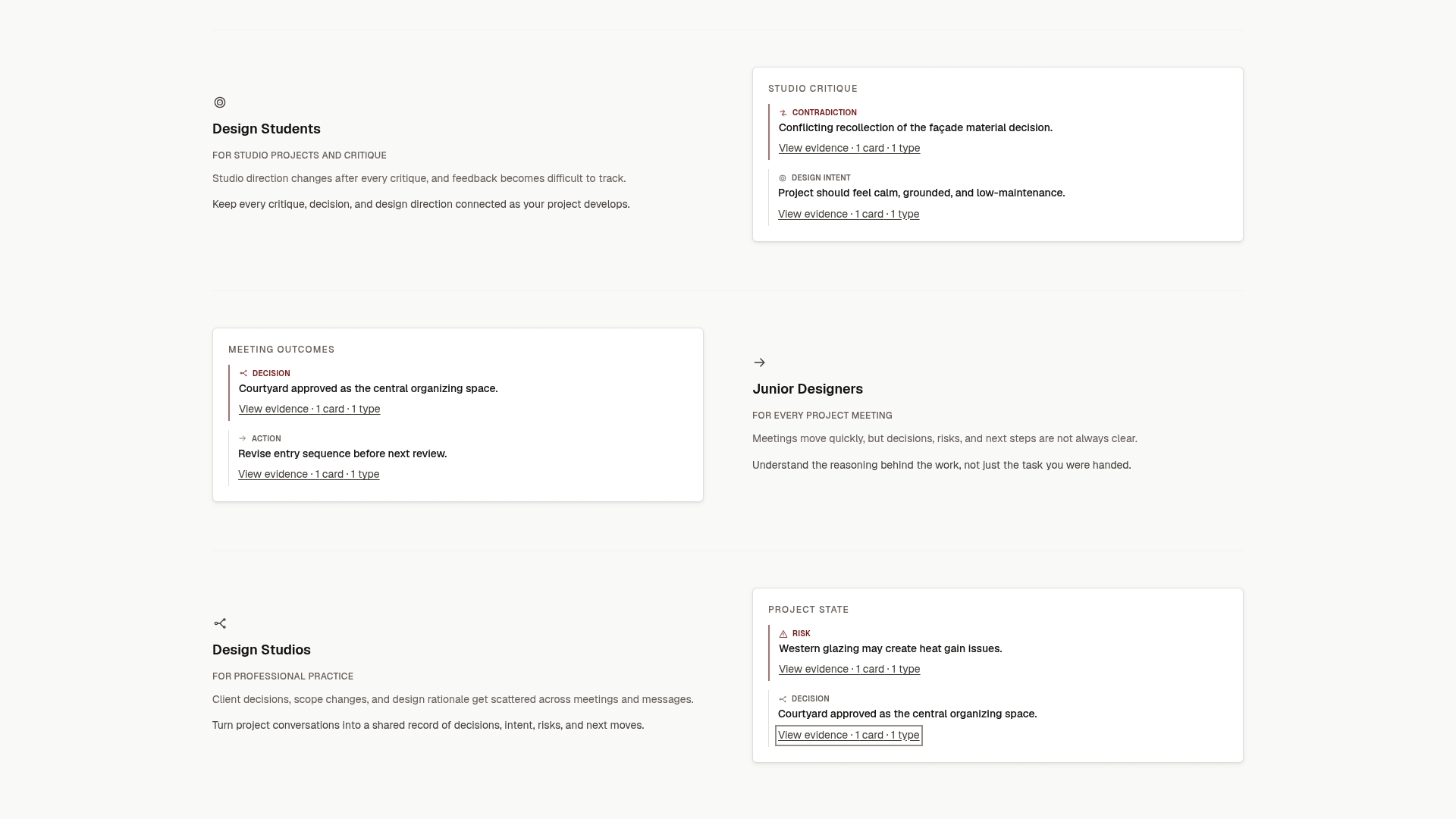
The Intent Ledger is project memory software for design teams. It turns meeting notes, transcripts, audio recordings, critique feedback and client comments into ILM Records: structured, source-backed records of decisions, design intent, risks, actions, commitments and unresolved questions. Each record traces back to the conversation it came from. So the decision, the action it triggered and the open question that preceded it stay connected, and a junior designer can see where a task started.
That is the practical answer to the keyword: actions and decisions are different things, and the project is easier to run when each is recorded as what it is, with its reason and its source.
Perspective
We built The Intent Ledger around one belief: the “what” of a project is easy to find, and the “why” is what goes missing. Task lists show what someone has to do. They rarely show the conversation that made the task necessary, or the reasoning that made the choice sensible.
That is why we do not treat decisions and action items as two columns in one list. A decision carries design intent: why this material, why this layout, why not the alternative. An action carries a commitment: who will do what, by when. Open questions and risks sit beside them, because they explain why a decision has not been made yet or why one might need to be reopened.
When each of these is a source-backed ILM Record, the studio keeps a living memory of how its thinking evolved. New team members read the reasoning instead of guessing. Clients see what they approved. Reviewers see which critique comments turned into changes. We think that is what documentation should do for a design practice.
Rajas
Try it on your next project
If you want the sorting and the source links handled for you, The Intent Ledger offers one-off ILM Record packs and monthly plans. The packs are Working Set at $12, Project Record at $29, Practice Memory at $59 and Studio Ledger at $119, each one-off. Monthly plans are Working Memory at $29 per month, Living Record at $79 per month and Shared Ledger at $149 per month. You can compare them all on the pricing page, or see the product overview on The Intent Ledger.
If you are a freelancer or student with a single project, a one-off pack fits a bounded piece of work. If your studio runs several projects at once, a monthly plan keeps creating records as the work continues.
FAQ
What is the difference between an action item and a decision?
A decision is a choice that the relevant people accepted, and it stays in force until someone reopens it. An action item is a task with one owner and a due date, and it ends when the work is done. Decisions should carry a reason, and actions should carry a finish line.
Can one discussion point be both?
Not as a single entry, but one conversation often produces both. A decision such as “we will add a clerestory” usually creates actions such as “confirm roof loads with the engineer.” Record them separately and link them, so you can see which task came from which choice.
Where do open questions go?
Give them their own list, not the decisions list or the actions list. Each open question should name who will find the answer and when it is needed. Once answered, it becomes a decision, or it generates an action.
How soon should I send notes after a meeting?
PMI’s guidance suggests sending notes within 48 hours, with action items stored electronically and linked in the notes. Sooner is better for design reviews, because comments are easiest to interpret while the drawings are still fresh in everyone’s mind.
What should I record for every decision?
Record the decision itself, the reason, the person responsible, and the next action with a date. For a provisional decision, add what would cause the team to reopen it. If you can also point to the conversation it came from, the record becomes much easier to defend later.
Sources
- Facilitating effective project meetings, Project Management Institute
- Building camaraderie and accountability in your project meetings, Project Management Institute
- The Texas Ranger Agenda: one project, one agenda, Project Management Institute
- How to Run a Better Status Meeting, Project Management Institute
- 10 Practical Ways Project Managers Are Using AI Right Now, Project Management Institute