Architecture Transmittal Log: What to Record and How to Keep One
Architecture Transmittal Log: What to Record and How to Keep One
An architecture transmittal log is a running record of every time your office sent drawings or documents to someone else: what went out, at which revision, to whom, on what date, for what purpose, and whether anyone answered. Keep one row per transmittal, write the row when the package leaves, and close it when the reply arrives. The log proves what was sent. It does not explain why a drawing changed, so pair it with a record of the decisions and conversations behind each issue. That is the job of the ILM Records we build at The Intent Ledger.
TL;DR
- A transmittal is the cover sheet that travels with an issue. The transmittal log is the list of all of them, kept in one unbroken numbered sequence.
- Each row needs a number, date, sender, recipient, method, purpose, documents with revisions, response due date, status and acknowledgment date.
- Write the row at the moment of sending. Rows rebuilt later from old emails are the weakest evidence you have.
- Review the log weekly for overdue replies and unacknowledged sheets, and chase each one in writing.
- The log records what moved. A decision record keeps the reason it moved, traceable to the conversation it came from.
Table of Contents
- What a transmittal log is, in plain terms
- Why the log matters more than it looks
- Transmittal log, drawing register and submittal log: how they differ
- What a transmittal log template should include
- How to set up and run the log, step by step
- Using the log to chase follow-ups
- What a transmittal log cannot tell you
- Common mistakes
- Where The Intent Ledger fits
- FAQ
- Sources
What a transmittal log is, in plain terms
A transmittal is the document that accompanies drawings or other documents when they are formally issued. It records what was sent, to whom, on what date, at what revision, and for what purpose, according to a construction document delivery guide. The transmittal log is the running list of those events. Each individual transmittal is dated proof of one exchange; the log is the history of all of them.
The American Institute of Architects publishes a standard form for this, G810–2001. Its contract documentation summary describes it as a written record of the exchange of project information that also works as a checklist: it reminds the sender to say what is being sent, how, and why. You do not need the AIA form to keep a good log, but its three questions (what, how, why) are a useful test for any template you build.
Transmittals cover more than drawings. A transmittal template guide lists submittals, shop drawings, product data, samples, drawing revisions, bulletins, RFI responses, closeout documents, O&M manuals, warranties, as-builts and pay applications, plus anything else where proof of delivery matters. (An RFI is a request for information, a formal question sent to the design team or contractor.)
Why the log matters more than it looks
The log earns its keep in disputes and in schedule arguments. Contractual review periods generally run from receipt, so if the log cannot prove the receipt date, it cannot prove anyone was late. A transmittal also states which revision the recipient should work from, so that is never inferred from a file name, and it builds an audit trail of what a contractor knew and by when.
An academic construction-writing text makes the same point from the legal side. In Write to Build, the chapter on drawings and graphics says that every time a submittal moves, the date is recorded, and that court cases over damages from schedule delays have hinged on the completeness of submittals and the timeliness of their review. For a small studio, that is the practical reason to log the boring sends too.
Transmittal log, drawing register and submittal log: how they differ
These three get mixed up, and mixing them up produces logs that answer none of the questions well.
| Record | Answers | One row is |
|---|---|---|
| Transmittal log | What was sent, at which revision, to whom, and when did it arrive? | One issue (one transmittal) |
| Drawing register | What is the current revision and status of each sheet? | One drawing |
| Submittal log | Where is each submittal in review, and what was the response? | One submittal |
The distinction between the first and third is simple. A submittal asks for a decision: does this product or shop drawing meet the specification, yes or no. A transmittal makes no such request; it records that a document changed hands at a given revision on a given date. Another practitioner explanation puts it this way: the submittal is the content, the transmittal is the record of the exchange, and the transmittal for Revision 1 stays true forever because it describes an event, not a document.
On a small job, the transmittal log and the submittal log can be the same spreadsheet seen from two sides. On a larger one, a submittal log has its own fields, such as the six-digit MasterFormat specification section, days in review and disposition code, which a general transmittal log does not need.
The register, the log and the individual transmittals work best as three layers: the register shows what exists now, the log shows how it moved, and each transmittal proves one exchange. When the register and the log disagree, investigate straight away, because it usually means something was issued without the register being updated.
What a transmittal log template should include
Published templates vary, but they converge. A 14-column register template records one row per transmittal with these fields, and a free log template uses nearly the same set. Here is a working version for a small architecture studio.
| Column | What goes in it | Why it earns its place |
|---|---|---|
| Transmittal no. | One unbroken sequence, never reused | Gaps expose unlogged issues |
| Date issued | The day the package left | Starts every clock |
| Issued by | Person who sent it | Accountability |
| Recipient and company | Named person, not just the firm | Proves who had it |
| Method | Email, secure link, file transfer, courier, hand delivery, post | Settles delivery disputes |
| Purpose | For information, review, approval, construction, tender, as-built record | States what you expect |
| Documents and revisions | Each sheet number with its revision, such as A-201 Rev C | Half a record without it |
| Count | Number of documents | Quick completeness check |
| Response due | Date, or none | Drives follow-up |
| Status | Draft, Issued, Acknowledged, Response received, Overdue, Closed | Filterable at a glance |
| Date acknowledged | When the recipient confirmed | Receipt date |
| File location | Where the issued set is stored | Retrieval |
| Notes | Follow-ups, calls, context | The paper trail |
Two more habits from practitioners are worth copying. List each document on its own line rather than grouping several drawings under one line, as one transmittal template’s instructions advise. And a transmittal that records delivery but not the revision is, in the words of a document delivery guide, only half a record.
Two columns that protect the whole log
An architect’s guide to a drawing issue register adds two columns worth stealing. “Source” says whether a row came from a live issue or was reconstructed later from old emails. “Checked” holds a person’s initials after comparing the row with the actual PDF. Unchecked rows stay visible, so everyone knows how much of the log has been verified. If you inherit a project with no log, this is the honest way to rebuild one.
How to set up and run the log, step by step
- Write a one-page procedure. Cover the naming convention, status codes, revision rules, who issues and who files. For a team of two to ten, a document control guide recommends exactly this, and recommends starting the registers on day one.
- Give each project three folders. Working, issued and archive. Only the person who owns the document moves files to “issued”. Where it goes wrong: everyone drags files into issued, and the folder stops meaning anything.
- Issue every set by transmittal. List the sheet numbers and revisions, and log it. Where it goes wrong: a quick “here’s the updated plan” email with no transmittal, which leaves a hole in the sequence.
- Open the row as the package goes out. Not at the end of the week. A transmittal describes an event, so the row has to be written at send time; reconstructing “did we send it, when, and what did they say” from sent mail afterward is what the log exists to prevent.
- Set a response date when you need one. Vague requests produce vague replies. State the date and the type of response you need.
- Retire the old version the same day. When a new revision is issued, move the superseded one to archive immediately so nobody builds from it.
- Close the row when the response arrives. Record the acknowledgment date and any disposition.
- Review weekly. Filter for overdue items and unacknowledged sheets. Close out against the contract checklist at substantial completion.
Using the log to chase follow-ups
A log that nobody reads is an archive. A free transmittal template and log calculates days out and a status for each row (closed, overdue, awaiting response, no action required). The routine is to filter on overdue every week, chase each item in writing, and note the follow-up in the Notes column. That paper trail can support a time extension or delay claim when a late approval pushes back a long-lead order.
The same discipline applies to client approvals on small jobs. If you work alone or in a tiny office, this piece on documenting client approvals and follow-ups shows the same habit of writing down each response as it arrives.
For a student, the logic scales down. Treat each pin-up or desk crit as an issue: note the date, what you showed, which version, and what the critic asked for. You will thank yourself when a final review asks why a design moved.
What a transmittal log cannot tell you
Open a good log six months into a project and you can answer: did we send Rev C of the stair details to the structural engineer, and when did they acknowledge it? You cannot answer why Rev C replaced Rev B, who asked for the change, what the client said when you showed the alternative, or which question was left open when the package went out.
That gap is where context gets lost. The Notes column is the usual patch, and it holds a line or two at best. The reasoning lives in meetings, calls, critique sessions, email threads and client comments, and it leaves with whoever attended. A junior designer handed a revised sheet has the revision number but not the reason. A project manager preparing a delay response has the date the package went out but not the commitment someone made on a call the week before.
The fix is a second record that sits beside the log: decisions, design intent, risks, actions, commitments and open questions, each linked to the conversation it came from. Our blog has working guides on the pieces: a design change log, a decision log template, and client comment tracking for design teams. Pick whichever matches the way your studio already works, then reference decision entries from the transmittal’s Notes column so the two records point at each other.
Common mistakes
- Logging after the fact. Rows reconstructed from memory are the first ones challenged.
- Recording delivery but not revision. The row says “plans sent” and nothing about which plans.
- Keeping the log privately. A log that lives on one person’s laptop serves the sender’s memory more than the project. Keep it in a shared location.
- Reusing or skipping numbers. Gaps and duplicates make every other row doubtful.
- Grouping documents on one line. You cannot later prove which sheet was in the package.
- Never closing rows. A log full of open items trains the team to ignore it.
Where The Intent Ledger fits
The Intent Ledger is project memory software for design teams. It turns meeting notes, transcripts, audio recordings, critique feedback and client comments into ILM Records: structured, source-backed records of decisions, design intent, risks, actions, commitments and unresolved questions, each traceable to the conversation it came from. Your transmittal log keeps the proof of what was issued; ILM Records keep the reasoning behind each issue, so the next person can see why a revision exists and not only that it was sent.
Pricing is published on our pricing page. One-off packs start with Working Set at $12 and Project Record at $29, and the monthly Working Memory plan is $29 per month. A freelance architect or a student with one project can begin with a pack; a studio that records every project conversation will want a plan.
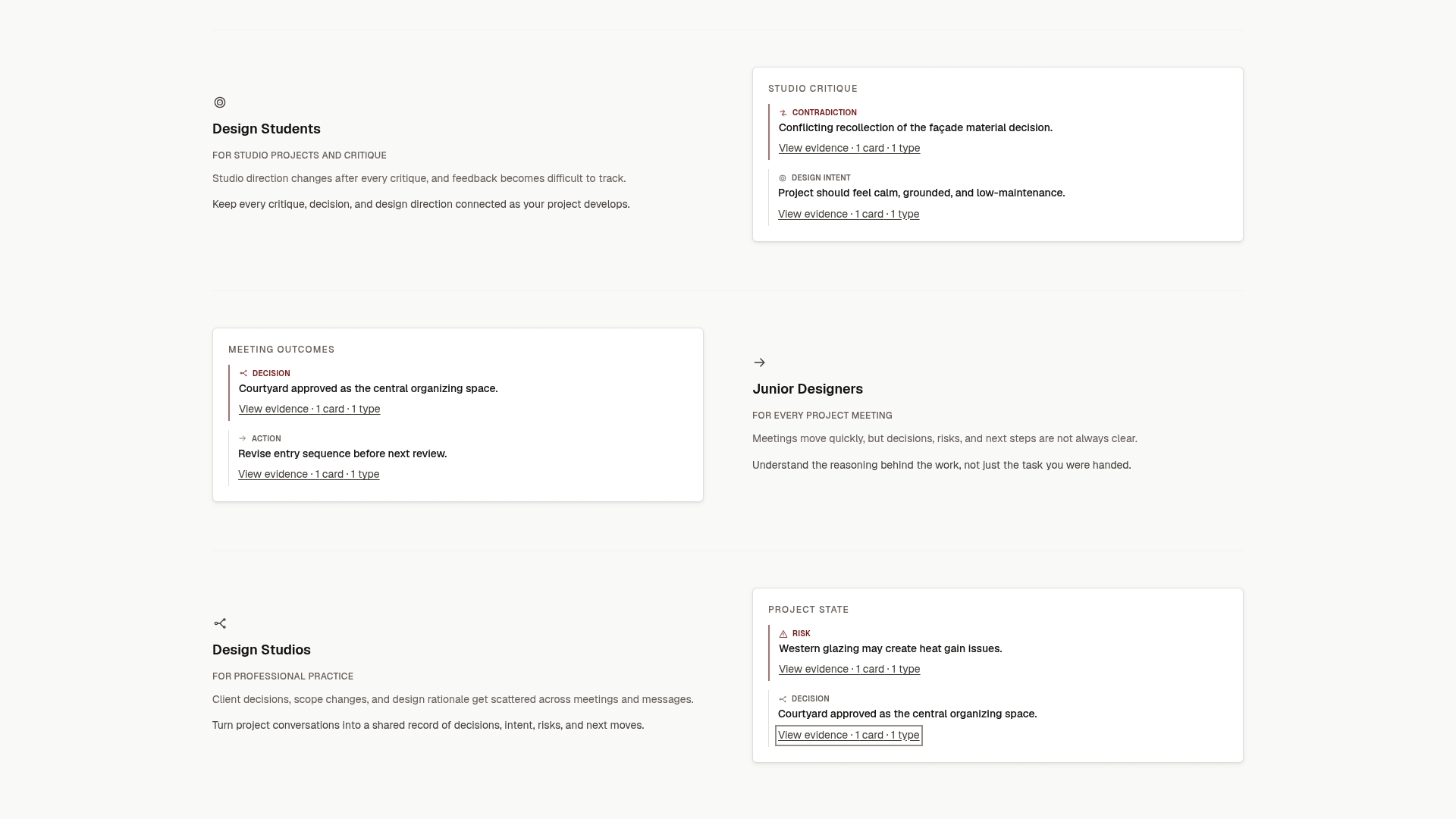
If you already keep a transmittal log, start by adding one habit: after each client or consultant meeting that leads to an issue, capture the decisions in a record and reference it from the matching transmittal row. See the Intent Ledger home page for how it works.
Perspective
A transmittal log is one of the most honest documents in an architecture office, because it is written at the moment of an event and says nothing it cannot prove. We think every studio should keep one.
But we built The Intent Ledger because the hardest question on a project is rarely “did we send it?”. It is “why did we draw it this way?”. That answer is spread across calls, crits and comment threads, and it fades fast. A revision number tells you a drawing changed. It cannot tell the junior designer, the new project manager or the client’s representative what the team was thinking.
Our view is that project memory should hold the why next to the what: each decision, risk and commitment tied to the conversation it came from, so anyone can follow it back. The log proves the delivery. The record proves the reasoning. Together they let a small team stay continuous when people rotate, projects pause and clients revisit what they agreed to.
Rajas
FAQ
What is the difference between a transmittal and a transmittal log?
A transmittal is the single cover sheet that goes with one package of drawings or documents. The transmittal log is the running list of every transmittal on the project. The transmittal proves one exchange; the log shows the full history and lets you spot gaps and overdue replies.
Is a transmittal the same as a submittal?
No. A submittal is the content sent for a decision, such as a shop drawing or product data that must be checked against the specification. A transmittal is the record that the content changed hands, with date, revision and purpose. On small jobs one spreadsheet often serves as both logs.
What should a transmittal log template include?
At minimum: a sequential transmittal number, date issued, sender, recipient and company, method, purpose, each document with its revision, response due date, status, acknowledgment date and notes. Add a file location so the issued set can be found later. Number transmittals in one unbroken sequence and never reuse a number.
Do freelancers and students need a transmittal log?
A lightweight version helps both. A freelance architect can log each issue to a client or consultant with date, revision and purpose, and keep client replies beside it. A student can log each crit with the version shown and the feedback received, which makes the final review much easier to prepare.
How often should I review the log?
Weekly. Filter for overdue responses and unacknowledged sheets, chase each in writing and note the follow-up in the log. A short regular review keeps the log accurate enough to rely on if a delay or dispute comes up.
Sources
- Drawing Transmittals and Construction Document Delivery
- Summary: G810–2001, Transmittal Letter (AIA Contract Documents)
- Free Document Transmittal Template + Log
- Transmittals, Logs and Document Numbering
- Drawings and Graphics, Write to Build
- What a Transmittal Has to Say
- Submittal Transmittal Template: Fields, Codes, and Workflow
- Free transmittal register template for Excel
- Transmittal Log, free template
- Free Document Transmittal Template (Excel and PDF)
- Keep a Drawing Issue Register and Transmittals
- Construction Document Control: What It Is and How to Run It
- Keep Client Approvals and Log Changes On Site