30 Minute Capture: Client Feedback Tracking for Design Teams via ILM
30 Minute Capture: Client Feedback Tracking for Design Teams via ILM

Client feedback tracking, for design teams, means turning client comments, meeting notes, and transcripts into structured, source-backed decision records rather than scattered emails and sticky notes. The Intent Ledger calls these ILM Records: entries that tie a specific comment to a design version, an owner, and an outcome. The single immediate task that cuts rework fastest: capture what was said during any review and attach it to your project hub within 30 minutes of the meeting ending.
TL;DR:
- Centralizing feedback into a single, version-anchored hub reduces revision cycles by up to 60%, speeding up sign-offs and decreasing rework.
- A detailed feedback log with fields like speaker, comment, target element, and evidence ensures traceability and accountability for future reference.
- Capturing and distributing feedback within 30 minutes of review lowers disputes and helps owners act promptly, especially on Must-fix items.
- Automating feedback capture with AI tools is effective when review volume is high and verbal input exceeds typing speed, but requires human verification.
- Linking feedback to decisions with rationale and artifacts avoids repeated discussions and preserves design intent throughout the project lifecycle.
Table of Contents
- What Does Good Client Feedback Tracking Actually Look Like?
- The Feedback Log Template: Fields to Capture Every Time
- How Should the Feedback Workflow Run, Start to Finish?
- Should You Automate Feedback Capture with AI and BIM Tools?
- From Feedback Item to Decision Record: Building Project Memory
- A One-Week Pilot: How to Test This on Your Next Project
- A Design Lead’s Take on Why This Actually Sticks
- Where The Intent Ledger Fits Into This System
- Sources
What Does Good Client Feedback Tracking Actually Look Like?
Feedback tracking works when every comment lives in one place, tied to the version it was made against, with a name and a deadline attached. That sounds obvious. It rarely happens, because feedback tends to arrive across email threads, texts, sticky notes on a printed elevation, and a stray comment muttered during a walkthrough that nobody writes down.
Teams that centralize feedback into a single hub and link every comment to a specific file version report up to 60% fewer revision rounds compared to teams working across scattered channels. That is not a small efficiency gain. Fewer revision rounds means faster sign-off, fewer billable hours spent re-explaining decisions, and far less risk that a client “remembers” giving direction they never actually gave.
A dedicated hub beats scattered channels because it does three things email cannot: it timestamps who said what, it links that comment to the exact drawing or model version under review, and it stays searchable months later when someone asks why a decision was made. The benefits stack up fast:
- Faster review turnaround once comments have a fixed home
- Fewer disputes over what was actually approved
- A searchable history that shortens onboarding for new team members
- Traceable accountability when a client changes their mind mid-project
The Feedback Log Template: Fields to Capture Every Time
A feedback log only earns its keep if the fields force clarity. Skip a field and you lose the ability to trace a comment back to its source months later, which defeats the entire point of tracking client feedback tracking in the first place.
Here is the field set worth building into any template, whether it lives in a spreadsheet or inside project memory software:
| Field | Why it matters |
|---|---|
| Project context | Ties the comment to the phase and scope under review |
| Speaker | Names who said it, critical when input conflicts later |
| Verbatim comment | Preserves exact wording, not a paraphrase that drifts |
| Target element | Points to the specific drawing, room, or model component |
| Priority | Sorts urgency: Must-fix, Nice-to-have, Won’t-do |
| Owner | Assigns a single accountable person, never a team |
| Status | Tracks Open, In Progress, or Closed |
| Linked version | Anchors the comment to the exact file it was made against |
| Evidence | Attaches a screenshot, transcript clip, or marked-up plan |
Triage each item into one of three buckets: Must-fix, Nice-to-have, or Won’t-do, and log a short response code next to anything you decline so the reasoning survives even if the person who made the call leaves the project.
On technical projects, keep approvals separate from raw feedback. A Comment Resolution Sheet style format works well here: every comment gets a unique ID, an author response, a response code, and a status that moves from Open to Closed, which creates an audit trail a client or contractor can actually verify later.
How Should the Feedback Workflow Run, Start to Finish?
The template is only half the system. Without a repeatable rhythm around it, even a good log turns into a graveyard of half-updated entries. Here is the sequence that keeps a feedback log alive:
- Before the review, share the scope, open questions, and exactly which version the client is about to look at, so nobody comments on outdated drawings.
- During the review, capture the speaker, the verbatim comment, and the specific element it refers to, flagging priority as comments come in rather than reconstructing it afterward.
- Within 30 minutes of the review ending, write and distribute the feedback log to the whole team, since documenting verbal feedback within 30 minutes and sending a confirmation to the client eliminates most later disputes.
- Assign owners and deadlines for every Must-fix item the same day, while memory of the conversation is still fresh.
- Disable comments on older versions so nobody accidentally acts on feedback that has already been superseded.
- Run a short retro after major milestones, mapping revision history so the archive stays usable instead of turning into a pile of unlabeled files.
Pro Tip: Send the 30-minute summary as a confirmation email the client has to acknowledge, not just an FYI. A silent “no objection” is far weaker evidence than an actual reply on record.
Should You Automate Feedback Capture with AI and BIM Tools?
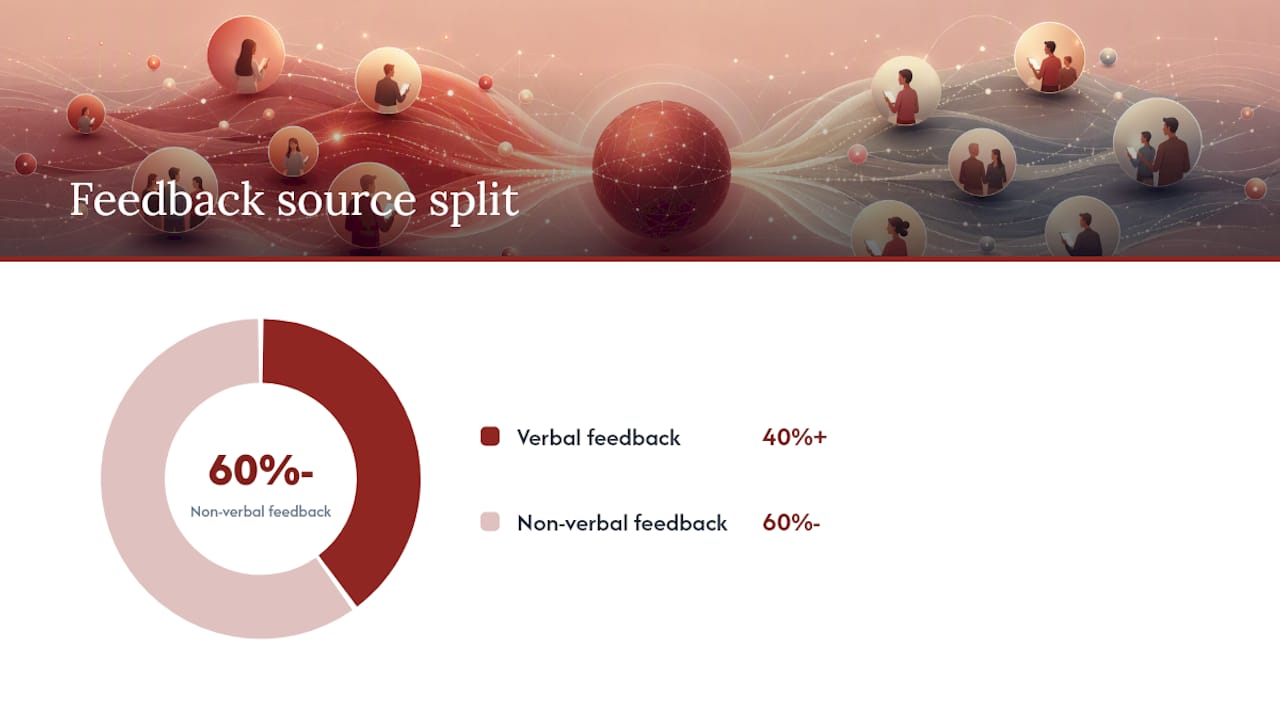
Automation earns its place when review volume is high and verbal feedback outpaces anyone’s ability to type fast enough. Design reviews generate 20 to 30 individual feedback items on average, and more than 40% of that feedback arrives verbally, which means a huge share of it evaporates the moment the meeting ends unless someone is recording and transcribing.
Tools that extract speaker, requested change, and suggested priority directly from a transcript let designers stay in the conversation instead of hunched over a notepad. On the visual side, AI-BIM workflows that formalize client inputs and generate visual options tied to a parametric model improve early-stage feedback accuracy and reduce misinterpretation, because the client is reacting to something anchored in the actual model rather than a static rendering.
A few things to weigh before automating fully:
- Match automation level to review type: a quick internal check-in doesn’t need the same rigor as a client-facing milestone review.
- Verify AI-extracted priority tags against the transcript before locking them into the log; automated sorting speeds intake but still needs a human check for accuracy.
- Always get consent before recording client conversations, and store transcripts in line with your data privacy obligations.
- Anchor feedback directly in the model where possible, using Revit worksharing or similar version-controlled BIM environments so comments stay tied to the exact geometry they refer to.
From Feedback Item to Decision Record: Building Project Memory
A logged comment is not the same thing as a decision. The real value shows up when a feedback item graduates into a decision record, capturing not just what changed but why, and what alternatives got rejected along the way.
A useful decision record holds: the decision itself, the alternatives considered, the rationale, any dissent that came up, the participants involved, and links to the artifacts that informed it (the transcript clip, the marked-up drawing, the model version). Keeping this thread intact matters because design intent evaporates when field decisions live outside a single system of record, leaving site teams to make informal calls that drift from what was actually agreed.
- Close a record once a decision is implemented and confirmed, not the moment it is proposed
- Surface old records when a similar question resurfaces on a new project, so teams stop re-litigating settled debates
A One-Week Pilot: How to Test This on Your Next Project
You do not need a company-wide rollout to see whether structured tracking works. Run it on one project for a week:
- Pick one active project with an upcoming client review.
- Choose a single hub for all feedback, no exceptions.
- Agree on who owns logging, who owns triage, and who owns closing items.
- Run the review using the field template above.
- Distribute the written log within 30 minutes of the meeting ending.
- Send a confirmation to the client and get an acknowledgment.
- Archive the resulting decisions with rationale attached.
Track three numbers afterward: the drop in open feedback items week over week, time to closure per item, and how many comments repeat themselves across reviews. A ready-made decision log template can save you the setup time on day one.
A Design Lead’s Take on Why This Actually Sticks
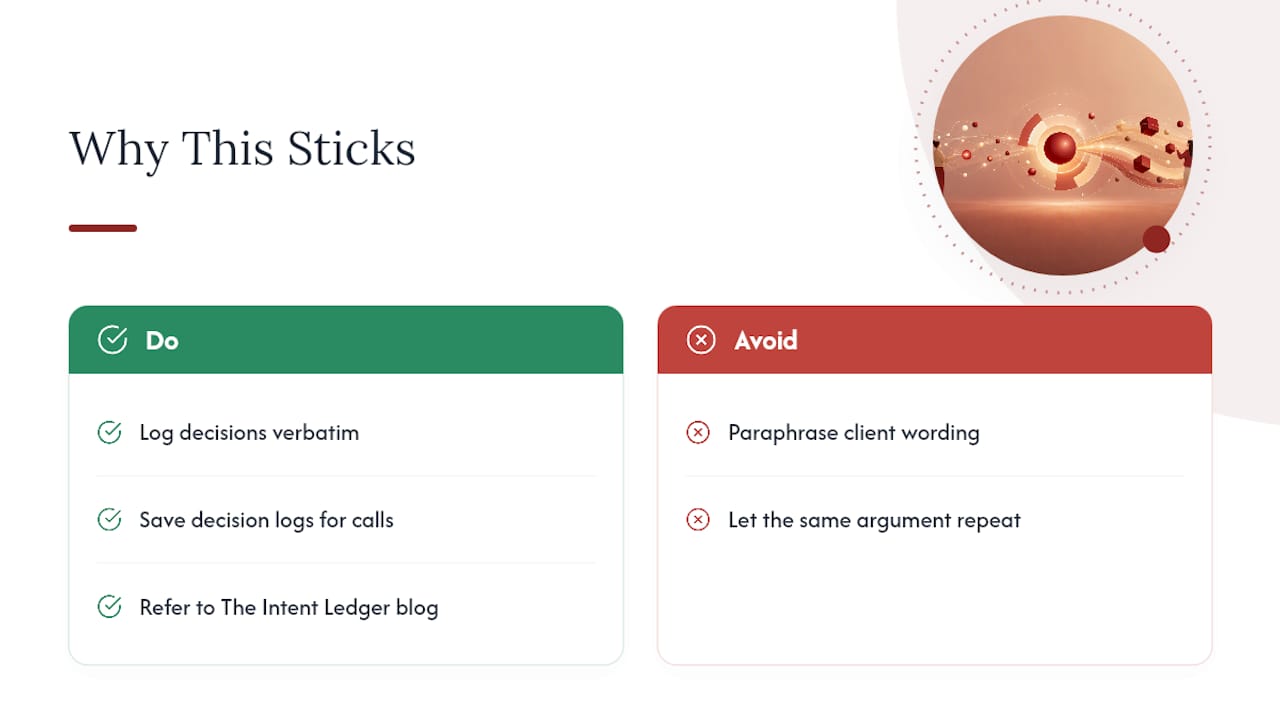
The projects that go sideways rarely lack talent. They lack a record of why a call was made six weeks earlier, so the same argument happens twice. One saved decision log once stopped a client from reversing a material choice they had, in fact, approved on record. Do log verbatim wording. Don’t paraphrase what a client said into what you wished they’d said.
Related reading lives on The Intent Ledger’s blog.
, Rajas
Where The Intent Ledger Fits Into This System
Theintentledger is the direct implementation of everything above: instead of building your own feedback log and hoping the team keeps it updated, ILM Records are generated automatically from meeting transcripts, critique sessions, and client calls, then linked back to the design version they refer to.

Every field in the template, speaker, target element, priority, owner, status, gets populated from the actual conversation rather than someone’s memory of it. Transcript linking means you can click a decision and hear the exact moment a client approved a material change, and version anchoring keeps old feedback from getting acted on after a drawing has moved on. Theintentledger offers monthly subscriptions and one-time ILM Record pack purchases, so a solo freelance architect and a multi-studio firm can both start without over-committing. Visit The Intent Ledger to see how ILM Records work, or check pricing to start a trial on your next project.
Sources
Research on AI-BIM integration and structured feedback documentation informed the workflow above. For templates, see Record of Decision fields and action items tracking on Theintentledger’s blog.