Decision Taxonomy: How to Sort Design Decisions Clearly
Decision Taxonomy: How to Sort Design Decisions Clearly
A decision taxonomy is a shared system for naming, sorting and recording the decisions a team makes. It has categories, rules for applying them, and a way to decide which category a given decision belongs in. For a design team, the practical version is short: five to eight decision types, a one-line definition for each, an owner, and a record that traces each decision back to the conversation it came from.
This guide covers what the term means, which published models are worth borrowing from, how to build a lightweight set of categories for design and architecture projects, and how to keep it from rotting as the project moves.
TL;DR
- A taxonomy is more than a list of labels. It also includes naming rules and a method for placing each decision in a class.
- “Decision classification” and “decision categories” are the grouping step. The taxonomy is the whole system around them.
- Keep categories few, define them in one line, and sort by what a decision changes (scope, budget, intent, risk), not by who said it.
- Record each decision once, with context, the decision itself, alternatives and consequences, and never rewrite it later: supersede it.
- Link every record to its source conversation so the reasoning survives staff changes.
Table of Contents
- What a decision taxonomy actually is
- Classification, categories and taxonomy: the vocabulary
- Published models you can borrow from
- A starter taxonomy for design and architecture teams
- What to record under each category
- Routing: who owns which decision type
- Keeping the taxonomy consistent as projects change
- Where the taxonomy meets real conversations
- Perspective
- Put your taxonomy to work with ILM Records
- FAQ
- Sources
What a decision taxonomy actually is
In decision-science terms, a taxonomy is a complete process. Scherpereel’s 2002 Decision-Order Theory paper describes it as a classification of decision problems into first-, second- and third-order classes, plus methods for naming those classes, rules for applying the names, and procedures for deciding which individual decisions belong in which class. The same paper notes that the literature often uses “taxonomy” as a synonym for “classification”, even though the word has broader implications.
That distinction is useful in a studio. If you only have categories, two people will still file the same decision in different places. If you also have naming rules and a placement test, they will mostly agree.
A second academic source frames it in three steps borrowed from biology: identification, classification and nomenclature. The 2009 paper applies those steps to operational decisions in small and medium enterprises so that one decision can be rated against another. Translated to design work:
- Identification: Is this a decision at all, or just a comment?
- Classification: Which type is it?
- Nomenclature: What is it called, so someone can find it in six months?
Classification, categories and taxonomy: the vocabulary
People search for these three terms interchangeably. In practice they sit at different levels.
| Term | What it covers | Example in a design studio |
|---|---|---|
| Decision categories | The list of labels | Scope, Budget, Design intent, Risk |
| Decision classification | Placing a decision into a label | “Move the stair to the north core” goes under Design intent |
| Decision taxonomy | Labels, naming rules, placement test, review routine | All of the above, plus the rule for what counts as a decision and who owns each type |
Start with categories, add the placement test as soon as two people disagree, and add the review routine once the project is more than a few months old.
Published models you can borrow from
You do not need to invent categories from scratch. Several published models show different ways to cut the same problem. None was written for architecture studios, so treat them as raw material.
By organizational level
One common split is strategic, operational and tactical. Timecraft Advisory’s guide to team decision policies describes strategic decisions as company direction and large investments, operational as resource allocation and process changes, and tactical as day-to-day execution and minor spending. It also cites the Type 1 versus Type 2 distinction, irreversible decisions that need careful analysis versus reversible ones that can be made fast.
For a studio, the reversibility cut is the most portable idea. A façade material that has been ordered is a one-way door. A diagram layout is a two-way door. Sorting by reversibility tells you how much documentation each one deserves.
By engineering design problem
The Oregon State taxonomy by Ullman and colleagues classifies engineering design decision problems through eleven measures grouped under four headings: Structure, Focus, Range and Support. Measures include problem completeness, abstraction level, objective function and level of support. It is built for analyzing the decision problem itself, which makes it heavier than most studios need day to day. Its lesson is that a decision can be described along several independent dimensions, not just one label.
By architectural effect
The IASA BTABoK lists decision types such as Structural, Pattern, Technology Dependency, Quality Attribute, Product/Framework, Constraint, Cascade and Principle. The Cascade type is the interesting one for design teams: a decision that forces other decisions. A change to the structural grid that triggers a rework of the mechanical layout is a cascade, and your records should say so.
By software design documentation
Researchers Keim, Hey, Sauer and Koziolek proposed a taxonomy for design decisions in software architecture documentation. They argued that existing taxonomies had different purposes and were too coarse for their goal, consistency checking. Their refined version, tested on 17 open-source architecture documentations, reached scores of up to 92.1% for identifying design decisions but only up to 55.2% for classifying the kind of decision.
That gap is worth remembering. Spotting that a decision happened is far easier than agreeing on its type. Build your taxonomy expecting disagreement at the edges, and give people a tiebreaker rule.
By project-management concern
A 2026 decision log guide on Taskmanager.space recommends core categories of Scope, Timeline, Budget, Resources, Process, Risk, Client or stakeholder, and Technical or operational. It also advises that useful logs are selective: they capture choices that change work, create obligations or affect future decisions, not every passing preference.
A starter taxonomy for design and architecture teams
For a small studio, combine the project-management cut with the architectural ones. The set below is our suggestion, not a published standard. It uses seven types.
| Category | Definition (one line) | Typical owner | Example |
|---|---|---|---|
| Design intent | A choice that defines what the design is trying to achieve | Design lead | Keep the courtyard as the primary circulation spine |
| Scope | A change to what is included or excluded | Project manager | Landscape design moves to a separate consultant |
| Budget and cost | A choice that moves money | Project manager with client | Switch cladding to the lower-cost option |
| Schedule | A choice that moves a milestone | Project manager | Push the review to after the survey |
| Technical and coordination | A choice affecting structure, services or other disciplines | Technical lead | Shift the riser location |
| Risk and constraint | A recognized risk, or a limit accepted | Whoever owns the risk | Council height limit accepted as fixed |
| Client or stakeholder commitment | Something promised to or by the client | Principal | Client approved the revised plan in writing |
Add two flags that cut across all seven:
- Reversibility: one-way or two-way.
- Cascade: does it force other decisions? If yes, list which.
The placement test
When a decision could fit two categories, use one rule: file it under the category that would be most damaged if the decision were forgotten. A choice to drop a rooftop terrace to save money is both Budget and Design intent. If forgetting it would cause someone to redraw the terrace, file it under Design intent and note the cost reason in the context field.
Define what counts as a decision
Before sorting, filter. A decision is something that changes the work, creates an obligation or constrains future choices. A preference voiced in passing is not. This is the identification step from the biological model, and it keeps the log from drowning in noise.
What to record under each category
Categories only help if each record carries enough to be useful later. Michael Nygard’s widely cited 2011 post on documenting architecture decisions proposes short records with Title, Context, Decision, Status and Consequences, numbered in sequence. He argues that a record should describe a set of forces and one decision in response, and that the Consequences section should list all consequences, positive, negative and neutral, because all of them affect the team later.
A design-team version looks like this:
- Title: a short noun phrase.
- Category and flags: from your taxonomy.
- Context: what forces were at play: client brief, site constraint, critique comment.
- Decision: one sentence, active voice.
- Alternatives considered: what was rejected and why.
- Consequences: what this makes easier, harder or open.
- Owner and date.
- Source: the meeting, transcript, critique or client comment where it was made.
The DevOpsTales write-up on decision records uses a similar format with Status, Date, Type, Owners, Context, Decision, Alternatives considered, Consequences and Links, and separates records by type: architecture, product behavior and design or interaction. The idea carries over: different types can share one template.
If you want ready-made field lists, our own guides cover them: eight fields design teams should capture in a record of decision, a decision log template for project teams, and a six-field audit trail for critique-driven work.
Routing: who owns which decision type
A taxonomy becomes operational when each type has an owner and a place where it is settled. Michel Paquin’s decision taxonomy and routing article defines six categories, each with metadata for definition, owner, forum, default response time and required inputs. His argument is that people often disagree less about the answer than about where the question belongs and who owns it.
You can borrow the idea at studio scale with three metadata fields per category: owner, forum (weekly coordination meeting, client review, internal critique) and required inputs. For thinking about how roles, scope and accountability fit together, see this overview of roles, scope and the audit trail.
A simple routing table for a six-person studio might read:
| Category | Owner | Where it is settled | Needs before deciding |
|---|---|---|---|
| Design intent | Design lead | Internal critique | Brief, precedent, sketches |
| Budget and cost | Project manager | Client review | Cost estimate |
| Technical and coordination | Technical lead | Coordination meeting | Consultant input |
| Client commitment | Principal | Client review | Written confirmation |
Keeping the taxonomy consistent as projects change
The taxonomy and the records both drift unless you set rules early.
Do not edit accepted records
A 2026 article on updating ADRs argues that the body of a record (context, decision, consequences) should be immutable once accepted. Only three things change: the status, the links between superseding and superseded records, and a dated notes section. Editing the body after acceptance, it says, destroys the audit trail. The same article suggests that if one record collects five notes, the decision has probably drifted enough to supersede it.
Nygard makes the same point: if a decision is reversed, keep the old record and mark it superseded. For a design team, this means the history of how the thinking changed stays visible, which is exactly what a new project manager or junior designer needs when they ask why something is the way it is.
The UK Government Digital Service makes a similar case in its guidance on documenting architecture decisions: keep a record of what changed, who changed it and when, and preserve the reasoning so the current team can use it as context for their own decisions.
Review the categories, not just the records
Set a review point, for example at each project phase gate. Ask three questions:
- Are any categories empty? Merge or drop them.
- Is one category a dumping ground? Split it.
- Did two people file the same decision differently? Tighten the definition or the placement test.
Watch for the two failure modes
Categories that are too coarse give you a log nobody can search. Categories that are too fine make people skip logging. The software-architecture research above found exactly this tension: coarse taxonomies fit poorly, yet even a refined one struggled to classify decision kinds reliably. Aim for the smallest set that lets someone find a decision in under a minute.
Where the taxonomy meets real conversations
Most design decisions are never written down as decisions. They happen in a critique, a client call or a comment thread. The weak point of any taxonomy is the step between conversation and record: someone has to notice the decision, label it and write it up while the context is still fresh.
That is the step we built our software around. If you are adopting a taxonomy, make capture routine: assign a note-taker per meeting, extract decisions within a day, and always attach the source. A category label without a source is a claim nobody can check.
Perspective
Most teams treat a decision taxonomy as a filing exercise. We think it is a memory exercise. The labels matter less than whether someone, a year later, can open a record and see why the team chose what it chose, in the words of the people who were in the room.
That is why we focus on the why behind design work, not only the what. A list that says “cladding changed” is nearly useless. A record that says the change followed a cost review, names the risk that was accepted, and links to the conversation where the client agreed is something a new project manager can act on.
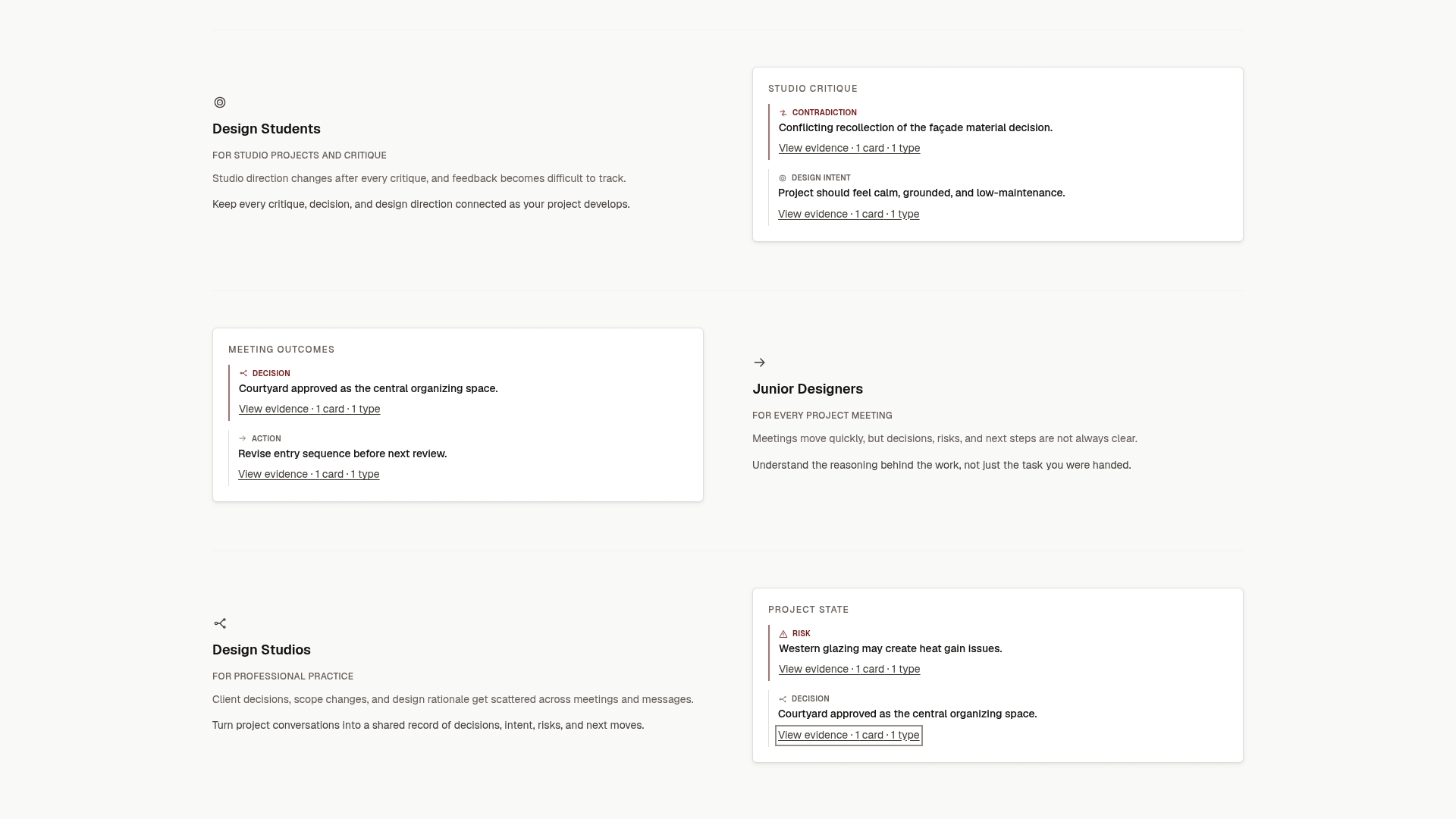
Our approach is to turn project conversations, meeting notes, transcripts, critique feedback and client comments into structured, source-backed records of decisions, design intent, risks, actions, commitments and unresolved questions. Those map neatly onto a working taxonomy, and each one traces back to where it came from.
Start small, keep your categories honest, and let the records accumulate. A project memory is built one traceable decision at a time.
Rajas
Put your taxonomy to work with ILM Records
If you want the categories above applied to real project conversations, The Intent Ledger turns notes, transcripts, critique feedback and client comments into ILM Records: structured, source-backed records of decisions, design intent, risks, actions, commitments and unresolved questions.
You can start with a one-off pack: Working Set at $12, Project Record at $29, Practice Memory at $59 or Studio Ledger at $119. Teams that create records continuously can choose a monthly plan: Working Memory at $29 per month, Living Record at $79 per month or Shared Ledger at $149 per month. See all packs and plans on the pricing page, or read more on our site.
FAQ
What is a decision taxonomy?
It is a system for classifying decisions: a set of classes, rules for naming them, and a method for placing each decision in a class. Scherpereel’s academic definition also stresses that it gives people a common language for discussing decision problems across disciplines. For a team, it means everyone files and finds decisions the same way.
Is a decision taxonomy the same as decision classification?
Not quite. Classification is the grouping step. A taxonomy includes the grouping plus the naming rules and the procedure for deciding which decisions belong where. In everyday use people mix the terms, so if you only need labels, you are building decision categories, and you can add the rest as you grow.
How many decision categories should a design team use?
Between five and eight is a practical range for a small studio. Published models range from three levels (strategic, operational, tactical) to eight project categories, and the engineering research uses eleven measures for analyzing decision problems. Start with the smallest set that lets people find a decision quickly, then split a category only when it becomes a dumping ground.
Should every decision be logged?
No. Log decisions that change the work, create an obligation or affect later choices. Passing preferences and minor comments add noise. A simple test is whether forgetting the decision would cause rework, a dispute or a repeated debate.
What do you do when a decision is reversed?
Keep the original record, mark it as superseded and create a new one that links back to it. Do not rewrite the original. This keeps the reasoning history intact, so the team can see what was decided, what replaced it and why.
Sources
- Decision-Order Theory: A Decision Taxonomy (Scherpereel, 2002)
- Taxonomy of a decision: ranking operational decisions within the SME (2009)
- A Taxonomy for Classifying (Ullman et al., Oregon State University)
- Decisions | IASA BTABoK
- A Taxonomy for Design Decisions in Software Architecture Documentation (2022)
- How to Create a Decision Policy for Your Team
- Decision Log Template for Project Tracking
- Documenting Architecture Decisions (Nygard, 2011)
- Decision Records: The Missing Memory Layer for AI Coding
- Decision taxonomy and routing (Paquin)
- How to Update an ADR (Without Breaking the Audit Trail)
- Documenting architecture decisions, The GDS Way
- Roles, scope and the audit trail