Design Change Log: What to Record and How to Keep It
Design Change Log: What to Record and How to Keep It
A design change log is a dated record of every meaningful change to a design, with the reason for the change, the person who decided it, the source of the request and what happens next. A list of versions tells you what moved. A good log tells you why, so that anyone joining the project six months later can understand it without asking around.
This guide gives you the fields to capture, a template you can copy, a status lifecycle, and the habits that keep the log current once the project gets busy.
TL;DR
- Log the change, the reason, the source (who asked and in which conversation), the decision, the owner, the date and the follow-up action.
- Use a simple status lifecycle: requested, assessed, approved, deferred or rejected, implemented, closed. Keep closed and rejected items on the log.
- Separate evidence (what the client or critic said) from the design response (what you chose to do).
- Review the log weekly with the team and monthly with the sponsor or client, so it stays a living document.
- Link each entry to the original conversation, because the reason for a change is the first thing people forget.
Table of Contents
- What a design change log is, and what it is not
- The fields every entry needs
- A template you can copy
- Statuses: track proposed, approved, rejected and unresolved
- Capture where the change came from
- Keep the log current
- Common mistakes
- Our perspective
- Where The Intent Ledger fits
- Where a change log sits in a wider record
- FAQ
- Sources
What a design change log is, and what it is not
The term covers several overlapping documents. Teams say design change log, project change log, design change register or project change history, and in practice they differ mostly in emphasis.
| Name | Typical emphasis | Best for |
|---|---|---|
| Design change log | What changed in the design and why | Design teams, studios, critique-driven work |
| Project change log | Requests that affect scope, schedule or cost | Project managers, client-facing work |
| Design change register | Formal lifecycle of each request, with approval status | Larger or regulated projects |
| Project change history | The chronological story of the project | Handover, onboarding, retrospectives |
You do not need four documents. One log with the right fields can serve all four purposes.
It also is not a product changelog. The pages that rank for this phrase are mostly about release notes: public lists of app updates and bug fixes written for customers. That is a different job. This guide is about the internal record that explains the design decisions behind a project.
The closest established practice is the design history. The UK Department for Education describes a design history as a record of design iterations, research findings and design decisions, showing what was designed and why. Its usefulness comes from keeping rationale and evidence beside the visible design, not from listing versions.
The fields every entry needs
Start small. An entry that takes two minutes to write gets written. An entry that takes twenty gets skipped.
The core fields
- ID and date. A running number and the date of the decision, not the date you got around to writing it.
- Title. A short phrase that names the change, such as “Move main stair to east core”.
- Previous state. What the design looked like before.
- Trigger. What prompted the change: a critique comment, a client request, a site constraint, a code issue, a cost review.
- Change. What is now different.
- Reason. Why this option was chosen, and what was considered and set aside.
- Decision and status. Who decided, and where the change sits in the lifecycle.
- Owner and next action. Who carries it out, and by when.
- Source link. The meeting, transcript, email or markup where the request or decision was made.
This matches published guidance closely. The Department for Education’s iteration guidance says documentation should explain the previous state, what prompted the iteration, what changed and what outcome followed. Its 2024 guide names the minimum as the iteration itself and the reason for the change, with links to research, process or regulation changes and technical constraints where relevant.
On the decision side, Microsoft’s engineering playbook recommends recording a title, date, status, context, decision and consequences. It says the context should describe the problem and the forces at play objectively, and the decision should state what the team will do. Those map neatly onto the trigger, reason and change fields above.
Fields for client-facing work
If clients or sponsors can request changes, add a few more. A widely used project change-log template includes change number, type, description, requestor, date submitted, date approved, status and comments. Of those, requestor and the two dates matter most: they answer “who asked, and how long did it sit?”
You may also want a column for impact on scope, schedule or fee. The UK Government’s project delivery standard says a change-control register should record each request’s category, description, impact, related risks and issues, and status. For a small studio, a single “impact” line and a “related risk” line are enough.
A template you can copy
Paste this into a spreadsheet, a shared document or your project tool. One row per change.
| ID | Date | Title | Previous state | Trigger and source | Change | Reason | Status | Decided by | Owner | Next action and due |
|---|---|---|---|---|---|---|---|---|---|---|
| 014 | 2026-10-12 | Move main stair to east core | Stair at west end of plan | Client comment, review call 10 Oct (link) | Stair relocated; lobby widened | Frees daylight on west facade; shorter egress path | Approved | Studio lead | Job captain | Update plans and sections by Friday |
| 015 | 2026-10-14 | Replace timber screen with metal | Timber slats on south elevation | Cost review (link) | Aluminum louvers proposed | Maintenance and budget | Deferred | Client | Project manager | Revisit after pricing round |
The example rows are illustrative. Replace them with your own.
If you prefer a card format for bigger decisions, use a short record per change: title, date, status, context, decision, consequences. That is the structure the UK Government Digital Service recommends for architecture decision records, and it adapts well to design work.
Statuses: track proposed, approved, rejected and unresolved
A log that only records approved changes hides half the story. Rejected and deferred changes are often the ones people raise again three months later.
The UK Government’s change-control standard describes a lifecycle of requested, assessed, approved, deferred, implemented and closed. Decisions may approve, defer or reject a change. Closed changes stay on the register, with a record of when and by whom they were closed.
A practical version for a design team:
- Requested: logged, not yet looked at.
- Under review: someone is checking impact on scope, cost, code or schedule.
- Approved: go ahead, with an owner.
- Deferred: not now, with a date or condition for revisiting.
- Rejected: not doing it, with the reason.
- Implemented: drawings or models updated.
- Closed: checked and finished.
The standard also says requests can come from any stakeholder, so register each one and give it an owner. Government guidance in Canada agrees on the principle: log every request when it is submitted, then record assignments, statuses, dates, decisions and follow-up. Logging at submission means nothing gets lost between a hallway comment and the next meeting.
Capture where the change came from
Most change logs fail at the same point: the entry says what changed but not who asked or what was said. Three months on, nobody remembers whether the stair moved because of the fire consultant, the client or a critique panel.
Treat source as a required field, and keep evidence apart from your response to it. The Department for Education’s iteration guidance shows why: when evidence is separate from the design response, readers can distinguish what users experienced from what the team chose to change.
For critique and client feedback, write each entry in three short parts:
- Feedback as given. Quote or closely paraphrase, with the speaker and the date.
- Interpretation. What you think they meant or were worried about.
- Response. What you changed, or why you did not.
Example: “Reviewer said the entry sequence feels cramped (critique, 9 Oct). We read this as a compression problem between door and lobby. Response: widened the lobby by 1.2 m; kept the door position.” Notice that the response records an interpretation, so a later reader can disagree with it intelligently.
This is also the best protection for freelancers and small studios. When a client says “I never asked for that”, a dated entry linked to the email or call is a calm answer.
Keep the log current
A log you update once a quarter is an archive, not a log. Three habits keep it alive.
Write it at the decision, not after. Add the entry before the meeting ends or within the hour. Memory of the reason fades faster than memory of the change.
Review on a rhythm. Nova Scotia’s guideline recommends treating the change log as a living document, reviewed weekly between the project manager and the service provider and monthly with the project sponsor. For a design team, the weekly review can be ten minutes at the start of a team meeting: any open items, any deferred items that have reached their date?
Make history durable and scannable. Google’s engineering practices say a permanent change description should state what changed and why, include relevant decisions and context, and link to supporting material such as design documents. The lesson carries over: a concise first line so people can scan, then enough detail that a stranger can follow the reasoning.
If your files live in version control or a shared drive with version history, use that for the “what changed, who and when” part. The GDS guidance makes the same point: version control shows what changed, who changed it and when, while regular review meetings and an issue tracker carry the decision through to implementation. The log then only has to hold what version control cannot: the reason.
Common mistakes
- Logging only approved changes. Rejected and deferred items are where repeat arguments come from.
- Vague titles. “Updated plan” tells nobody anything. Name the change.
- No source. An entry without a link to the conversation is an assertion.
- No owner. A change with no owner and no next action stalls.
- Mixing scales. Do not log every nudge of a line. Log changes someone could later ask about.
- Treating it as paperwork. If the team sees it as a chore for the project manager, it dies. Keep entries short and keep them useful in the next meeting.
A useful test for what deserves an entry: would a new team member, or the client’s new representative, ask “why is it like this?” If yes, log it.
Our perspective
We built The Intent Ledger because the hardest part of a change log is not the template. It is the writing, at the moment when everyone is busy and the conversation that explains the change is already fading.
Most change logs record what was decided. Design teams get into trouble over why. A critique comment turns into a task, the task turns into a revised drawing, and three weeks later nobody can say which comment started it. That is lost context, and it is expensive: it shows up as reopened decisions, repeated explanations and junior designers redoing work they were never told the reason for.
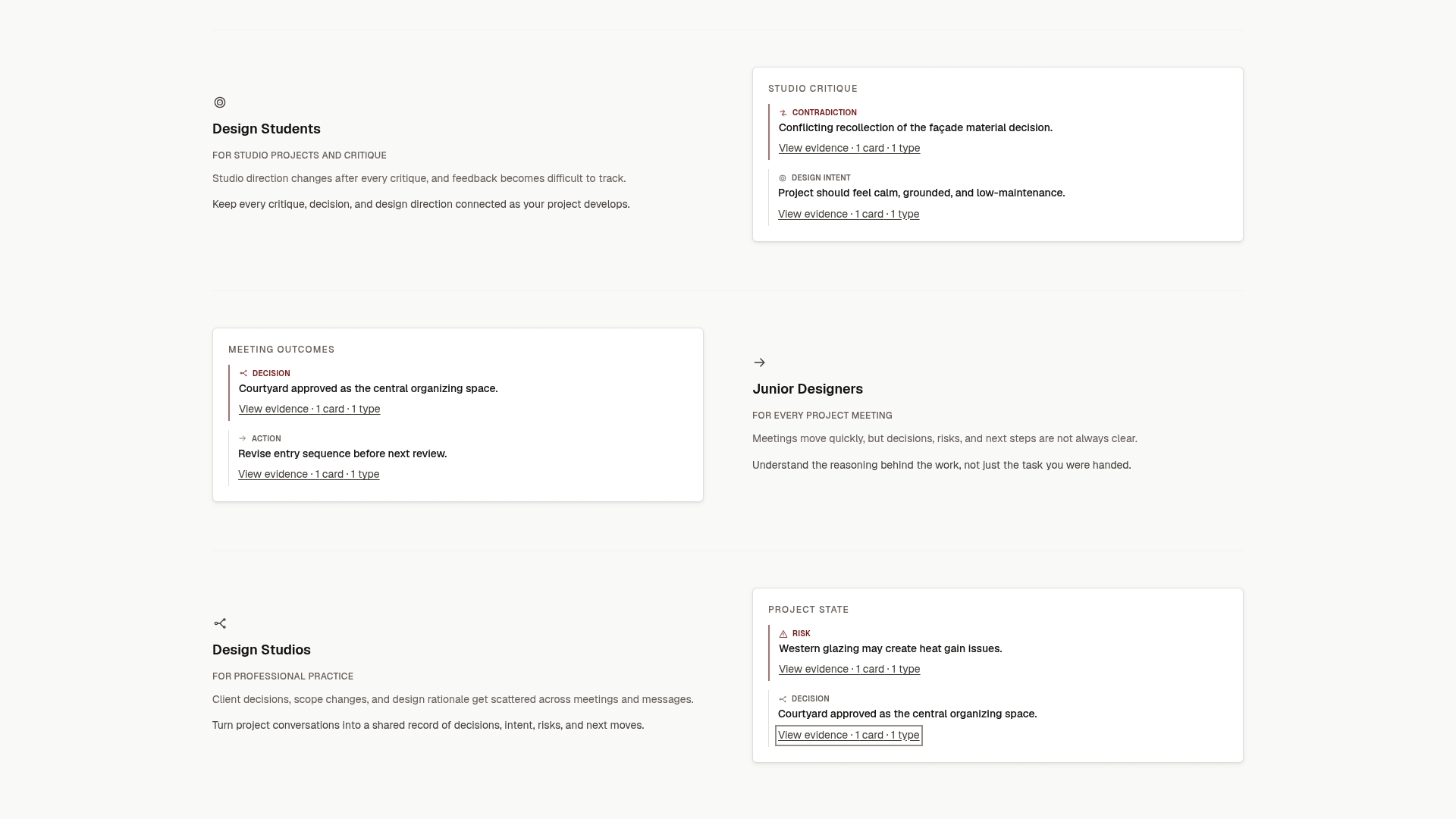
Our approach is to turn the conversations themselves, meeting notes, transcripts, critique feedback and client comments, into structured, source-backed records of decisions, design intent, risks, actions, commitments and unresolved questions. Each record traces back to the conversation it came from. We designed it for architecture studios, small design teams, freelance architects and design students who need a reliable record of how project thinking evolves.
A change log is a good start. A change log where every line can be traced to its source is project memory.
Rajas
Where The Intent Ledger fits
If you already keep a log in a spreadsheet, keep it. The fields above work anywhere. The Intent Ledger helps when the slow part is turning conversations into entries: it produces ILM Records that capture decisions, intent, risks, actions and open questions, each linked to the conversation behind it.
You can pay one-off for a record pack or subscribe. Published one-off packs are Working Set at $12, Project Record at $29, Practice Memory at $59 and Studio Ledger at $119. Monthly plans are Working Memory at $29, Living Record at $79 and Shared Ledger at $149, as listed on our pricing page when we last checked.
For related templates, see our decision log template for project teams, the six-field decision audit trail for critique-driven work and the eight fields a record of decision should capture. You can also start from the Intent Ledger home page.
Where a change log sits in a wider record
The CNCF project template says design proposals should preserve decisions for historical reference and future planning, and should record implementation phases so milestones can be matched to issues, pull requests and releases. Design teams can borrow the idea: link each log entry to the drawing issue, model version or deliverable where it landed.
The UK Government’s design-history guidance goes one step wider. It suggests establishing the project’s purpose, audience, organizational context and relevant decisions, then arranging prior work chronologically with dates and evidence, and noting insights, gaps and opportunities. A one-page project brief at the top of your log does the same job: purpose, client, constraints, key people.
If you want to go deeper on the practice around the log, our posts on the design review process and design feedback sessions cover how critique turns into decisions.
FAQ
What is the difference between a change log and a decision log?
A change log records what changed in the work and why. A decision log records choices, including ones that changed nothing. In design projects they overlap so much that one table can serve both: add a status of rejected or deferred and the log holds decisions as well as changes.
How detailed should each entry be?
As short as possible while still answering what changed, why, who decided and where the source is. Two to five lines is usually enough. Add detail only when the decision was contested or has cost, safety or code consequences.
Who should own the log?
Give it one named owner, typically the project manager or job captain, but let anyone on the team add entries. Weekly review with the team, and monthly review with the client or sponsor, keeps it honest and current.
Should rejected changes stay in the log?
Yes. Keep them with the reason for rejection and the date. Government change-control guidance keeps closed changes on the register, and rejected ideas are the ones most likely to come back.
Can I use a spreadsheet?
Yes. A spreadsheet with the columns in the template above is a sound start for a small team. Move to something more structured when the effort of writing entries from meetings begins to slow you down.
Sources
- Why and how we create design histories, DfE Digital
- Shaping your design history, GOV.UK Design Notes
- How to document iterations, Becoming a teacher design history
- Mastering design iterations: the power of documentation, DfE Digital
- Design Decision Log, Engineering Fundamentals Playbook
- Change log template, Project Management Docs
- Chapter 22: Change control, Government Project Delivery
- Integrated change control guideline, Nova Scotia
- Documenting architecture decisions, The GDS Way
- Change descriptions, Google Engineering Practices
- Design proposals, CNCF project template