Design Intent Drawings for Design Teams: Copyable ILM Record Template
Design Intent Drawings for Design Teams: Copyable ILM Record Template

In this article, “design intent drawings” means structured ILM Records: short, source-linked entries that capture decisions, rationale, and actions, tied back to the conversation where they happened. If you write nothing else, write a one-paragraph decision log entry after your next design call. A tool can automate that capture, but the habit matters more than the software.
TL;DR:
- Capturing design decisions immediately after meetings ensures rationales remain clear and accessible, preventing costly rework and project archaeology.
- ILM Records should include decision summaries, context, alternatives, reasoning, ownership, references, and consequences, all kept brief and linked to source material.
- Using metadata and decision IDs integrated into CAD/BIM files makes rationale easily findable within the design environment and linked documentation.
- Regular review, disciplined ownership, and versioning are essential to keep ILM Records trustworthy, complete, and up-to-date over the project lifecycle.
- Automating decision capture through tools reduces time spent on documentation and ensures decisions are source-linked, searchable, and preserved as valuable institutional memory.
Table of Contents
- What Are ILM Records, Really?
- Why Bother Capturing Design Intent At All?
- The ILM Record Template You Can Copy Today
- How to Capture Decisions Without Slowing Everyone Down
- Making Design Intent Findable Where People Already Look
- Governance That Keeps Records Trustworthy
- Why Design Intent Gets Lost in the First Place
- What Separates a Useful Record From a Wasted One
- Connecting ILM Records to CAD and BIM Workflows
- What This Looks Like on an Actual Project
- Author perspective: a checklist worth pinning above your desk
- How The Intent Ledger Turns Conversations Into Records
- Sources
What Are ILM Records, Really?
An ILM Record is not a technical drawing set, a spec sheet, or a construction document. It’s a compact, structured note that answers one question: why did the team decide this? Each record pulls from the messy raw material of a project: meeting transcripts, critique feedback, client emails, Slack threads, a hallway conversation someone remembered to write down.
That focus on rationale over outcome mirrors architectural decision records, a practice borrowed from software engineering where teams log the “what” and the “why” separately so nobody has to reconstruct reasoning from memory six months later. Decision logs, which use fields like Decision, Alternatives, Constraints, Reasoning, Owner, and Outcome, work on the same principle: separate the call from the case for the call. ILM Records extend that idea specifically to design work, where rationale tends to live in someone’s head, a deleted email thread, or a whiteboard photo nobody can find again.
Why Bother Capturing Design Intent At All?
Teams that skip this step pay for it later, usually in a meeting that should never have needed to happen. Someone asks why the lobby ceiling height changed, and three people give three different answers because nobody wrote down the actual reasoning at the time.
The ADR guidance makes the case plainly: separating decisions from their rationale cuts down on repeated debates and eliminates what practitioners call “project archaeology,” the slow, frustrating dig through old files to figure out what happened and why. Design teams that centralize living documentation onboard new hires faster because new team members can read the reasoning instead of interrupting five people to ask. Firms without that connective layer run into a different problem entirely: fragmented records make even AI tools unreliable, because there’s no coherent context to draw from in the first place.
The real cost shows up in rework. A junior designer changes a detail the senior architect already rejected for a specific structural reason, because that reason lived in someone’s memory instead of a record anyone could check.
The ILM Record Template You Can Copy Today
Keep the template light enough that people actually fill it out. Here are the fields that matter:
- Decision summary: one sentence, plain language, no jargon.
- Context/constraints: budget, code requirement, client preference, site condition.
- Alternatives considered: two or three options, briefly.
- Rationale: the actual reasoning, two to four sentences.
- Owner: the person accountable for this call.
- References: source link, meeting timestamp, or transcript excerpt.
- Consequences/actions: what happens next, and who does it.
- Status: proposed, accepted, or superseded.
- Date/version: when it was written, and which version this is.
Most fields are brief; the rationale field, though often skipped under time pressure, is critical to the record’s usefulness.
Pro Tip: If you can’t write the rationale field in under thirty seconds, the decision probably isn’t final yet. Vague rationale usually means the debate is still open.
Two quick examples:
- Small critique-driven decision: “Decision: Moved the reception desk 4 feet left. Context: Original position blocked sightline to the stair. Alternatives: Rotate desk, add glass partition. Rationale: Client prioritized visual connection to the stair over desk symmetry, confirmed in the March 3 critique. Owner: J. Alvarez. Status: Accepted.”
- Larger, ADR-style decision: “Decision: Standardize on a single window mullion profile across the residential line. Context: Three prior projects each used custom profiles, driving up fabrication cost. Alternatives: Keep custom per project, adopt two standard profiles. Rationale: Client feedback across four projects showed no measurable design benefit from custom profiles; standardization cuts fabrication lead time significantly. Owner: Design Systems Lead. Status: Accepted, supersedes the 2025 custom-profile policy.”
You can borrow this structure directly from a decision-of-record template built around the same eight fields.
How to Capture Decisions Without Slowing Everyone Down
A key rule is to consider design change complete only when the ILM Record is updated. Treat the record like a deliverable, not an afterthought.
Three ways to capture it, depending on how much time you have:
- Manual log entry: two minutes, right after the meeting, while the reasoning is still fresh.
- Linked artifact plus timestamp: attach a Figma frame link or drawing revision number and a meeting timestamp instead of retyping context.
- Semi-automated transcript conversion: feed a meeting transcript into a tool that pulls out decisions and drafts the record for a human to review, an approach platforms built for automating meeting notes handle reasonably well.
Assign three light roles: an author who drafts the entry, a reviewer who checks it against the actual conversation, and an approver who marks it accepted. On a small team, one person can hold all three roles. On a larger studio, splitting them prevents one overloaded lead from becoming the bottleneck.
Pro Tip: Run a five-minute “record sweep” at the end of every design review instead of a dedicated documentation meeting. It gets done because it’s attached to something that’s already happening.
Making Design Intent Findable Where People Already Look
A perfect ILM Record nobody can find is functionally useless. The goal is surfacing rationale at the point someone actually needs it, not in a separate archive they have to remember to check.
- Put a decision ID in the drawing title block or file metadata, so anyone opening the sheet can trace it back to the record.
- Add short rationale notes directly in drawing revision comments instead of a generic “updated per client request.”
- Link component or system documentation straight to the relevant ILM Record, an approach that embeds rationale where teams already work instead of in a separate wiki nobody opens.
- Tag records with metadata keys: decision ID, affected element, project milestone. Semantic tagging approaches from academic project-memory research show that consistent metadata keys make old decisions searchable instead of buried.
Version records rather than overwriting them. When a decision changes, mark the old entry “superseded” and link to the new one, preserving the chronology instead of erasing it.
Governance That Keeps Records Trustworthy
Assign two owners per record type: one accountable for creating it, one for reviewing it. A design change doesn’t count as finished until both sign off, borrowing directly from the lifecycle states ADRs use: proposed, accepted, superseded.
Set a review cadence and stick to it. Weekly sweeps work for fast-moving studios; a per-sprint check works for teams on longer cycles. Use the sweep to promote any record that’s been referenced repeatedly into a formal ADR, since recurring questions signal a decision worth documenting more rigorously.
Archive with discipline. Close records instead of deleting them, supersede instead of overwriting, and keep a changelog that shows how thinking evolved. A design documentation template built around chronology and relationships makes that history genuinely usable later, not just stored.
Why Design Intent Gets Lost in the First Place
Design intent disappears for a boring reason: it was never written down anywhere durable. A decision gets made verbally in a client meeting, survives in someone’s memory for a few weeks, and then quietly vanishes when that person moves to another project or leaves the firm.
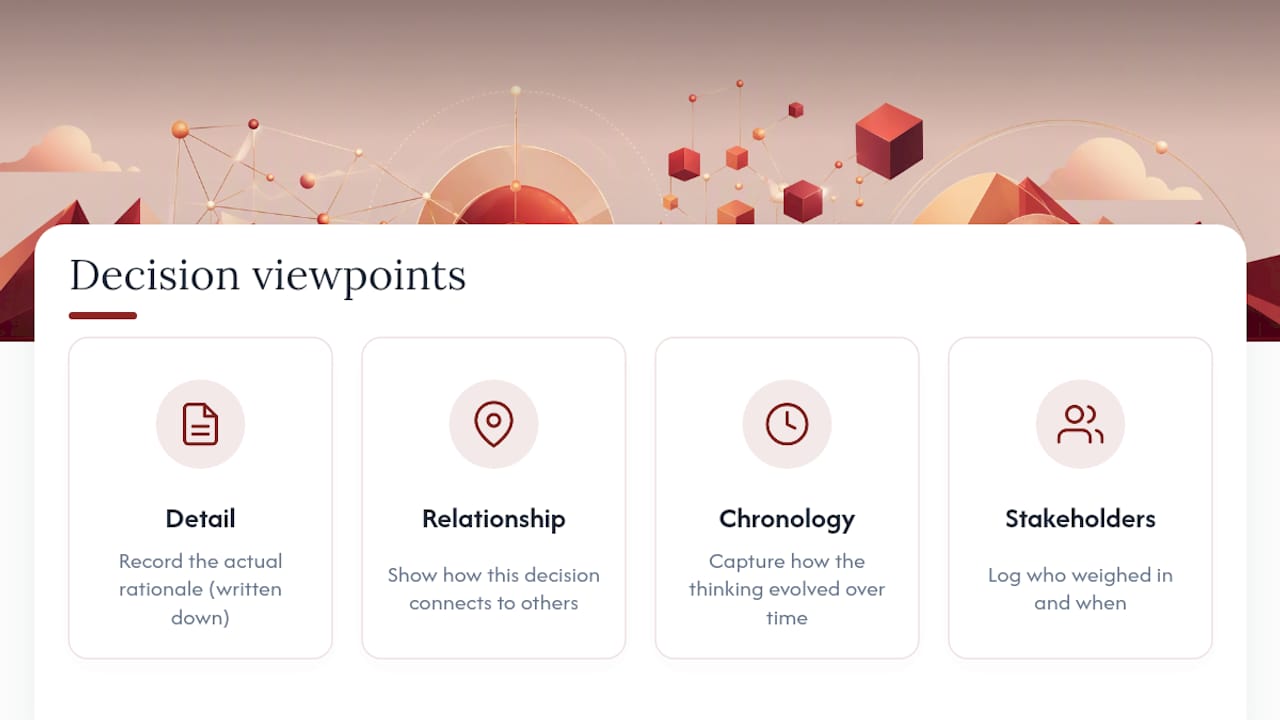
The decision viewpoints framework breaks this down into four concerns worth separating: detail (the actual rationale), relationship (how this decision connects to others), chronology (how the thinking evolved over time), and stakeholder involvement (who weighed in and when). Most teams only capture the first one, if that, and only when something goes wrong enough to force a retroactive explanation.
That’s the real importance of design intent drawings in a project’s lifecycle. They’re not documentation for documentation’s sake. They’re the difference between a team that can explain its own past decisions in thirty seconds and one that spends an afternoon in an email archive trying to reconstruct a conversation from eight months ago. The cost of skipping this step doesn’t show up immediately. It shows up during a design review when someone asks “why did we do it this way” and gets four contradictory answers, or during a client dispute when nobody can prove the client actually approved a change.
Firms that treat living documentation as institutional memory, not a filing cabinet, are the ones that can answer that question fast, with a source, every time.
What Separates a Useful Record From a Wasted One
The single biggest mistake is writing the record too late. Memory degrades fast, and a rationale written three weeks after the decision is a reconstruction, not a record. Capture it within a day, ideally within the hour.
Second, keep entries short. A record that takes fifteen minutes to write gets skipped the third time a deadline is tight. Aim for something a person can draft in under three minutes for routine decisions, reserving longer entries for genuinely complex ones.
Third, link the source. A record with no reference to the meeting, transcript, or email it came from is an assertion, not evidence. Anyone questioning it later has nothing to check it against.
Fourth, name an owner for every entry. Records without an accountable person tend to go stale, because nobody feels responsible for updating them when circumstances change.
Fifth, avoid vague rationale. “Client preferred it” is not a rationale. “Client preferred it because the alternative added six weeks to permitting” is. The specificity is what makes the record useful months later, when nobody remembers the meeting itself.
Finally, resist the urge to make every decision an ADR. Most decisions deserve a quick log entry. Reserve the fuller ADR treatment, with formal states and cross-references, for decisions that get revisited often or carry real consequences if reversed.
Connecting ILM Records to CAD and BIM Workflows
The practical challenge with most design documentation tools is that they live somewhere separate from where the actual design work happens. CAD files and BIM models are where architects and designers spend their day, so rationale that lives in a separate wiki or shared drive gets checked rarely, if ever.
The fix is metadata, not a new platform. Most modern CAD and BIM environments support custom properties or shared parameters at the object or sheet level. A decision ID entered as a custom property on a wall type, a door family, or a title block links that element straight back to its ILM Record without requiring anyone to leave the modeling environment.
Revision clouds and sheet notes are another natural anchor point. Instead of a generic “revised per client comment,” a revision note that includes a decision ID gives anyone reviewing the drawing set a direct path to the full rationale. Some studios extend this into their BIM model by tagging elements with milestone metadata, so a search for “everything decided during design development” returns a usable list instead of a scavenger hunt through email.
This is where semantic tagging approaches drawn from project memory research genuinely pay off. Consistent metadata keys, applied the same way across every project, are what make an archive searchable years later instead of just stored.
What This Looks Like on an Actual Project
Consider a mid-size residential studio working through design development on a multifamily project. During a client walkthrough, the client rejects the proposed exterior cladding for cost reasons, and the team pivots to a cheaper alternative mid-meeting. Without a record, that pivot lives only in the meeting notes of whoever happened to be typing fast enough.
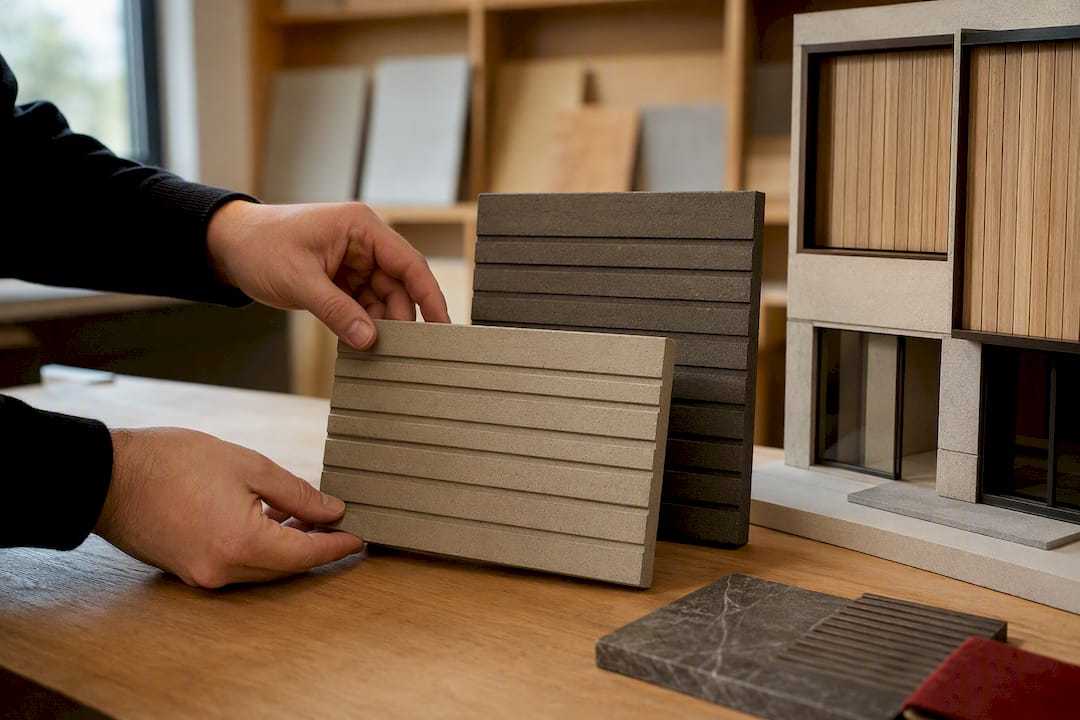
With an ILM Record captured the same day, the entry reads clean: decision, context (budget constraint surfaced in the walkthrough), alternatives considered, rationale, owner, and a link to the meeting recording. Three months later, when a new team member questions why the cladding looks “cheaper” than the original renderings, the answer takes thirty seconds to find instead of a round of emails to people who might not remember the meeting.
A second, subtler example: a design-system decision to standardize a mullion profile across a firm’s residential line, discussed earlier, illustrates the ADR-style record at its best. It documents not just the choice but the evidence behind it, which becomes the reference point every future project on that product line points back to instead of re-litigating.
Author perspective: a checklist worth pinning above your desk
The pattern that actually works is simple: capture at the source, keep entries short, link the artifact, assign one owner, and set a review date. Every failure I’ve seen traces back to skipping one of those five.
The anti-patterns are just as consistent. Rationale buried in a PDF attachment nobody opens again. History overwritten instead of superseded, erasing the chronology that made the record valuable in the first place. Records with no clear owner, which quietly rot within a month. None of these are complicated problems. They’re discipline problems, and discipline is the only part of this that doesn’t scale automatically.
, Rajas
How The Intent Ledger Turns Conversations Into Records
Most teams already have the raw material for good ILM Records. What they’re missing is the time to write them down consistently. Some tools take meeting recordings, transcripts, critique feedback, and client comments and turn them into structured, source-linked records automatically, so the decision, the rationale, and the link back to the original conversation exist without someone drafting it by hand at 6 p.m.

Teams using structured capture instead of ad hoc notes typically spend noticeably less time reconstructing old decisions during reviews and client disputes, since the source link means nobody has to guess what was actually said. If you’re rebuilding your documentation habits from scratch, start with a decision log template you can adapt in an afternoon, then move to automated capture once the habit sticks. Check the pricing page for plan details, or start a trial directly on The Intent Ledger’s product page to see how your next design meeting turns into a record you can actually search later.
Sources
- Architectural decision records (ADR) guidance
- AWS prescriptive guidance: architectural decision records
- Decision viewpoints framework (van Heesch et al.)