Design Knowledge Management: A Practical Playbook for 2026
Design Knowledge Management: A Practical Playbook for 2026

Design knowledge management is the practice of turning ephemeral project conversations and decisions into a persistent, queryable project memory. The most reliable pattern combines a two-tier, agent-ready knowledge base with in-workflow capture, separating stable instruction sets from growing, searchable project memory. Done right, design knowledge management turns decisions, constraints, and open questions into something a teammate (or an AI agent) can actually retrieve six months later instead of re-litigating from scratch.
The recommended architecture has three pieces working together:
- A tiered knowledge base (index → pattern → component) that keeps context costs flat as a design system grows
- Structured decision records captured during the actual work, not reconstructed afterward from memory
- Clear links between each record and the artifact it touches, whether that is a Figma frame, a ticket, or a repo path
Teams that adopt this pattern report fewer repeated debates and faster onboarding, since new hires can query “why” instead of asking around.
Key Takeaways
Design knowledge management works when teams separate stable instruction sets from growing project memory and capture decisions inside existing workflows rather than after the fact.
| Point | Details |
|---|---|
| Separate the two layers | Keep instruction sets small and loaded every session; let project memory grow and get searched on demand. |
| Use progressive disclosure | Build a two-tier KB so agents and people load only the slice they need, not the entire system. |
| Capture during the work | Record decisions in critiques, standups, and handoffs using a six-field template, not a retroactive writeup. |
| Assign a steward | One person reviewing and refreshing records weekly prevents the knowledge base from decaying within a quarter. |
| Start small with The Intent Ledger | ILM Records link decisions to their source conversation, giving studios and freelancers traceable project memory from day one. |
Table of Contents
- What Is Design Knowledge Management and Why Does Tacit Knowledge Get Lost?
- Which Knowledge Models Work Best for Design Teams?
- How Do You Capture Design Decisions Without Slowing Down the Work?
- What Tools and Integrations Support AI-Ready Design Knowledge Bases?
- Who Should Own and Maintain the Knowledge Base?
- How Do You Build a Working Design Knowledge Base in 90 Days?
- How Does the Intent Ledger Implement Project Memory in Practice?
- How Do You Measure Whether Design Knowledge Management Is Working?
- What Do Successful Design Knowledge Management Rollouts Look Like?
- How Do You Build a Knowledge-Sharing Culture Among Designers?
- Practitioner Note: Cultural Pitfalls and How to Avoid Them
- Start Building Project Memory With The Intent Ledger
- Frequently Asked Questions
- Sources
What Is Design Knowledge Management and Why Does Tacit Knowledge Get Lost?
Most of what a design team knows never gets written down. A senior designer knows why a button uses 8px radius instead of 4px because they sat in the meeting where a stakeholder pushed back on “too sharp” branding. That reasoning lives in their head, not in the Figma file. This is tacit knowledge: understanding that exists in people’s experience rather than in documented, explicit form.
Explicit knowledge is the opposite: a style guide, a written rationale, a decision log entry. The gap between the two is where projects bleed time. A junior designer inherits a component with no explanation for its constraints, guesses wrong, and rebuilds something that already existed. A studio loses a freelance architect who carried three years of client preferences only in conversation.
Research on organizational memory treats design knowledge management as a persistent record of decisions, constraints, and unresolved questions that survives staff turnover and project handoffs, rather than a static archive nobody opens. Fragmentation compounds the problem: notes live in Slack, decisions live in email threads, and critique feedback lives in someone’s meeting notebook.
- Tacit knowledge examples: color rationale, client tone preferences, “why we rejected version 2”
- Explicit knowledge examples: brand guidelines, component specs, written critique summaries
- Fragmentation cost: repeated rediscovery of rules already settled weeks earlier
Design knowledge is predominantly tacit, and structured frameworks that organize fragmented records into graphs or modular hierarchies consistently outperform keyword search for surfacing intent. Keyword search finds words. It does not find reasoning.
Which Knowledge Models Work Best for Design Teams?
Three architectural patterns dominate current practice, and each solves a different problem. Picking the wrong one is how teams end up with a knowledge base nobody trusts.
The first is the three-dimension metamodel, which treats design knowledge as literature (external references, precedent, research), artifact (the actual design output), and rationale (why the artifact looks the way it does). A Design Knowledge Semantic Network metamodel formalizes this into a computable graph, letting teams query across all three dimensions at once instead of treating references, files, and reasoning as separate silos.
The second is the hub-and-spoke, two-tier knowledge base: one index document plus per-component detail files. This is the pattern behind Figma extraction tools like Design-Cortex, which pulls a design system into markdown and organizes it so an AI agent loads only the slice it needs rather than the entire system every time.
The real architectural choice isn’t graph versus document. It’s whether your knowledge structure supports progressive disclosure: can a person or an agent get a small, relevant slice of context without loading everything? Systems that fail this test become too expensive to query and too slow to trust, so people quietly go back to asking a colleague instead.
Choose a knowledge graph when relationships between concepts matter more than individual documents, such as tracing how a research finding influenced three separate components. Choose a two-tier document KB when your priority is fast, cheap retrieval for a growing but well-bounded design system. Most studios end up hybrid: a lightweight graph for rationale connections, a tiered document store for component specs.
- Graph-based: better for cross-referencing rationale across projects
- Two-tier document KB: better for fast, low-cost agent retrieval
- Hybrid: graph for relationships, documents for retrieval speed
How Do You Capture Design Decisions Without Slowing Down the Work?
Capture fails when it becomes a separate chore. The fix is building it into moments that already happen: critiques, standups, and handoffs. Treating project memory as part of the workflow rather than a documentation task afterward measurably improves how much rationale actually gets captured and how accurate it stays.
A minimal decision record needs six fields to be useful without becoming a burden:
- Decision: what was decided, in one sentence
- Rationale: why, including the alternative that was rejected
- Linked artifact: the Figma node ID, ticket number, or repo path it touches
- Open questions: anything still unresolved
- Timestamp and author: who decided and when
- Source: the meeting, transcript, or thread it came from
During a critique, someone (or a recording tool) captures each decision as it happens rather than summarizing afterward from memory, which is where details get lost or reinterpreted. During handoffs, the record travels with the artifact instead of living in a separate doc nobody links back to.
Pro Tip: Link every record to a specific artifact ID, not just a project name. “Decided on hover state” is useless six months later. “Decided on hover state, Figma node 4:892, rejected the fade-in because it delayed perceived responsiveness” is something a new hire can actually act on.
Standups are a smaller but steady source: a thirty-second note on “we decided X because Y” takes less time than the meeting itself and prevents the same question from resurfacing in sprint three.
What Tools and Integrations Support AI-Ready Design Knowledge Bases?
The tooling landscape splits into four categories, and confusing them is the most common architecture mistake teams make. Extractors pull structured knowledge out of design tools. KB generators organize that extraction into a searchable format. Project memory platforms capture ongoing decisions as they happen. Semantic search layers make everything queryable by meaning instead of exact keyword match.
Figma extraction deserves particular attention because it solves a real cost problem. Querying Figma live, every time an agent needs context, is slow and expensive at scale. A one-time extraction into a portable markdown knowledge base, refreshed periodically rather than queried live, keeps costs flat even as a design system grows to hundreds of components.
MCP (Model Context Protocol) connectors and similar agent integration patterns work best with slice-based retrieval: an agent requests the specific component or decision it needs rather than ingesting the entire knowledge base on every call. This is the same file-versus-database tradeoff that governs AI agent memory generally: derived, sharded files tend to outperform live queries on both speed and cost.
| Tool category | What it does | Best fit |
|---|---|---|
| Design tool extractors | Pull component data out of Figma or similar tools | Teams with a large, evolving design system |
| KB generators | Organize extracted data into tiered documents | Teams needing agent-ready, low-cost retrieval |
| Project memory platforms | Capture decisions and rationale as they happen | Teams losing context between meetings and delivery |
| Semantic/vector search | Query by meaning rather than exact keyword | Teams with large archives of unstructured notes |
Grounding any of these in real interfaces and constraints matters more than the tooling choice itself. Research-first workflows that anchor outputs to actual product flows prevent agents from generating plausible-looking but unbuildable suggestions.
Who Should Own and Maintain the Knowledge Base?
A knowledge base without an owner decays within a quarter. Assign three roles explicitly: authors create records during their normal work, stewards review and merge them into the shared KB weekly or biweekly, and reviewers spot-check for accuracy on a monthly cadence. This does not need to be a full-time role. A design lead spending ninety minutes a week as steward is usually enough for a team of eight to twelve.
Freshness is the second pillar. Tag every record with a timestamp and review it against diff-based refresh: when a component changes in Figma, flag the linked records for review rather than trusting them indefinitely.
- Assign one steward per project, not one steward for the whole organization
- Run diff checks after major design system updates, not on a fixed calendar alone
- Flag records older than one active project cycle for a freshness review
- Scope the KB to decisions and rationale, not general chat, to avoid bloat
- Apply access boundaries so client-sensitive rationale stays restricted to the right team
Bloat kills adoption faster than gaps do. A KB that captures every Slack message becomes noise nobody trusts. A KB that captures decisions, rationale, and open questions stays lean enough that people actually search it before asking a colleague.
How Do You Build a Working Design Knowledge Base in 90 Days?
Treat the first ninety days as three phases, each with a concrete deliverable rather than an open-ended goal.
- Weeks 0 to 2: Scope and define success. Pick one active project, not the whole studio’s history. Define two or three metrics up front: time to find a past decision, number of repeated questions per sprint, or onboarding time for a new hire.
- Weeks 2 to 6: Instrument capture and run the first extraction. Start recording decisions during critiques and handoffs using the six-field template. Run a one-time extraction of your design system into a two-tier knowledge base if you use Figma or a similar tool.
- Weeks 6 to 12: Integrate, verify, and assign stewards. Connect the knowledge base to an agent workflow using slice-based retrieval. Verify a sample of records against the original conversations for accuracy, then assign a steward for ongoing maintenance.
By day 90, you should have a working, if small, project memory: enough decision records to answer real questions, one steward accountable for freshness, and a measurable baseline for the metrics you picked in week one.
| Point | Details |
|---|---|
| Start with one project | Scoping the whole studio’s history on day one guarantees the effort stalls before week four. |
| Capture during the work | Record decisions in critiques and handoffs, not in a retroactive documentation sprint. |
| Extract once, refresh periodically | A one-time design system extraction beats live querying on both speed and cost. |

How Does the Intent Ledger Implement Project Memory in Practice?
Theintentledger turns project conversations, meeting notes, transcripts, and critique feedback into ILM Records: structured, source-backed entries covering decisions, design intent, risks, actions, commitments, and unresolved questions. Each record traces back to the original conversation it came from, so a decision made in a Tuesday critique stays linked to that critique instead of floating as an unsourced rule.
- Maps directly to the six-field decision record described earlier: decision, rationale, linked artifact, open questions, timestamp, source
- Supports the steward workflow by keeping records source-traceable for review and verification
- Builds the kind of accumulating project memory that a two-tier KB architecture depends on for retrieval
The gap most knowledge systems miss isn’t storage. It’s traceability. A record that can’t point back to the conversation it came from is just an assertion someone has to trust blindly.
How Do You Measure Whether Design Knowledge Management Is Working?
The honest answer is that most teams under-measure this and rely on vague confidence instead of numbers. Track three categories of signal rather than one.
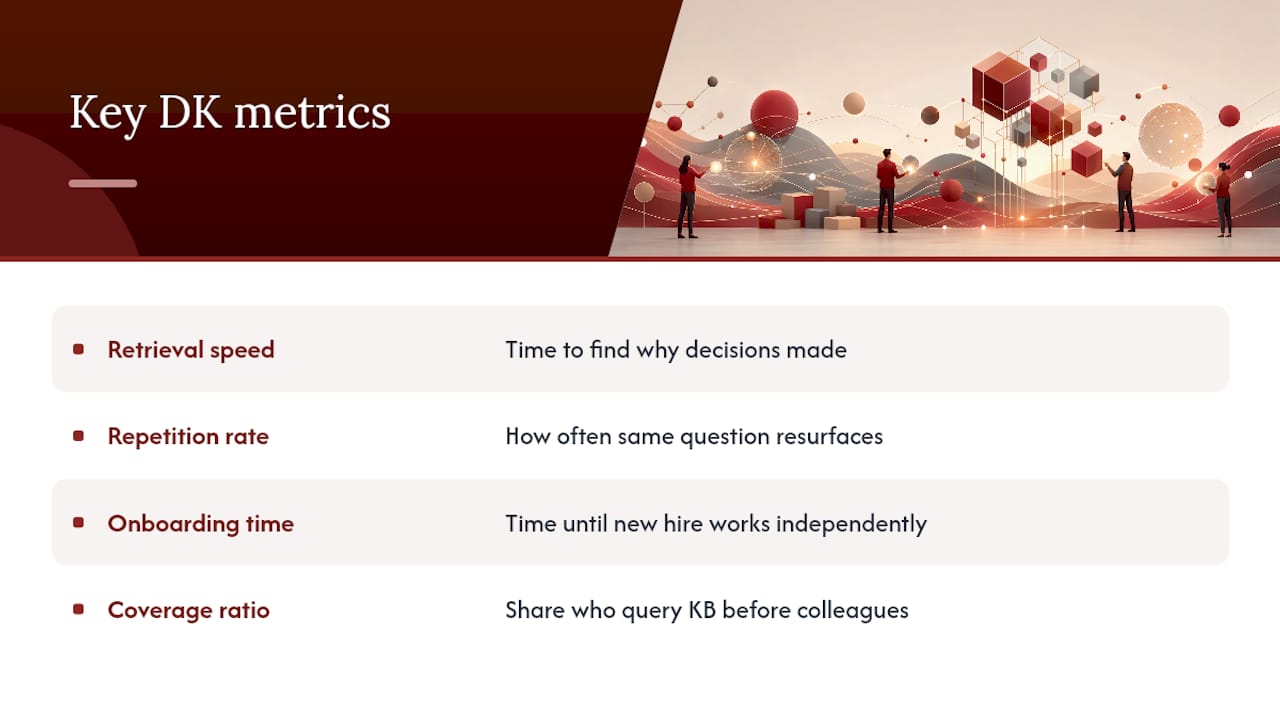
Retrieval speed is the simplest: how long does it take someone to find why a decision was made, compared to before you had a structured system. If the answer is still “ask around in Slack,” the system isn’t working yet regardless of how many records it contains.
Repetition rate tracks how often the same question or debate resurfaces across sprints. A design system with strong project memory shows this number dropping over a quarter, since settled decisions stop getting re-argued.
Onboarding time for new hires or freelance collaborators is the clearest business signal. If a new designer needs two weeks of tribal knowledge transfer before they can work independently, and that drops to three days once they can query a knowledge base directly, that gap is the actual return on the system.
Coverage matters too, but coverage alone is a vanity metric. A knowledge base with five hundred records nobody trusts is worse than one with fifty records people actually check first. Track a simple ratio: how often team members query the KB before asking a colleague the same question. If that ratio stays low after three months, the problem is usually trust or discoverability, not volume.
None of these metrics require sophisticated tooling to start. A spreadsheet tracking repeated questions per sprint, updated by whoever runs standup, gets you a usable baseline in a week.
What Do Successful Design Knowledge Management Rollouts Look Like?
The pattern that separates working implementations from abandoned ones is scope discipline. Teams that try to document everything from day one build something too large to maintain and too intimidating to start using. Teams that pick a single, painful problem tend to stick with the habit.
A common starting point is the design system itself. A studio maintaining a component library across multiple client projects extracts the system into a two-tier knowledge base once, then treats every subsequent design review as a chance to add rationale rather than rebuild documentation from scratch. Within a few sprints, new component decisions link back to the original critique instead of living only in someone’s memory.
Another recurring pattern shows up in project memory tools built for coding agents, which persist decisions outside transient chat context so a different agent or a different person can retrieve the same reasoning weeks later. The lesson transfers directly to design: the “why” behind a choice has to outlive the conversation it happened in, or it disappears the moment the thread scrolls away.
Studios that succeed at this tend to start with one recurring pain point (repeated critique debates, or a freelancer who keeps leaving with undocumented context) rather than attempting a company-wide rollout. Small, visible wins build the trust that makes the second phase of adoption easier.
How Do You Build a Knowledge-Sharing Culture Among Designers?
Culture change fails when knowledge sharing feels like extra work layered on top of design work. It succeeds when it’s the same work, just captured differently.
Start by making capture visible during the moments that already happen. If a design lead narrates a decision out loud during critique (“we’re going with option B because the client flagged option A as too corporate”), capturing that sentence costs nothing extra. It’s already been said.
- Recognize designers who document well in the same reviews where design quality gets recognized, not as a separate compliance metric
- Share short, specific wins publicly: “found this decision in ten seconds instead of asking three people” is a better pitch than any policy memo
- Recruit one champion per team who models the habit before asking everyone else to adopt it
- Keep the bar low: a two-sentence record beats a perfect one that never gets written
The biggest cultural risk is treating documentation quality as a gate. Waiting for a “complete” record before publishing it guarantees nothing gets published. A rough, honest record captured in real time beats a polished one written from memory a week later, because memory degrades and rationale gets rewritten to sound more confident than the actual meeting was.
Practitioner Note: Cultural Pitfalls and How to Avoid Them
The single biggest failure mode is treating capture as a chore bolted onto real work instead of part of the work itself. If recording a decision requires opening a separate tool and reconstructing what happened, most teams abandon it within a month. Favor usable, imperfect records over perfect ones that never get written, and recruit one visible champion whose small early win, like finding a decision in seconds instead of asking around, does more to change behavior than any policy ever will.
Start Building Project Memory With The Intent Ledger
Architecture studios juggling multiple clients, small design teams without a dedicated knowledge manager, and freelance architects working solo all share the same problem: decisions live in someone’s head or a scattered thread until that person is unavailable and the context is gone. Theintentledger turns the conversations you already have, meetings, critiques, client calls, into ILM Records that stay linked to their source, so the reasoning behind a decision is never more than one click from the decision itself.

That traceability is the specific advantage over building a knowledge base by hand: instead of a designer manually writing up notes after the fact (and losing detail every time), the record captures the “why” while it’s still fresh and ties it directly to the conversation it came from. For a small studio, that means less time spent reconstructing rationale for a client review and less risk when a freelancer or junior designer moves on mid-project.
If reduced context loss and stronger project continuity sound like problems worth solving this quarter, visit The Intent Ledger to see how ILM Records work and start a trial with your own project conversations.
Frequently Asked Questions
What is design knowledge management? Design knowledge management is the practice of capturing, structuring, and reusing the decisions, rationale, and constraints generated during design work so they persist beyond the meeting or conversation where they originated.
How is design knowledge management different from a standard wiki or documentation tool? A wiki stores static explicit knowledge someone chose to write down. Design knowledge management focuses on capturing tacit rationale as it happens and linking it back to source conversations and specific artifacts, which a general documentation tool typically does not do.
What is the difference between tacit and explicit design knowledge? Tacit knowledge is understanding that exists in a person’s experience, like why a color choice was rejected in a meeting. Explicit knowledge is anything already written down, like a style guide or a component spec.
Do I need a knowledge graph to do design knowledge management well? No. A knowledge graph helps when relationships between decisions matter more than individual documents, but a simpler two-tier document knowledge base is often sufficient and cheaper to maintain for most design teams.
How long does it take to see value from a design knowledge base? Most teams following a structured 90-day rollout see measurable value, like faster onboarding or fewer repeated debates, within the first six to eight weeks, once initial capture and extraction are in place.
Sources
- Designing organizational memory: Preserving assets
- Capturing and structuring design rationale (research paper)
- Comparing file systems and databases for effective AI agent memory management
- Design-Cortex, Figma extraction to two-tier markdown KB
- Design Knowledge Semantic Network (DKSN) metamodel (MDPI)