Design Review Action Register: Template and Example
Design Review Action Register: Template and Example
A design review action register is a single running list of every action a review produces. Each entry has an owner, a due date, a status and a closing note. Without it, review comments live in markups, emails and memory, and the same issue comes back three weeks later. Below you will find the columns to use, a filled-in example you can copy, and a routine for assigning, tracking and closing actions. You will also see how to keep the reason behind each action attached to it.
TL;DR
- Give every action a number, a plain description, one named owner, a due date and a status. Add a closure note and a source reference.
- Record comments live in the review, and send the log out within one business day.
- Close an action only when the person who raised it confirms the fix, not when the owner says it is done.
- Escalate items that approach their due date with no resolution.
- Store the why with each action, so a later reader can trace it to the conversation it came from.
Table of Contents
- What a design review action register does
- What each entry should contain
- A filled-in example
- Turning review comments into actions
- Assigning, tracking and closing actions
- An action register template you can copy
- Keeping the reason behind each action
- Perspective: the register is only half the record
- Where The Intent Ledger fits
- Common mistakes to avoid
- FAQ
- Sources
What a design review action register does
A design review exists to find design problems early, while fixing them is still cheap. A national laboratory’s design review requirements state the aim as raising the odds of project success by catching design problems in time and limiting the cost, schedule and performance impact. The register is where that aim becomes work: each finding turns into a task someone owns.
The same document goes a step further. It requires that review actions be closed to the review team’s satisfaction, and it treats completing them as the basis for starting the next stage of design work. That is a useful rule for any studio. The register is a gate, not a diary.
Quality standards expect the same discipline. ISO 9001 clause 8.3.4, as summarized in a guide to the clause, calls for documented information on how actions from design reviews, verification and validation are managed. Examples it names include action registers, ownership, timescales and escalation. You do not need certification to benefit from that structure.
One point of tone matters in practice. Design reviews are a normal part of good practice, and responding to action items is not a comment on anyone’s competence. A register that reads as a neutral list of tasks helps junior designers and students take critique without defensiveness.
What each entry should contain
In design work, an action item is a specific task assigned to a responsible person or discipline, with a required output, status and due date. Everything else in the register supports those five elements.
A widely shared board-meeting template uses the columns Action #, Date Raised, Meeting, Description, Assigned To, Due Date, Status, Date Completed and Notes. That is a sound base. For design reviews, we would add three fields: discipline or drawing reference, priority, and source. The source field is the one most teams skip, and it is the one you will miss most in month four.
| Column | What goes in it | Why it earns its place |
|---|---|---|
| Action # | A running number, such as DR-014 | Lets people refer to one item in a call or email |
| Date raised | The date of the review | Shows how long an item has been open |
| Review / meeting | Name of the review and stage (for example, schematic design review) | Groups actions by milestone |
| Reference | Sheet number, model view, detail or section | Points to the exact place in the design |
| Description | One sentence starting with a verb | Makes the required output clear |
| Priority | Major, minor or advisory | Decides what gets escalated |
| Owner | One named person | Avoids “the team will look at it” |
| Due date | A calendar date | Makes status checkable |
| Status | Open, in progress, answered, closed, or rejected with reason | Shows the state at a glance |
| Response / closure note | What changed, or why the comment is not valid | Gives the next reader the outcome |
| Closed by / date | The person who raised it confirms | Prevents self-closing |
| Source | Link or timestamp to the discussion | Preserves the reason behind the action |
Keep the description to one action. “Revisit the stair and the corridor widths” is two actions and will be half done. Split it.
A filled-in example
The rows below are an illustration for a small mixed-use project at the design development stage. They are invented to show the format, not drawn from a real project.
| # | Raised | Reference | Description | Priority | Owner | Due | Status | Closure note | Source |
|---|---|---|---|---|---|---|---|---|---|
| DR-001 | Review 2 | A-301 | Increase the ground-floor corridor clear width to meet the egress requirement | Major | J. Ortiz | Nov 14 | Closed | Corridor widened by 4 in. Reviewer confirmed on revised plan | Review 2 recording, 00:12:40 |
| DR-002 | Review 2 | A-510 | Confirm the façade panel module with the client before detailing | Major | M. Chen | Nov 12 | Open | Awaiting client reply to the email of Nov 3 | Client comment thread |
| DR-003 | Review 2 | Model view L2 | Resolve the duct and beam clash at gridline D | Minor | S. Patel | Nov 18 | Answered | Duct lowered 3 in., beam unchanged. Awaiting engineer check | Coordination notes |
| DR-004 | Review 2 | Spec 08 | Replace the placeholder door hardware set with the approved set | Minor | J. Ortiz | Nov 20 | In progress | None yet | Review 2 notes |
| DR-005 | Review 2 | A-101 | Explain why the lobby moved east | Advisory | M. Chen | Nov 12 | Closed | Moved to keep the street tree. Rationale added to the project record | Critique transcript |
Three habits show up in this sample. Each item has a single owner. The closed items say what changed. And DR-005 shows a comment that is really a question about intent: the answer is the useful output, and it needs to be stored where the next person will find it.
Turning review comments into actions
Most registers fail at the moment of capture, not later. Comments come out as opinions, such as “the lobby feels tight”, and nobody can act on an opinion. Three practices help.
Review before the meeting. The review session should focus on discussing and resolving concerns raised in the pre-read rather than presenting the design for the first time. When reviewers arrive with written comments, the register can be half filled before the meeting starts.
Name a recorder. One guide to running reviews recommends that a designated person records comments in real time, and that the action log goes out as minutes within one business day. The recorder does not have to be the most senior person. In a studio, a junior designer is often a good choice because the job teaches them how decisions get made.
Rewrite the comment as an output. Ask in the room: what would we see when this is done? Be specific, realistic and actionable, as one guidance piece on review reports puts it. Compare:
- Vague: “Check the structure here.”
- Actionable: “Confirm with the structural engineer whether the transfer beam at gridline C can drop to 14 in.”
The second version has a verb, a person to ask, a reference and a testable result.
For how to record the conversation itself, our posts on meeting notes best practices and the design review process go deeper.
Assigning, tracking and closing actions
The routine is short. Its power comes from doing it every time.
- Assign one owner and a date for every item. The same review guide advises a named owner and a specific due date for each one. Shared ownership usually means no ownership.
- Distribute the log within one business day. People forget the room fast. A prompt log fixes the wording while it is fresh.
- Answer in the register. For major items, the owner records the change made, or why the comment is not valid.
- Let the originator close. The person who raised the comment confirms the response. The same guide describes this for major items, and a facilities office’s issue workflow follows the same pattern: reviewers open an issue, it is assigned, the responder marks it answered, and the original creator closes satisfactory answers. For a worked example of assigning, answering and closing issues week by week, see this BIM weekly workflow for MEP coordination.
- Escalate early. Facilitators are responsible for passing blockers, such as major items nearing their due dates with no resolution, to project leadership.
- Report status on a rhythm. Larger programs formalize this. One science facility’s product assurance requirements ask that issues be tracked to closure in a consolidated tool, with bi-weekly status reports to project management. A small studio can do the same with a ten-minute weekly check.
Where the register lives
Pick one place and say so in writing. The American Institute of Steel Construction recommends that teams agree where review comments are stored and set the format and location of review-action metadata, so progress can be checked. It also notes that digital notifications are more subtle than physical stamps, so teams need standard, transparent ways to communicate review progress. In plain terms: if half the team tracks actions in a spreadsheet and half in email, the register is already out of date.
Keep a record of corrective action
Some regulated fields require proof that fixes worked. Canadian aviation design approval holders, for example, must keep records of corrective actions, including evidence of their effectiveness and adequacy. Most building projects are not under that rule, but the habit is worth copying: a closure note that says what changed, and how someone confirmed it, protects you in a dispute.
An action register template you can copy
Use these headers in a spreadsheet or a table in your project tool:
Action # | Date raised | Review | Reference | Description | Priority | Owner | Due date | Status | Response | Closed by | Date closed | Source
Set three rules alongside it:
- Status list: Open, In progress, Answered, Closed, Rejected (with reason). No other values.
- Priority list: Major, Minor, Advisory. Only major items need originator sign-off and early escalation.
- Naming: Prefix by project and review, such as P24-DR2-007, so numbers never collide across reviews.
A template this size takes about ten minutes to set up. The discipline is in filling it consistently. If you want a deeper set of prompts for the review itself, our notes on the design evaluation checklist and meeting notes templates pair well with it.
Keeping the reason behind each action
The register records what must be done. Six months on, someone asks why the lobby moved or the panel module changed. The closure note might say “moved east”, but not the argument that led there. That argument is usually in a meeting recording, a critique session or a client email.
To preserve it, three small habits are enough:
- Add a source field to every row: a timestamp, a transcript line or a link to the comment thread.
- Write a one-line rationale for every major action, in the form “because …”.
- Record rejected comments with the reason. A rejected comment without a reason will be raised again.
This is the gap that generic meeting notes leave open. Our articles on decision making documentation and effective meeting documentation cover how to write rationale down so it survives staff changes.
Perspective: the register is only half the record
We see the same pattern in architecture studios and student critiques. The action list is tidy, and the reasoning has disappeared. A register tells you that the corridor was widened. It rarely tells you which conversation, which reviewer concern, and which trade-off led to it.
That is why we built The Intent Ledger around the why behind the work. It turns conversations, transcripts, critique feedback and client comments into ILM Records: structured, source-backed records of decisions, design intent, risks, actions, commitments and unresolved questions. Each one is traceable to the conversation it came from.
Our view is that an action register should be a view onto project memory, not a separate chore. When actions are drawn from the original conversation, nobody retypes anything, and a junior designer can open any action and see where it came from. A project manager can see what is still unresolved before it becomes a problem.
Rajas
Where The Intent Ledger fits
If you already run a register, you can keep it. The Intent Ledger adds the part a spreadsheet cannot: records of decisions, risks and open questions that link back to the original discussion. It is built for architecture studios, design teams, project managers, freelance architects and design students.
There are one-off record packs and monthly plans. Working Set is $12 one-off, Project Record is $29 one-off, Practice Memory is $59 one-off and Studio Ledger is $119 one-off. Monthly plans are Working Memory at $29 per month, Living Record at $79 per month and Shared Ledger at $149 per month. See current pricing and packs to pick the one that fits a single project or a whole practice.
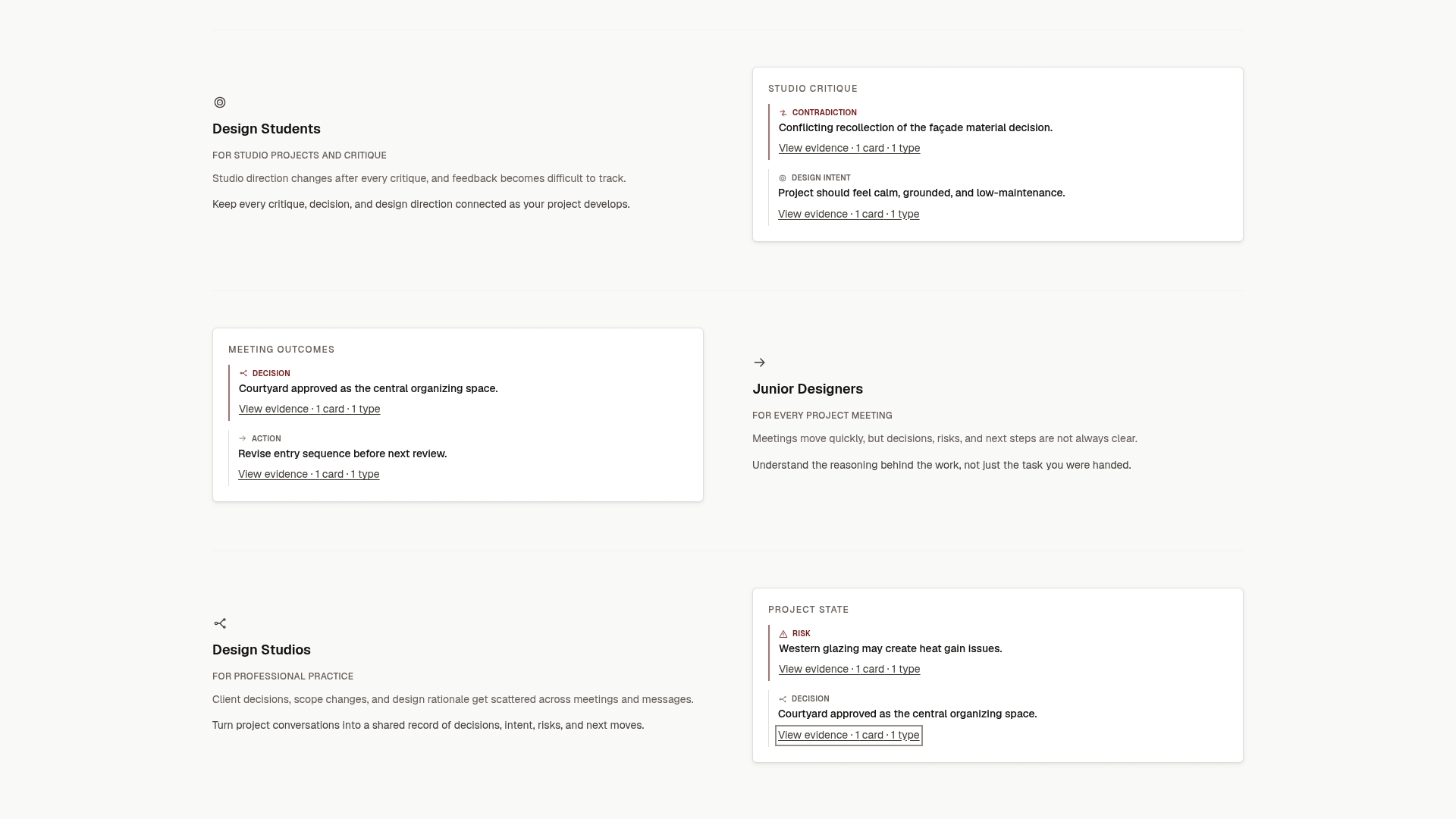
To see how it works on your own review notes, start from the Intent Ledger home page.
Common mistakes to avoid
- Logging everything. A register with 200 low-value entries hides the five that matter. Mark advisory items and keep them out of weekly status.
- Letting owners close their own items. Self-closure is how a problem returns at the next review. Use originator confirmation for major items.
- Leaving due dates blank. An item without a date has no status you can check.
- Mixing review actions with general to-dos. Keep the register to items that came from a review, so it can be read as a record of that review.
- Skipping the closing note. “Done” does not help anyone later. “Widened corridor by 4 in. on A-301” does.
- Losing rejected comments. Record why they were declined. It saves the same debate next time.
FAQ
What is the difference between an action register and an action log?
The two terms are used loosely and often mean the same thing. If a distinction is useful, treat the log as the running list of items from one meeting, and the register as the consolidated, project-wide list across all reviews. Pick one term and use it consistently on the project.
How often should we update the register?
Update it during the review, send it within one business day, and check status on a regular rhythm, weekly for most small studios. Larger programs report at set intervals, with one science project requiring bi-weekly status to project management. Match the pace to how fast your design is moving.
Who should own the register?
One person, usually the project manager or the review facilitator, owns the register as a document. Individual actions belong to the people assigned to do them. The owner’s job is to keep it current, chase overdue items and escalate blockers to leadership.
Can a student or freelancer use the same format?
Yes. Drop the columns you do not need, but keep the number, description, owner (yourself or a collaborator), due date, status and source. For students, the source column links each action back to the critique that produced it. For freelancers, it links to the client message that approved or changed the direction.
Sources
- LCLS design review requirements (SLAC)
- ISO 9001 clause 8.3.4 guide
- Design review work instruction
- Design coordination, markups, RFIs and revision management
- Action register template for board meetings
- How to write a design review checklist
- How to run an effective design review
- Creating, tracking and closing project issues (University of Florida)
- ALMA product assurance requirements
- AISC model review and approval guide
- Transport Canada advisory circular AC 521-008