Drawing Revision Log: What to Record and How to Keep One
Drawing Revision Log: What to Record and How to Keep One
A drawing revision log is a running record of every change made to a drawing after it is issued: which sheet, which revision, what changed, when, who made the change and who received it. A good one answers “which version was current on that date?” in seconds. A great one also answers “why did we change it?”, and that second answer is the one most logs lose. The reason lives in a meeting, a critique or a client email, not in the log. If you record the reason as a short line and tie each row to the conversation behind it, the log stops being a list of letters and becomes project memory.
This guide covers what the log is, the fields to keep, how to name revisions, how to mark and issue changes, and how to capture the reasoning behind them.
TL;DR
- A revision log has one row per revision, never one row per drawing, and superseded rows are kept, not overwritten.
- Core fields: drawing number, title, revision, date, description of change, who made and approved it, who received it, and status.
- Write the reason for the change, not just the fact of it. “Revised per comments” tells nobody anything six months later.
- Issue through one controlled route with a transmittal, and withdraw superseded copies.
- Add a source column that points to the meeting, critique or client message behind each change, so the “why” can be traced.
Table of Contents
- What a drawing revision log is, and what it is not
- The fields every row needs
- Naming revisions: letters, numbers and issue types
- Marking the change on the sheet
- Issuing revisions and retiring the old ones
- Recording the reason behind the change
- Where The Intent Ledger fits
- Perspective
- FAQ
- Sources
What a drawing revision log is, and what it is not
Three records get confused, and teams often use one name for all of them.
The drawing log (or drawing index). In the University of Minnesota’s open textbook Write to Build, the architect A. Peter Hilger describes the drawing log as the list of all drawings in a set, with their latest date and revision number. Historically it sits on a cover sheet. It shows the state of the set today.
The revision schedule or revision block. This is the small table in each sheet’s title block. It holds the history of that one sheet: revision number or letter, date, short description. The same textbook calls the revision date log in the title block critical for tracking changes.
The revision log. This is the project-wide record, one row per revision across all sheets. It is the document you open when a contractor says they built from an older sheet, or when a client says they never asked for that.
The practical difference: the drawing log tells you where you are, the revision block tells you the history of one sheet, and the revision log tells you the history of everything and who was told. Small projects often merge the drawing log and revision log into one spreadsheet with a row per revision. That works, provided you follow one rule: a drawing has exactly one current revision, and every earlier row stays visible.
A revision is also not the same as a working version. A revision is a change to a drawing after it has been formally issued. The internal saves you made on Tuesday afternoon are versions. Log revisions, not every save.
The fields every row needs
Start with the minimum that makes the log useful in a dispute, then add the fields your project needs. Requirements from owners and standards bodies point to the same core set. Manitoba Hydro’s drawing standard, for example, requires a revision number, date, revision statement and the initials of whoever revised, checked and approved. The Canadian architects’ title block standard adds an “issued for” column naming the reason for the issue, such as permit application, bidding or construction.
Here is a working layout for a studio or freelance practice:
| Field | What goes in it | Why it matters |
|---|---|---|
| Drawing number | The sheet ID, e.g. A-201 | Stays fixed even if a filename changes |
| Title | Sheet name | Makes the log readable without opening files |
| Revision | Letter or number | Identifies the version uniquely |
| Date | Date the revision was issued | Proves what was current when |
| Issued for | Review, permit, pricing, construction | Tells recipients how much weight to give it |
| Description of change | One specific line | Lets anyone find the change without overlaying sheets |
| Reason / source | Why, and where the instruction came from | Preserves intent |
| Made by / approved by | Initials | Accountability |
| Issued to | Recipients | Proves who was told |
| Transmittal reference | Number of the cover document | Links log to the issue |
| Status | Current, Superseded | Prevents building from old sheets |
Joel Lipsky’s guide to shop drawing control uses a similar table and includes a source-of-change field, with reviewer comment, field condition or design change as the options, plus sheets affected and receipt confirmation. He notes the log protects a project in a dispute because it answers what was requested, what was delivered and when.
Write descriptions a stranger can use
The description column is where logs fail. “Revised” is a status, not a description. Compare:
- Weak: “Revised per comments”
- Better: “Stair guard height raised to 42 in. after plan reviewer comment 7”
- Better: “Island extended 18 in. toward window wall after client walk-through”
The better versions name the element, the change and the trigger. A junior designer picking up the project next spring can act on them without asking anyone.
Naming revisions: letters, numbers and issue types
Pick a scheme before the first issue and write it into your office standard. Changing it mid-project is how two sheets end up both labeled “B”.
Common conventions:
- Letters (A, B, C) for revisions through design and permit stages. The US engineering standard ASME Y14.35 specifies uppercase letters starting with A and skipping I, O, Q, S, X and Z, because those letters are easy to misread as numbers or other letters. It also allows the initial issue to be shown by a dash rather than a letter. That document is a 2014 draft of the standard, so check the current published edition if your contract requires it.
- Numbers (Rev. 1, Rev. 2) for later stages. Colorado State University’s facilities guidance, for instance, says drawings changed after the final bid-document submittal but before bid issuance are marked Rev. 1, Rev. 2 and so on, with a brief technical description. Changes made during or after bid are circled and described in the revision block, and the design team prepares a written summary of changes to go with the revised originals and a revised drawing list.
- Addenda and change orders carry their own identifiers, which you reference in the description.
The rule that holds across all of them: never reuse a revision identifier, and never change a drawing’s number once it has been distributed.
Marking the change on the sheet
The log and the sheet must agree. The standard architect’s method is to cloud (bubble) the changed area and place a triangle with the revision number beside it. The triangle keys to a row in the revision block, and the revision block keys to your log.
Two practical points:
- Clouds usually show only the latest revision. The revision block and the log carry the full history.
- Changes can be too small to spot. Hilger’s textbook advises that best practice is to send revised drawings with at least a basic verbal description of the change, typically in a transmittal. He also mentions PDF overlay tools that highlight differences between old and new sheets, which is a good check that your cloud caught everything.
Issuing revisions and retiring the old ones
A revision that exists only in your folder has not been issued. Issue is a step with its own record: the transmittal, the cover document that lists the date, recipients, purpose and every sheet with its number, title and revision.
A controlled routine looks like this:
- Update the drawing and cloud each change with a delta tag.
- Advance the title-block revision, date and description.
- Add the row to the log, with the reason and source.
- Issue through one route with a transmittal.
- Withdraw superseded printed and digital copies.
- Confirm and record receipt.
That sequence follows Lipsky’s prescribed workflow, which also recommends naming one owner of the live set and auditing it monthly. For a deeper look at how controlled issue and handover records prevent outdated drawings from reaching site, see this handover documentation checklist.
On marking old sheets, the Eskom engineering drawing standard is explicit: a superseded drawing must be clearly marked as superseded by the new drawing number, while the new drawing states the number it supersedes. Few small studios need that formality, but the principle scales down: an old sheet should say it is old.
Status words that keep sets clear
Use a short, fixed list: Draft, Issued for review, Issued for construction, Superseded. Only one revision of a sheet carries the current status at a time. Treat only sheets marked for construction as buildable, and remember that a sheet someone received may be for coordination or comment, not for building.
Recording the reason behind the change
Everything above tells you what changed and when. It does not tell you why, and in design work the why is where the value is. Three situations show it:
- A client revisits an earlier choice and asks, “Why did we move the entry?”
- A reviewer’s recommendation is not adopted, and nobody wrote down the reason.
- A new team member inherits the project and cannot tell which changes were deliberate decisions and which were drafting corrections.
Professional risk guidance is consistent here. ACECMA, an engineering risk management group, advises that important decisions and key instructions be in writing, that client comments on drafts be retained, and that the reason be noted when a peer reviewer’s recommendations are not adopted. It adds that documentation should be factual, consistent and contemporaneous, and that well-drafted project notes can be an engineer’s best defense in litigation. Contemporaneous means written at the time, not reconstructed after a dispute begins.
A practical way to do it is to give every log row two extra columns:
- Reason: one sentence, in plain words, in the voice of the decision (“Client wants morning light in the kitchen”).
- Source: a pointer to where the instruction came from: the meeting date, the critique session, the email thread, the transcript.
If you want the longer version of this practice, our guide to the design change log covers what to record and how to keep it, and the blog’s pages on the stakeholder feedback log and the client approval process go further on the feedback side.
A worked example
This is an illustration, not a real project. A small studio is designing a kitchen renovation. After a Thursday client call, the lead updates sheet A-301.
| Drawing | Rev | Date | Change | Reason | Source |
|---|---|---|---|---|---|
| A-301 | C | 12 Mar | Island extended 18 in. toward window wall | Client wants seating for four; earlier layout seated two | Client call, 9 Mar, decision 2 |
| A-301 | D | 19 Mar | Island reduced back to 12 in. extension | Clearance to range measured 38 in., below the 42 in. target | Site visit, 17 Mar |
Six months later, the client asks why the island is not the size they remember. Row D answers it, and the source column leads straight to the conversation. Without those two columns, the log says only “C: island revised, D: island revised”, and the studio relies on memory.
Where The Intent Ledger fits
The log needs a reason and a source, and those come from conversations: client calls, design reviews, critique sessions, site meetings. Capturing them by hand means rereading notes after every meeting and deciding what counts as a decision. That is the step that gets skipped when deadlines tighten.
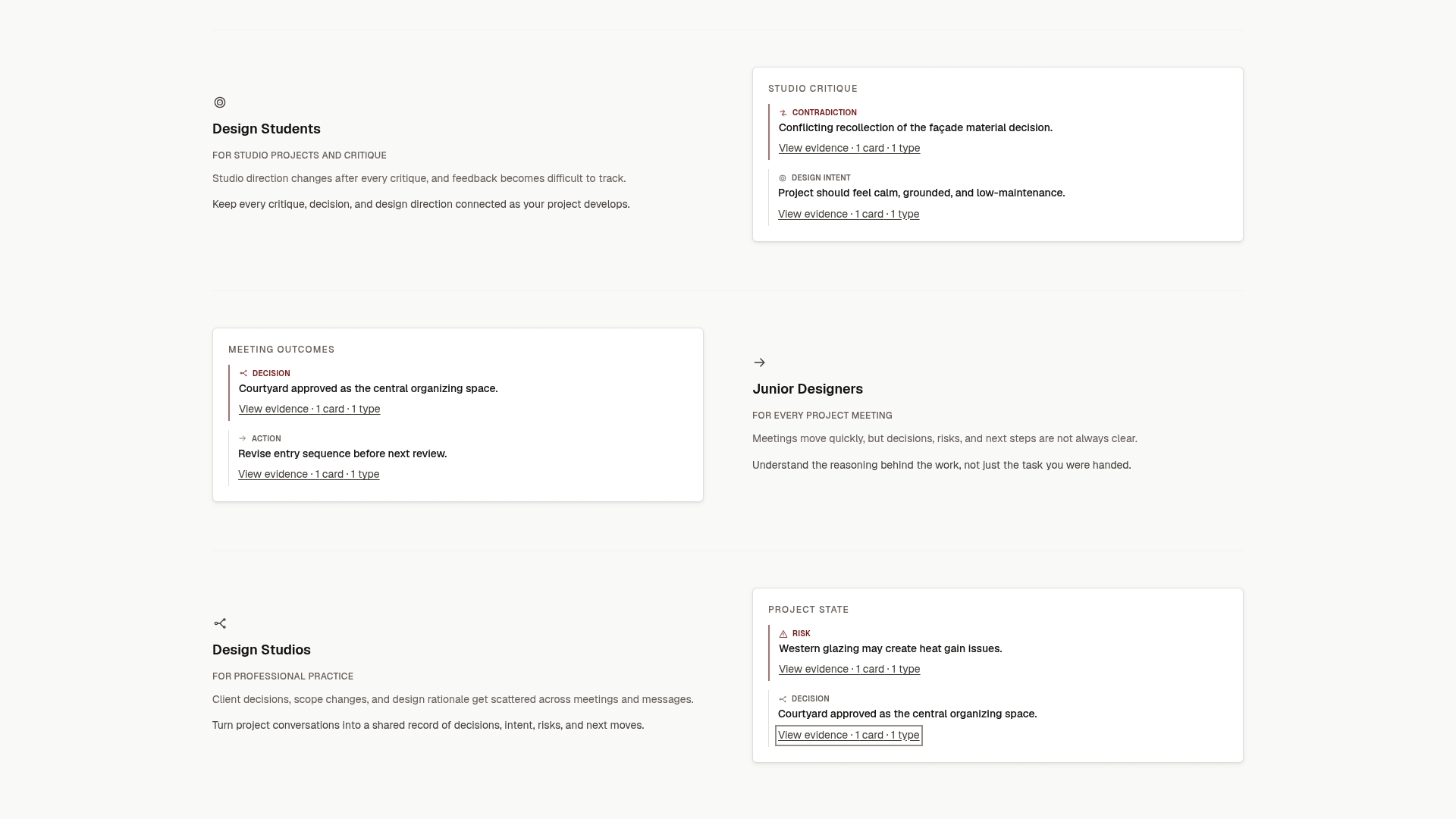
The Intent Ledger is project memory software for design teams. It turns meeting notes, transcripts, critique feedback and client comments into ILM Records: structured, source-backed records of decisions, design intent, risks, actions, commitments and unresolved questions, each traceable to the conversation it came from. A revision log row can then point to the record that explains it.
Pricing is published on the pricing page. One-time ILM Record packs run from Working Set at $12 to Project Record at $29, Practice Memory at $59 and Studio Ledger at $119. Monthly plans are Working Memory at $29 per month, Living Record at $79 per month and Shared Ledger at $149 per month. You can see how it works from the Intent Ledger home page.
Perspective
We built The Intent Ledger because of a pattern we kept noticing in design work: the drawing set records what the design became, and almost nothing records why it became that.
A revision log is the right tool for the first job. It is disciplined, auditable and easy to hand to a contractor. But the reasons for a change are spoken first: a client says “we need more seating”, a critic says “this circulation fights the entry”, a project manager says “we agreed to hold the budget”. Those sentences vanish unless someone turns them into records.
Our position is that the reason deserves the same discipline as the revision letter. A decision should be a structured record with a source you can trace, not a half-remembered line in a notebook. When each log row can point to an ILM Record, a junior designer can learn why a task exists, a project manager can see unresolved questions before they become changes, and a studio keeps its thinking when people move on.
That is what we mean by project memory: not more documents, but the connection between what changed and the conversation that caused it.
Rajas
FAQ
How do I keep track of drawing revisions?
Keep one log with a row per revision, not per drawing, and never overwrite earlier rows. Record the drawing number, revision, date, description, reason, who made it and who received it. Update the log at the moment you issue the revision, not afterward, and name one person as owner of the current set.
What is a drawing log?
A drawing log is the list of all drawings in a set with their latest date and revision number, traditionally on a cover sheet or index. A revision log goes further by keeping the full history of each change. Many small teams combine them into one spreadsheet.
How do I show a revision on a drawing?
Cloud the changed area, place a triangle with the revision number beside it, and add a matching row to the revision block in the title block with the date and a short description. Send the revised sheet with a transmittal that describes the change in words.
What should a revision description say?
Name the element, the change and the trigger: “Stair guard raised to 42 in. after plan reviewer comment 7”. Avoid “revised” or “updated per comments”, which tell a later reader nothing. If the instruction came from a meeting or a client message, note the source in the same row.
Sources
- Drawings and Graphics, Write to Build, University of Minnesota
- Chapter 04, Drawing and Document Administration, Colorado State University
- Minimum Standards for Professional Documents, Manitoba Hydro (2022)
- Title Block standard, RAIC Canadian Handbook of Practice
- ASME Y14.35 draft, Revision of Engineering Drawings and Associated Documents
- Eskom engineering drawing standard, common requirements
- Shop Drawing Revision Control: Clouds, Logs, and Naming
- Risk Tip 5, Project Documentation, ACECMA
- Handover documentation checklist