Junior Designer Documentation: What to Record and How
Junior Designer Documentation: What to Record and How
Junior designer documentation is the habit of writing down, at the moment a task or decision lands, what was decided, why, who owns it and where it came from. You do not need a long document. You need a short record that you can trace back to the conversation it came from. The Intent Ledger turns meeting notes, transcripts, critique feedback and client comments into ILM Records, structured and source-backed records of decisions, design intent, risks, actions and unresolved questions, so the “why” is still there six months later.
Most juniors learn this the hard way. A senior says “make it more open” in a hallway, the file changes, and three weeks later nobody remembers who asked or why. This guide covers what to record, a template that takes minutes, and how to handle feedback, actions and open questions.
TL;DR
- Record only decisions that matter: ones with real alternatives, that others will build on, or that someone will question later.
- Use five fields: the decision, why, alternatives considered, date and owner. Add a link to the source conversation.
- Log feedback in one place, as element, change and reason, with a status.
- Turn every meeting into three lists: decisions, actions (who, what, by when) and open questions.
- Never write a reason nobody gave. Mark gaps visibly and name who can fill them.
Table of Contents
- Why documentation is part of the junior job
- What deserves a record (and what does not)
- A five-field record you can fill in three minutes
- Capture the reasoning, not a justification
- Recording critique feedback and client comments
- Turning conversations into actions, owners and deadlines
- Tracking risks, commitments and unresolved questions
- Keeping documentation accurate and findable
- Where manual documentation breaks down
- Perspective
- Start with the plan that fits your role
- FAQ
- Sources
Why documentation is part of the junior job
As a junior, you are the person who executes. Decisions are made above you, in critiques, client calls and quick chats, and you inherit the result. When the reasoning is not written down, you carry the risk: you redo work, defend choices you did not make, or guess at intent.
Good records protect you in three ways.
- They clarify where a task came from. If you can say “this change came from the client’s comment on 12 October, approved by the project lead,” nobody argues about whether you made it up.
- They show your thinking. A record with alternatives on the table shows a choice as it was made, not as a story told afterward. A decision log, as described by one design publication, is different from a case study, which tends to present every choice as inevitable.
- They make you easy to hand work to. A teammate who can read why a layout looks the way it does does not need to interrupt you.
None of this requires permission. A record you write for your own use, then share with your lead, is usually welcome.
What deserves a record (and what does not)
The fastest way to make documentation fail is to document everything. One practitioner toolkit warns that writing a record for every button teaches a team to ignore records. Pick your moments.
The same toolkit suggests a record is warranted when at least one of these holds:
- Someone will ask “why is it like this” more than once.
- Credible alternatives were rejected.
- The decision limits what others can build later.
- You would be annoyed if it were quietly reversed.
A guide on documenting design decisions adds similar priorities: decisions with real alternatives, decisions that affect multiple screens or features, ones that were debated, and ones that affect future work.
In practice, for an architecture or design studio, that means:
| Worth recording | Usually not worth it |
|---|---|
| Switching a facade material after a client comment | Nudging a label two pixels or a line weight |
| Choosing one circulation layout over two others | Renaming a layer |
| A client’s approval or rejection of a concept | Routine file exports |
| A constraint such as a budget cap or a code limit | A decision nobody could reasonably question |
When in doubt, ask one question: if this were reversed next month, would someone need to know why? If yes, write it down.
A five-field record you can fill in three minutes
The UIGuides template has five fields: Decision, Why, Alternatives considered, Date and Owner. The guide says it takes about three minutes to fill in and that documentation systems often fail because the template is too long. That is the right size for a junior.
Here is how to fill each field well.
Decision. One sentence in the present tense, specific enough to be wrong. The Design Decision Record toolkit puts it this way. “The entry canopy is steel, not timber” works. “We discussed materials” does not.
Why. Reasoning in a few sentences, using “because” and “compared to.” The Decision Log guide recommends three to five sentences and linking the artifacts the reasoning rests on: the client email, the site photo, the code section. It also warns that constraints without names and sources make a log read as “taste laundering.”
Alternatives considered. Two to four real options, not strawmen. Include “do nothing” when it was on the table. A design rationale template from Paula Solís lists two or three options including no change.
Date. At least the month and year. One design-log author notes that a technical constraint is judged differently five years later, so the date tells a future reader how much weight the reasoning deserves.
Owner. A name, not a team. The owner is who to ask when the record needs revisiting.
Add a sixth line of your own: Source. A link or a reference to the meeting, message or file where the decision was made. This is the line that separates a record you can defend from a memory.
A worked example
Decision: The lobby reception desk moves to the east wall. Why: The client wants sightlines to both entrances because a single receptionist covers both doors. The west wall option blocks the second door’s view. Alternatives: Keep the desk centered (rejected: blocks circulation to the lift); west wall (rejected: no sightline to the side door). Date: November 2026 Owner: Project lead Source: Client call, second half of the meeting, minute 24 of the recording.
Five lines. Anyone who joins the project next spring can understand and challenge it.
Capture the reasoning, not a justification
A common junior mistake is writing the reason that sounds best instead of the reason that was given. Say the lead chose a layout because the client liked it. Do not dress that up as an ergonomic argument you came up with afterward.
One open-source decision-record guide for design systems makes the point bluntly: where information is missing, write a visible placeholder naming who would know, such as “unknown, ask the project lead,” and never infer a rationale. A plausible reason nobody gave is worse than a visible gap, because later readers treat it as fact.
The same guide says to write records for decisions still in progress, with an open status. Capturing the thinking before the discussion resolves keeps it from vanishing in the gap between talk and conclusion. For more on the difference between a reason given and a reason constructed afterward, see our piece on decision rationale versus justification.
Recording critique feedback and client comments
Feedback is where context disappears fastest. It arrives in comments on a file, in chat, in a review room and in email, often contradicting itself.
A workable system has three parts.
One place for all feedback
UIGuides recommends a single source of truth per project: design-file comments go into the log, meeting feedback is captured by an assigned note-taker, and chat or email messages are added within 24 hours. A simple table with feedback, source, priority, status and resolution notes is enough.
A structure that carries the reason
A design request workflow from TDS Insights structures feedback as element, what to change, and why. Their example: a headline, increase the font size, because it must be legible on mobile without zooming. The “why” is the part juniors usually have to chase later.
The same source argues that one person should consolidate stakeholder feedback before it reaches the designer, since five separate emails with conflicting instructions force a risky judgment call or a delay. If you are the designer receiving contradictory comments, do not choose silently. Log both, mark the conflict as an open question, and ask your lead to resolve it.
A closing summary after each review
The UIGuides feedback guide suggests a post-review summary covering changes made, feedback considered but not implemented with a reason, and open questions. The “not implemented, and why” list is gold. It stops the same suggestion coming back every review.
Students can use the same pattern after a crit. Write down who said what, what you will change, what you will not and why. When your tutor asks next week what you did with their comment, you have an answer.
Turning conversations into actions, owners and deadlines
A conversation only becomes work when it has a person and a date attached. After any meeting, sort what was said into three lists.
- Decisions. What was settled, with the date and the owner.
- Actions. Who does what by when. One project-meeting guide recommends that action items say who, what and by when and that notes go out within 24 hours.
- Open items. Questions nobody could answer yet, parked for the next meeting.
A design critique template assigns a note-taker role who captures insights and actions, and ends with: summarize decisions and actions, assign owners and deadlines, share notes with the team. If you are a junior, volunteering as the note-taker is one of the quickest ways to become the person who understands the project best.
Two habits make this work:
- Read the actions back before the meeting ends. “So I’ll send the revised plan to the client by Thursday, correct?” takes ten seconds and removes most misunderstandings.
- Write the action in the sentence form you would want to receive. Verb first, one owner, one date.
Tracking risks, commitments and unresolved questions
Three kinds of item are easy to lose because nobody owns them in the moment.
Unresolved questions. Something someone said “we should check.” Give it an owner, a date by which it needs an answer, and a note on what it blocks. A question without a blocker note will sit forever.
Risks. A risk is something that might go wrong and has not yet. A standard risk register captures what could go wrong, how likely and damaging it is, who owns it and the planned response. For a junior, the simple version is a sentence: “If the structural engineer’s revision arrives after the 15th, the permit set slips.” Name the trigger and the consequence.
Commitments. Anything promised to a client or colleague: “We’ll show you three façade options next Friday.” Record who promised, to whom, and when. Commitments made in passing are the ones most likely to be forgotten, and the ones clients remember.
The key discipline is the same throughout. Write each item with its source, so when someone asks “who said that?” you can point to the conversation rather than rely on recollection.
For a concise, repeatable layout you can adapt for this kind of record, there is a process documentation template that shows what belongs in a template and what does not. Our own take on the design side is in Design Documentation Template: Capture Decisions, Not Just Tasks.
Keeping documentation accurate and findable
Records that are written once and never touched become wrong quietly. A few rules keep them alive.
- Keep them close to the work. A design-log author recommends keeping the log easy to maintain and close to other project documentation, with low barriers to adding to it.
- Let everyone write, not one scribe. The same author argues that a single scribe is a single point of failure.
- Write in an objective tone. Describe what was decided and why, not who was right.
- Reopen, do not restart. When circumstances change, revisit the original record rather than writing a fresh one. The history of the thinking is the value.
- Fill in outcomes. The Decision Log guide suggests recording the outcome two weeks to two months after shipping, including when you were wrong. It calls that the highest-trust signal in a log.
- Add a check date. Paula Solís’s template ends with a measure and the date to check it, so the record does not just sit.
If you want the longer-form version of these ideas, browse our articles on design documentation best practices and our decision log template.
Where manual documentation breaks down
Everything above works. It also takes discipline, and discipline competes with deadlines. The typical failure is not a bad template. It is the Friday when five conversations happened and you wrote down two.
Three things tend to go missing:
- The reason, because it was said aloud and never typed.
- The source, because the note says “client wants X” but not in which call.
- The unresolved question, because it was a passing remark.
This is the gap The Intent Ledger is built for. It takes the material you already have, meeting notes, transcripts, audio recordings, critique feedback and client comments, and turns it into ILM Records. Each one is a structured, source-backed record of decisions, design intent, risks, actions, commitments and unresolved questions, traceable to the conversation it came from. You keep the habits above. The structuring is handled for you.
Perspective
We built The Intent Ledger around one observation: design teams rarely lose the decision. They lose the reason. The drawing shows what was chosen. The conversation held why, and the conversation is gone by Monday.
For a junior designer, that loss is personal. You are handed a task and asked to continue work whose logic lives in someone else’s head. A record that links back to the original conversation changes that. You can see who said what, in which meeting, and what was still open.
That is why our records capture design intent, risks, commitments and unresolved questions together, not only a list of actions. Generic meeting notes tell you what happened. A project memory tells you why the project looks the way it does, and keeps telling you as the project evolves.
Start with the five fields. Add the source line. Then let the record grow into a living project memory that the whole studio can read.
Rajas
Start with the plan that fits your role
If you are a student or a freelance architect, the one-off ILM Record packs are the simplest way in: Working Set at $12 or Project Record at $29, both one-off. Studios that want records across many projects can look at Practice Memory at $59 one-off or Studio Ledger at $119 one-off. Teams creating records continuously can choose a monthly plan: Working Memory at $29 per month, Living Record at $79 per month or Shared Ledger at $149 per month. See all options on the pricing page.
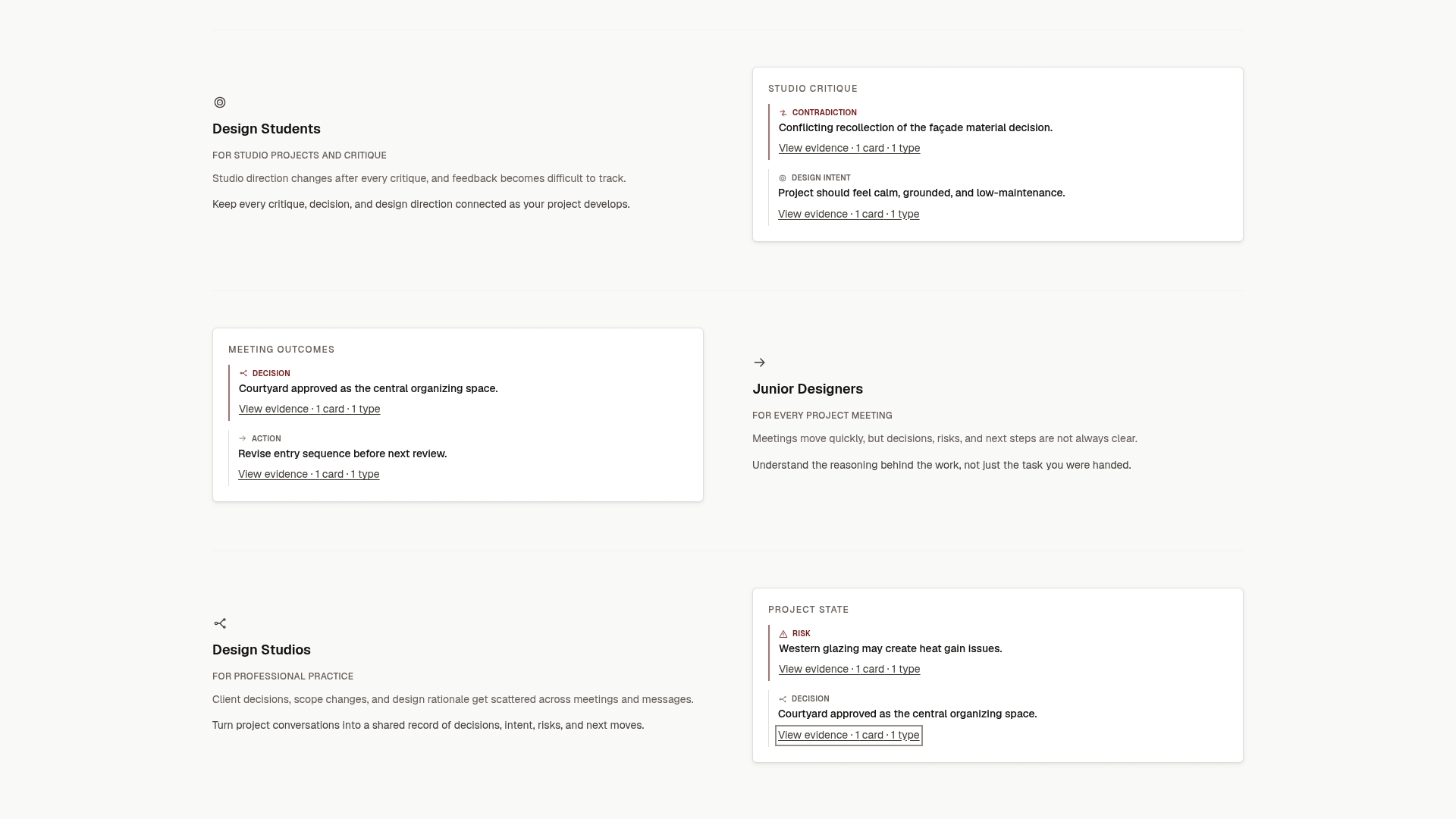
To see what an ILM Record looks like for your own conversations, start from The Intent Ledger.
FAQ
What should a junior designer document first?
Start with decisions that have real alternatives or that others will build on. For each, write the decision, the reason, the options rejected, the date and the owner, and add a pointer to the source conversation. Skip trivial edits, since over-documenting is how teams learn to ignore records.
How long should a design decision record be?
Short enough to fill in within minutes. One guide puts its five-field template at about three minutes, and Paula Solís’s template adapts a format one or two pages long at most. If your record keeps growing, you are probably recording more than one decision.
How do I record client feedback so it does not get lost?
Keep one log per project with the feedback, its source, priority, status and resolution notes. Add messages from chat and email within 24 hours, and write each comment as element, change and reason. After each review, note what you changed, what you did not and why.
What if I do not know why a decision was made?
Write that down. Use a visible placeholder such as “reason unknown, ask the project lead,” then fill it in when you have the answer. Inventing a plausible reason is worse than a gap, because later readers will treat it as fact.
How is a decision record different from meeting notes?
Meeting notes tell you what was discussed. A decision record isolates one choice, states the reasoning and the alternatives, names an owner and carries a date. Notes are the raw material, and records are what you pull out of them. ILM Records are built to do that pulling for you, with the link back to the conversation.
Sources
- How to Document Design Decisions, UIGuides
- How to Manage Design Feedback Systematically, UIGuides
- The Design Decision Record, Falkster
- Articulating design decisions: a design rationale template, Paula Solís
- The Decision Log, Brainy Papers
- Decision record skill, design-system-ops on GitHub
- Design rationale, Riffle
- Project Design Logs, Andrew Woods
- Design Request Workflow Template, TDS Insights
- Design Critique Template: Checklist + Rules + Example, roastmyweb
- How to Run Effective Project Meetings, Ganty
- Project Risk Register: Complete PMO Guide
- Process Documentation Template: What Belongs and What Doesn’t, Osher Digital