Meeting Capture Workflow for Design Teams: Keep the Why
Meeting Capture Workflow for Design Teams: Keep the Why
A good meeting capture workflow does one thing: it keeps the decision, the reason behind it and the person who owns the next step, all traceable to the conversation they came from. Notes that list only what was decided fail six weeks later, when someone asks why the stair moved or why the client rejected the second scheme. We built The Intent Ledger around that problem: it turns meeting notes, transcripts, critique feedback and client comments into ILM Records, structured records of decisions, design intent, risks, actions and open questions, each linked back to its source conversation.
- ✓Decisions and design intent
- ✓Risks and actions
- ✓Commitments and unresolved questions
TL;DR
- Decide before the meeting what you will capture: decisions, rationale, risks, actions with owners, and open questions.
- Capture outcomes and reasons, not a verbatim transcript. Keep the source (notes, recording or transcript) so every record can be traced back.
- Send actions within an hour as a short message, and review the full record within a day.
- Get recording consent and a written policy in place before any recording or transcript is stored.
- Link and tag records as you go, so the project memory stays searchable as the design evolves.
Table of Contents
- Why design meetings need their own capture workflow
- Step 1: Prepare the meeting so capture is easy
- Step 2: Capture the right things during the meeting
- Step 3: Turn notes into a recap and assigned actions
- Step 4: Link, tag and revisit so context survives
- Recording, consent and privacy
- Who needs which version of the workflow
- Perspective
- Start building your project memory
- FAQ
- Sources
Why design meetings need their own capture workflow
Design conversations are where intent is formed. A reviewer asks “why this material?”, a client reacts to a massing option, a junior designer hears a half-sentence instruction and writes it down as a task. Weeks later the task survives but its origin does not.
Researchers who study this split capture methods into two camps. A Design Society review of capturing collaborative design work describes “record everything and analyse later,” which produces masses of noisy material needing heavy post-processing, and “analyse and document at the time,” which yields clean decisions but loses the surrounding dialogue and adds overhead during the work.
A Design Society case study compared transcription, diagrammatic argumentation, minutes and video. Its conclusion: no single method gives an overview, holds the detail and rationale, and stays quickly retrievable. The practical answer is a workflow that combines a light structured record with a link to the full source. That is the design of an ILM Record.
Step 1: Prepare the meeting so capture is easy
Capture quality is set before anyone speaks.
- Define the goal and the attendees. If you cannot say what decision the meeting should produce, there is nothing to capture. Keep the agenda time-boxed and invite only the people who decide or inform.
- Send the agenda and pre-reads one to two days ahead. For design reviews, the pre-read should answer “why are we doing this?” by stating the objective, the constraints and the known risks, so the meeting spends its time on decisions rather than background.
- Assign roles. One person facilitates, one captures, one watches the clock. On a small studio or freelance project, you may hold two roles, but the facilitator should not also be the only note-taker in a heated review.
- Settle consent. Decide whether the meeting will be recorded and tell attendees (see the privacy section below).
If you need a starting agenda, our posts on a meeting agenda template cover the structure. For decision-focused sessions, this set of copy-paste agendas with 30, 60 and 90 day follow-up is a useful model for tying a workshop to accountable actions.
Step 2: Capture the right things during the meeting
The note-taker’s job is to record outcomes and the reasons for them, not the discussion word for word. Use these fields.
| Item | What to record |
|---|---|
| Decision | The accepted outcome in one sentence, plus a brief rationale tied to a requirement, risk or constraint |
| Alternatives rejected | What was considered and why it lost |
| Action | A verb-first task, one owner, a due date and the context |
| Open question | The question, who will investigate and when it will be revisited |
| Parked item | The topic and a proposed next step |
| Risk | What could go wrong and how it will be handled |
This structure follows the closeout approach for stakeholder design reviews and the meeting guide on real-time capture, which both stress one owner per action and brief rationale rather than verbatim discussion. Our own breakdown of eight fields a record of decision needs goes deeper on the decision itself.
Where manual capture goes wrong
Typing while a crit is in full flow means you stop listening. The DesignMemo research notes that manual note-taking in fast discussions can detract from creative engagement, and explores linking dialogue to design elements so people can revisit rationale later. Two habits help:
- Mark moments live (“decision,” “risk,” “question”) and fill in detail right after.
- Keep the audio, transcript or rough notes as the source. You then only need to capture the structure, because the full conversation stays attached.
This is the gap The Intent Ledger fills: you bring meeting notes, audio recordings, transcripts, critique feedback or client comments, and it produces the structured, source-backed record, so the person in the room can stay in the conversation.
Step 3: Turn notes into a recap and assigned actions
The meeting is not finished when the call ends. A three-step pattern works well, and it matches what the Arup AI in Advisory Playbook describes: collect the inputs (notes or transcript, agenda, attendees, referenced documents), structure the record (decisions, actions with owners, open questions), then confirm the follow-up by checking owners and validating deadlines.
A few rules make it stick:
- Send actions separately, within about 60 minutes. A short message with task, owner, due date and a link to the full notes works better than burying actions inside a long summary, according to the meeting guide cited above.
- Make the minutes action-driven. A study of engineering design reviews found engineers value the actions list above all, and recommended tracking actions with their rationale during the meeting, then detailing and tagging each action afterward.
- Review before you publish. Spend a few minutes checking names, dates and any decision that was missed. If a summary was generated automatically, this review is where errors are caught.
- Publish where the team looks. A record nobody opens is not a record.
For the difference between informal notes and formal minutes, see our articles on meeting notes versus minutes and effective meeting notes.
A worked example
A small studio meets a client about a courtyard house. In the meeting the client says the north-facing window wall worries them about winter heat loss, and the team agrees to reduce the glazing.
A note that says “reduce glazing” will be questioned in three weeks. A source-backed record says:
- Decision: reduce north glazing from a full-height wall to a ribbon window.
- Rationale: client concern about winter heat loss; budget pressure on high-performance glass.
- Rejected: keep full glazing with upgraded glass, due to cost.
- Action: Maya to revise elevations and send them to the client, due Friday.
- Open question: does the client still want a view to the garden from the study? Owner: project manager, revisit at next review.
- Source: the meeting recording and the passage where the client raised the concern.
When the junior designer who picks up the elevations asks why the window shrank, the answer is one click away.
Step 4: Link, tag and revisit so context survives
Records pile up fast. What keeps them useful is structure. The CHASE 2023 research agenda on design knowledge capture singles out tagging and linking as key: tagging marks information types such as decisions, alternatives and arguments, while linking captures design history as the project evolves.
In practice:
- Tag each item as decision, risk, action, commitment or open question.
- Link a decision to the earlier decision it changes or the drawing it affects.
- Point to source material rather than copying it. A decision-record guide frames a good record as a bounded account: what was decided, what problem required it, who approved it, what evidence and constraints informed it, and what change should trigger a review.
- Review open questions at the start of every meeting, so they do not quietly expire.
More on this in our pieces on decision-making documentation, the decision record template and why decision records matter.
Recording, consent and privacy
Capturing audio or transcripts adds legal duties, and they differ by place and by who is in the room.
- Write a policy first. It should address notice, legal basis, intended use, access and retention before any recording is stored, as Organizational Memory argues. We cover the contents in our meeting recording policy guide.
- Get consent at the start. Confirm that recording is permitted for this meeting and audience. If it is not, work from human notes instead.
- Know your state. Illinois’ Biometric Information Privacy Act requires written consent before collecting covered biometric data, which can include voiceprints used for speaker identification. For multi-state or international clients, check the rules that apply to every participant, and speak to your lawyer for contracts or personnel matters.
- Limit access. Personnel, compensation, legal and confidential client discussions were meant for limited groups, so keep them out of shared archives.
For client-facing studios, a one-line notice in the meeting invite (“we record for project documentation”) is a simple habit that sets expectations.
Who needs which version of the workflow
- Studios and project managers: run one recurring meeting type through the workflow for two weeks, name a reviewer, then adjust. Roll out to design reviews and client calls next.
- Freelance architects: client messages and call notes are your protection. Record the decision, the client’s stated reason and the date, every time.
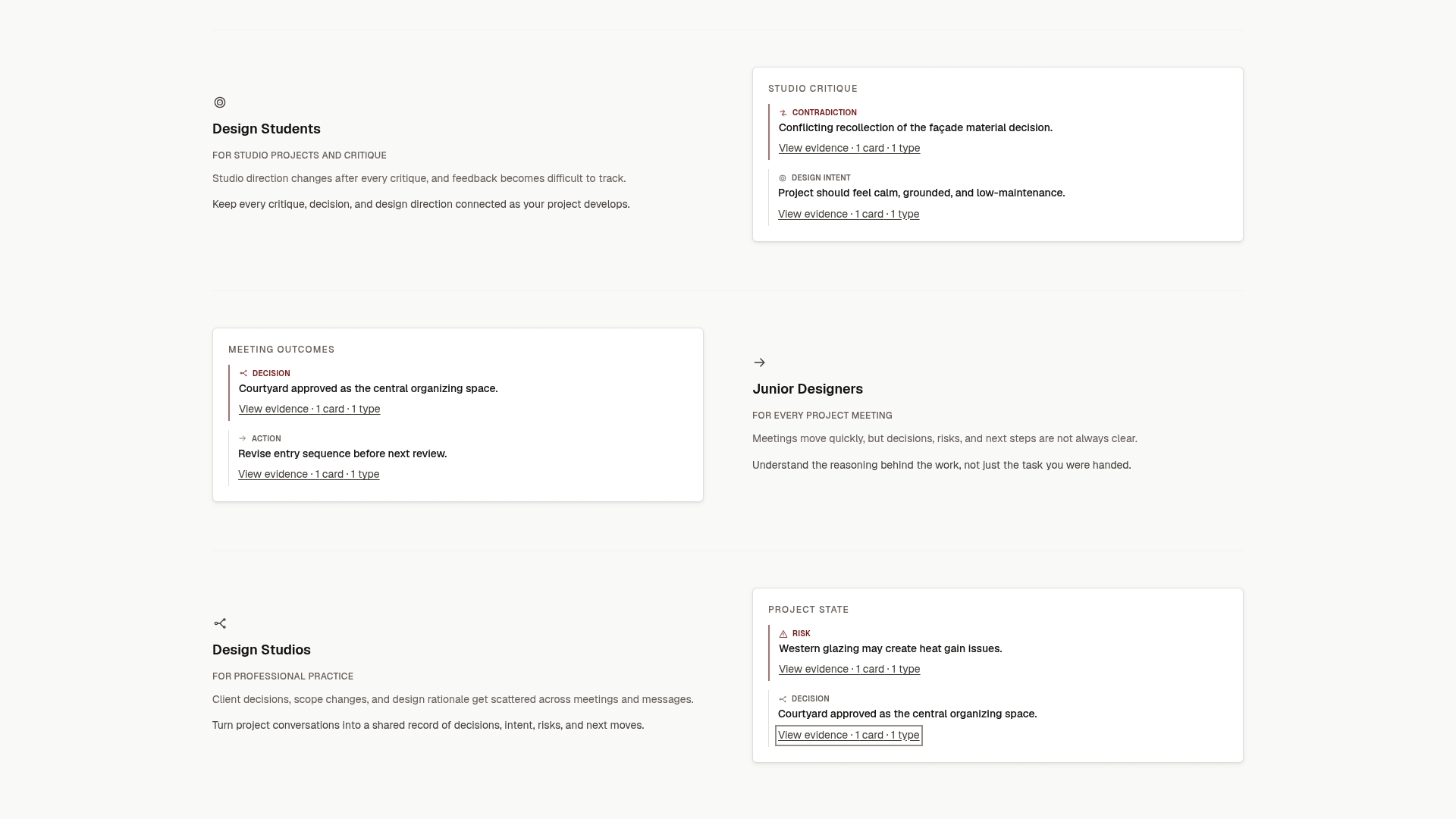
- Junior designers: ask for the source of any task you do not understand. A record with its origin attached answers it.
- Students: treat each critique as a meeting. Capture the comment, the reviewer’s reasoning and your response, so you can see which feedback shaped the final project.
Perspective
Most capture advice stops at “write down what was decided.” In design, that is the least useful half. The decision usually survives in the drawing; the reason does not. When the reason disappears, the team relitigates the same choice, the junior designer guesses, and the client hears three different explanations.
We built The Intent Ledger on a simple belief: the why is the asset. So every ILM Record connects the decision, the intent, the risk and the commitment to the conversation it came from. You can trace back, check the original wording, and see how project thinking changed over time.
Capturing well should not cost you the conversation either. Bring your notes, transcript or recording, and let the structure be built around them, so your attention stays on the client and the work.
Rajas
Start building your project memory
If you want this workflow without building it by hand, The Intent Ledger turns your meeting notes, recordings and client comments into ILM Records. Pricing on our pricing page includes one-off record packs, Working Set at $12 and Project Record at $29, and monthly plans such as Working Memory at $29 per month. A single project or a whole practice can be covered.
FAQ
What is a meeting capture workflow?
It is the repeatable routine for preparing a meeting, recording what matters during it, and turning that into owned actions and a searchable record afterward. For design teams, it should preserve decisions, the reasoning behind them and a link to the original conversation.
Should I record every meeting or just take notes?
Choose by what you need to retrieve later. Notes give you a fast overview, while a recording or transcript keeps the detail and the exact wording. Many teams keep both: structured notes for the outcome and the source for verification, with consent confirmed first.
How soon should I send meeting actions?
Within about an hour is a good target. Send them as a short message with the task, owner, due date and a link to the full record, rather than inside a long summary.
Can AI take my meeting notes?
AI can draft structured notes from a transcript, but a person should still review names, dates and missed decisions before publishing. Keep the source attached so any statement can be checked against what was said.
Sources
- Capturing Synchronous Collaborative Design Activities: A State-of-the-Art Technology Review
- Evaluating the Effectiveness of Methods for Capturing Meetings
- A No-Chaos Stakeholder Design Review Process
- Meeting preparation and summarization guide
- DesignMemo: Integrating Discussion Context into Online Design
- Capture Meeting Notes, Arup AI in Advisory Playbook
- Communication, Information and Knowledge Processes Observed during Engineering Design Reviews
- Exploring a Research Agenda for Design Knowledge Capture
- Decision Records: Preserving What Was Decided, Why, and More
- RAG Pipelines Built on Organizational Meeting Archives
- Copy Paste Agendas with 30/60/90 Followup for Decision Making Workshops