Meeting Outcomes Document: What to Include and a Template
Meeting Outcomes Document: What to Include and a Template
A meeting outcomes document is a short written record of what a meeting changed: the decisions made, the actions assigned, the risks raised and the questions still open. It is not a transcript and not a diary of who said what. Send it within 24 hours, keep it to one page where you can, and make every action carry an owner and a date.
Below you get the parts every outcomes document needs, a template to copy, and the extra steps design teams need when the meeting is a critique or a client call.
TL;DR
- Record outcomes, not conversation: decisions, actions, risks and open questions, in that order of importance.
- Every action needs one named owner, a deadline and a clear definition of done.
- Write down why a decision was made and what was rejected, so nobody reopens the same debate in three months.
- Send it within 24 hours and link to the source (notes, recording or transcript) so anyone can check the context.
- Never rewrite an accepted decision. Add a new record that replaces it and mark the old one superseded.
Table of Contents
- What a meeting outcomes document is
- Decide the outcome type before you write
- What to include in a meeting outcomes document
- A meeting outcomes template you can copy
- Meeting outcomes for design teams: critiques and client calls
- Our perspective
- Sharing and maintaining the document
- Turn conversations into ILM Records
- FAQ
- Sources
What a meeting outcomes document is
Think of it as the part of the meeting that survives. Attendees leave with different memories of what was agreed, and the document settles that. The Harvard Business Review advice is simple: send concise notes within 24 hours that state each topic discussed, the key takeaways, and the specific actions with who will do them and when.
People search for this under several names: meeting minutes, meeting notes, a follow-up, a decision log. The labels differ, but the job is the same. Minutes are often a formal record kept for a board or a committee. An outcomes document is lighter and aimed at action. If your team needs both, write the outcomes document first and let the minutes draw from it.
Why bother? An Atlassian survey of 5,000 knowledge workers across four continents found that meetings were ineffective 72% of the time, and just under three-quarters of workers often sat in meetings that ended only with a decision to hold another meeting. A written outcome is the cheapest way to make sure a meeting produced something.
Decide the outcome type before you write
One useful way to think about it: a meeting should end in a decision, a plan or an alignment, and the document should match. That framework suggests designing the meeting backward from the artifact you need at the end.
- Decision: a choice was made. Record the choice, the reason and who owns it.
- Plan: work was divided. Record tasks, owners, dates and dependencies.
- Alignment: people now share an understanding. Record the shared goals, constraints, trade-offs, handoffs, open questions and the next decision point.
Most real meetings produce a mix. A design review might settle the facade material (decision), assign three revisions (plan) and leave the client’s budget ceiling unresolved (alignment). Label each item so the reader knows how firm it is.
What to include in a meeting outcomes document
A consistent template beats a clever one. One professional guide on running business meetings lists the core elements as purpose, date, attendees and absentees, key decisions with the method used, action items with owners, deadlines and success criteria, and risks or unresolved items, assigned to an owner or a follow-up meeting. It also recommends a central decision log that links to the relevant artifacts.
Here is how that breaks down in practice.
| Section | What goes in it | Common mistake |
|---|---|---|
| Header | Meeting purpose, date, attendees, absentees | Leaving out who was absent, so they never get briefed |
| Outcome summary | One to three sentences on what changed | Starting with the agenda instead of the result |
| Decisions | What was approved, rejected or deferred, plus scope limits | Recording the decision with no reason |
| Actions | Owner, deliverable, due date, what “done” means | Naming a team instead of a person |
| Risks | What might happen and why it matters | Burying them at the bottom |
| Open questions | The question and who will answer it | Listing questions with no owner |
| Evidence | Link to notes, recording, transcript or slide | No way to check the original |
| Next step | Next meeting date or a plan to schedule one | Ending with “let’s reconnect” |
Order matters
Put the result first. A common outcome-first reading order is: outcome (what changed), decision (approved, rejected or deferred), action (who does what by when), risk (what could block delivery) and evidence (where the statement came from). The point of this order, as one executive summary template puts it, is to reduce overload and make it harder to bury critical issues.
Actions need a progress check
An action with an owner and a date still slips if nobody knows how progress will be reported. The “action minutes” format uses four columns: the outcome to be achieved, who is responsible, how progress will be confirmed, and delivery dates. Its author notes that leaving out the progress column tends to let delays go unaddressed. Add a “done means” line to each action and the column nearly writes itself.
A meeting outcomes template you can copy
Paste this into your notes tool and fill it in during the last ten minutes of the meeting.
Meeting: [Name] | Date: [Date] | Purpose: [One sentence] Present: [Names] | Absent: [Names]
Outcome in brief: [What changed because of this meeting, in two sentences.]
Decisions
- [Decision in plain language.] Scope: [what it covers and what it does not]. Reason: [why]. Alternatives rejected: [list]. Decided by: [name].
Actions
- [Deliverable] | Owner: [one name] | Due: [date] | Done means: [check] | Progress reported: [how and when]
Risks
- [What might happen] | Why it matters: [impact] | Owner: [name]
Open questions
- [Question] | Who answers: [name] | Needed by: [date]
Sources: [Link to recording, transcript, notes or slide] Next meeting: [Date, or “to be scheduled by [name] by [date]”]
A lightweight way to fill it live is to tag lines as they happen. One tagging method uses D for decision, A for action item, R for risk or blocker and Q for open question. After the meeting, you only sort tagged lines into the sections above.
Keep the reason with the decision
Software teams solved this problem years ago with architecture decision records. The widely used MADR template defines its core sections as context and problem statement, considered options, decision outcome, and consequences, with pros and cons for each option. You do not need the full format for every meeting. For any decision that will be expensive to reverse, add three lines: the options you considered, the one you chose and why, and what you expect to follow from it.
Our own blog goes deeper on this in the decision log template for project teams.
Meeting outcomes for design teams: critiques and client calls
Design meetings are harder to document than status meetings. Feedback is visual, opinions overlap, and the reason behind a change often matters more than the change. A few habits help.
Capture critique, then interpret it
Guidance from the University of Technology Sydney recommends capturing the critique, then reviewing it to clarify what is useful, and finally creating action lists that map each issue or suggestion to an activity, timing and responsibility. The middle step is the one teams skip. Not every comment becomes a task. Mark each as act on, park, or decline, and write one line on why.
For teams that want help turning critique into structured follow-up, business improvement consulting can support the process side, and students working in groups will find a related approach in this group project planning playbook.
Separate directional feedback from detail
A March 2026 design-presentation guide suggests documenting feedback live and separating visual-detail comments from directional ones, and ending every feedback loop with a clear next step rather than a vague intention. Directional feedback (“this feels too corporate”) changes the design intent. Detail feedback (“make the label larger”) changes a file. Your document should keep them apart, because the first kind is what future team members will need to understand.
Client calls need scope lines
A client call record should include scope (what is in, out and undecided), the decisions aligned on, actions with owner, due date and a definition of done, assumptions and dependencies, open questions, and the next meeting. One client-call template lays this out the same way. For freelance architects, this is also your protection: a dated record of what the client approved and what they left open.
A worked example
Imagine a 45-minute review of a small mixed-use building. The outcomes document might read:
- Outcome: The team will move forward with the brick facade and drop the metal panel option.
- Decision: Brick approved for the street elevation only. Reason: the client wants the building to match neighboring materials. Rejected: metal panels, because of cost and the client’s concern about glare. Courtyard facade still undecided.
- Action: Priya revises the street elevation by Friday. Done means: updated drawing uploaded and linked to this record.
- Risk: Brick lead time may push the schedule. Owner: project manager, to confirm with the supplier.
- Open question: Does the client’s budget ceiling include the courtyard? The client’s representative will answer by the next call.
Six months later, when someone asks why there is no metal on the street side, the answer is on one page, with the reason attached.
Our perspective
Most meeting documents fail the same way: they record what was decided and lose why. The first person to notice is usually a junior designer who inherits a drawing set and cannot tell whether a detail is deliberate or accidental.
We built The Intent Ledger around that gap. Our approach is to turn conversations, notes, transcripts, critique feedback and client comments into ILM Records, structured and source-backed records of decisions, design intent, risks, actions, commitments and unresolved questions. Each record is designed to trace back to the conversation it came from, so the reasoning is never just an assertion.
A template is a good start, and the one above will serve any team. But a template depends on someone filling it in carefully after a long day. We think project memory should accumulate as a side effect of the work, so that a studio’s thinking becomes searchable instead of living in a few people’s heads.
Rajas
Sharing and maintaining the document
A good document that nobody can find is worth little. Three habits keep it useful.
Send it fast, and put work where work lives. Within 24 hours, as above. Put assigned actions in the task system your team already uses rather than letting the follow-up email become a second project tracker. The email carries the summary and the link; the task tool carries the work.
Never rewrite an accepted decision. When a decision changes, write a new record and mark the earlier one as superseded, with a link between them. The ACES project’s decision-record guidance describes the same principle: an accepted record is pinned and citable, and a substantive change is recorded as a superseding record. It also notes that the decision date can differ from the date the record was added, so write both when they differ. History then shows how thinking evolved, which is exactly what a new team member needs.
Review the system, not just the content. One professional guide argues that documentation is the biggest lever for meeting accountability and suggests tracking the completion rate of actions, reviewing meeting design and attendee lists every quarter, and defining when unresolved issues escalate. A simple count of actions closed on time tells you quickly whether your documents are working.
A short checklist before you send
- Does the first paragraph say what changed?
- Does every decision carry a reason and its limits?
- Does every action have one owner, one date and a definition of done?
- Does every risk and open question have someone responsible?
- Can a reader reach the original conversation from a link?
- Did you say whether another meeting is needed?
For more on the surrounding practice, browse our posts on effective meeting documentation, meeting notes best practices and how to summarize meetings.
Turn conversations into ILM Records
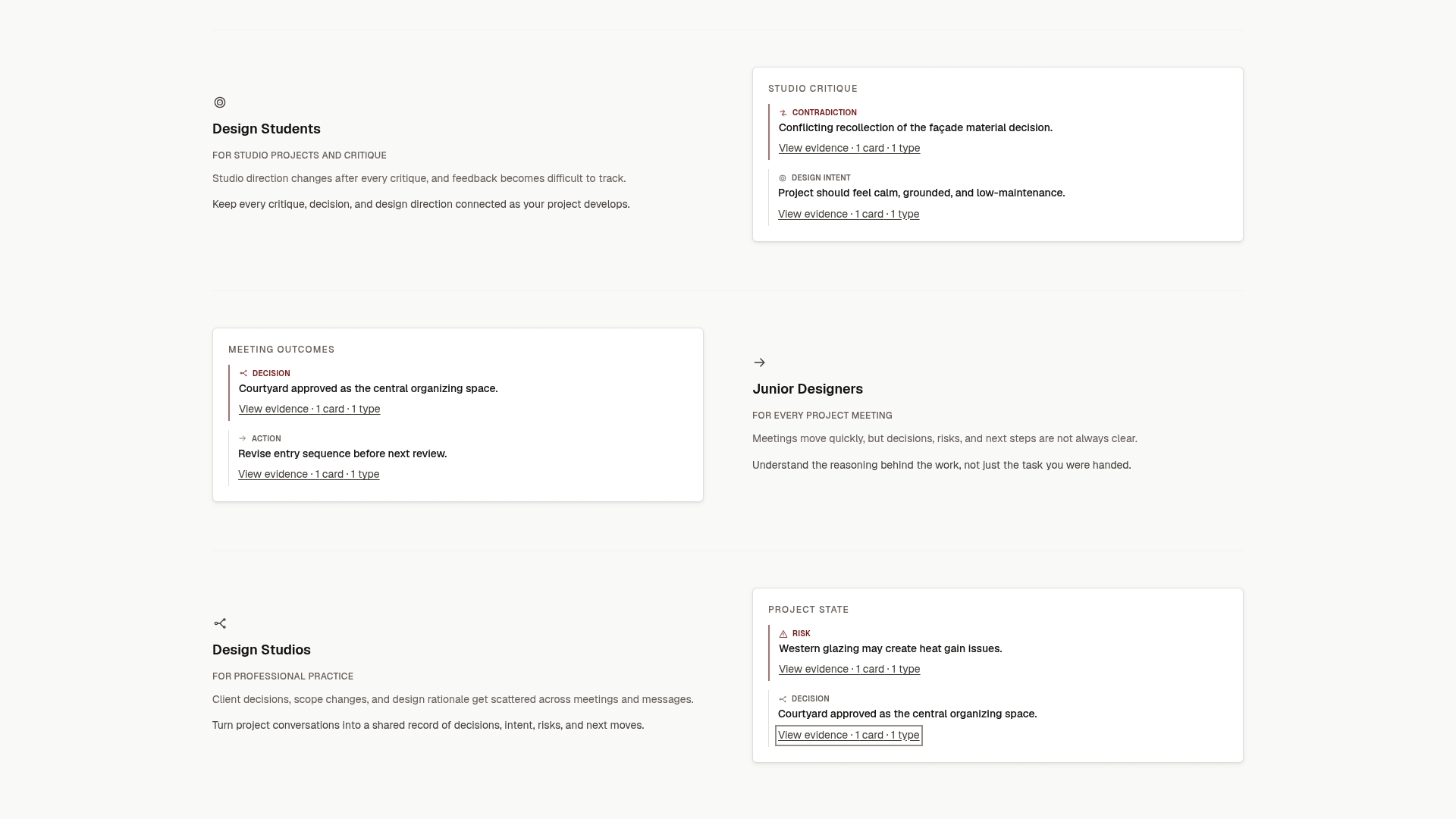
If your team writes these documents by hand today, The Intent Ledger can take the first pass. You bring meeting notes, transcripts, critique feedback or client comments, and we structure them into ILM Records of decisions, intent, risks, actions, commitments and open questions, each traceable to its source.
You can start small with a one-off pack: Working Set at $12, Project Record at $29, Practice Memory at $59 or Studio Ledger at $119. For ongoing record creation, monthly plans run at $29 (Working Memory), $79 (Living Record) and $149 (Shared Ledger). See the details on the pricing page, or read more on The Intent Ledger.
FAQ
What are the typical outcomes of a meeting?
Most meetings end in a decision, a plan or an alignment. A decision records a choice and its reason, a plan assigns work with owners and dates, and an alignment captures shared understanding, constraints and open questions. Many meetings produce all three, so label each item.
How do I document the minutes of a meeting?
Record the purpose, date, attendees and absentees, then the topics, key takeaways, decisions and actions. Each action needs an owner and a deadline. Keep it concise and send it within 24 hours so the details are still fresh.
What should a meeting outcomes template include?
Include the meeting purpose, an outcome summary, decisions with reasons, actions with owner, due date and definition of done, risks, open questions with an answerer, a link to the source, and the next meeting. The template earlier in this article puts all of these on one page.
How is a meeting outcomes document different from a transcript?
A transcript is everything said. An outcomes document is what changed and what happens next. Keep the transcript or recording as evidence and link to it, so the outcomes stay short but can still be checked against the original.
What if a decision changes later?
Do not edit the original. Create a new record that replaces it, link the two, and mark the earlier one as superseded. This preserves the history of how the project’s thinking developed.
Sources
- Keep Everyone on Task After Your Next Meeting (Harvard Business Review)
- It’s true: Meetings are a waste of time (Information Age)
- Meeting Outcomes: Decision, Plan, or Alignment (Worklytics)
- Best Practices for Effective Business Meetings (Platform Executive)
- Plain-Language Executive Summary Template (GoTranscript)
- Action Minutes (Meeting Toolchest)
- Real-Time Meeting Tagging Method (GoTranscript)
- MADR template, v1
- ACES architecture decision records guidance
- University of Technology Sydney critique guidance
- How to Present Designs to Stakeholders (UIGuides)
- Client Call Meeting Minutes Template (GoTranscript)
- Business Improvement (Klicx)
- Group Project Planning: A Student Team Playbook