Scope Change Log: What to Record and How to Keep One
Scope Change Log: What to Record and How to Keep One
A scope change log is a running record of every request to change what a project was agreed to deliver, with its status, its impact and the decision made. PMI’s guide describes the change log as the place where all submitted change requests are recorded. A good one does more than list changes. It also keeps the reason each change was accepted, refused or postponed, and where that reason came from.
This guide covers what a scope change is, which fields an entry needs, how a request moves from proposal to decision, how to document each outcome, and how to keep the log trustworthy for the whole project. It is written for design teams, project managers and small studios, so the examples lean toward architecture and design work.
TL;DR
- A scope change log lists every request to add, remove or adjust agreed work, with its impact, status and decision.
- Each entry needs an ID, requester, date, description, reason, impact on schedule, cost and quality, decision, approver and outcome.
- Log requests when they are raised, assess impact before approval, and record deferred and rejected requests as carefully as approved ones.
- The log is only as useful as its trail. Record the reason for each decision and link it to the conversation where it happened.
- Review the log on a fixed rhythm, at least weekly on active projects, and close entries only when the change is verified.
Table of Contents
- What counts as a scope change
- What a scope change log is
- What to put in each entry
- A worked example
- How a request moves from proposal to decision
- Documenting approved, rejected, deferred and pending changes
- Keeping the log useful and traceable
- Our perspective
- Put the log to work with ILM Records
- A simple setup you can start this week
- FAQ
- Sources
What counts as a scope change
A scope change is any modification to the agreed project scope. PMI’s research on scope changes defines scope against the approved work breakdown structure. In contract terms, the Victorian Government’s project toolkit says a change can add, remove or adjust requirements. It may also affect the program and quality, and raise or lower total cost.
In design work that looks like this:
- A client asks for a second floor of glazing after the schematic design is approved.
- A consultant’s coordination comment forces a structural grid change.
- A reviewer at a critique asks for a new set of options that were not in the brief.
- A regulation or site condition forces a redesign of an approved element.
The same PMI research lists the usual causes: an incorrect initial diagnosis of needs, unforeseen problems, and a better understanding of circumstances as the project goes on. None of these is a failure. They are normal. The failure is when a change happens without anyone recording it.
Scope change versus scope creep
The difference is control. Kirkwood Community College’s project management text describes a managed scope change as an approved alteration with agreed changes to budget or schedule. Scope creep is uncontrolled change that can cause overruns. The log is the tool that turns the second into the first. If a request is written down, assessed and decided, it is a change. If it is absorbed quietly in a hallway chat, it is creep.
What a scope change log is
The log is one table, kept for the life of the project, with one row per change request. One definition from a project management publisher calls it a formal, sequential record of change requests, their evaluation outcomes and the actions taken, working as a single source of truth for the history of each modification. The same source notes that the term comes from software configuration management, where developers logged changes to source code, and that project management extended it to any request that modifies what was originally agreed.
A few things the log is not:
- Not the change request form. The form holds the full proposal and analysis. The log is the index that shows all of them at a glance.
- Not a meeting minute. Minutes record what was said. The log records what was asked, what it would cost and what was decided.
- Not a to-do list. An approved change creates tasks, but the log entry stays as the record of why.
What to put in each entry
There is no single required format, but the published templates agree on a core. Pulling together the fields commonly recommended, a practical scope change log has these columns:
| Field | What it holds | Why it matters |
|---|---|---|
| Change ID | A unique number, such as CR-014 | Lets you refer to one change in emails, drawings and invoices |
| Date raised | The day the request was made | Shows how long decisions take |
| Requested by | A named person or party | Establishes who is asking and with what authority |
| Description | What exactly would change | Prevents vague entries like “client revisions” |
| Reason | Why the change is wanted | Preserves the intent behind the request |
| Options considered | Including doing nothing or deferring | Gives the approver a real choice |
| Impact | Schedule, cost, quality, risk | Makes the trade-off visible before approval |
| Recommendation | What the project team advises | Separates analysis from decision |
| Decision | Approved, rejected, deferred or pending | The core status field |
| Approved by and date | Who decided and when | Accountability |
| Outcome | Implemented, verified, closed | Confirms the change reached the work |
| Source | Where the request and decision were discussed | Lets anyone trace it back |
These fields line up with what the published guidance asks for. A change request template from a project management training site lists a request number, requester and date, description, reason or benefit, options considered, impacts on scope, schedule, cost, quality and risk, a recommendation, a decision with conditions, and approver and date. The Center for Project Innovation frames it as questions: what needs to change, why, what the alternatives are (including what happens if you do nothing), how it affects time, cost and scope, when it should happen, and who is responsible if it is approved.
Two fields do the most work in design projects and are the ones most often skipped: reason and source. Cost and schedule impacts are easy to reconstruct later from invoices and plans. The reason a client changed their mind, or why a reviewer pushed a direction, is gone within weeks unless it is written down when it is fresh.
Keep one change per row
The CDC’s change management practices guide recommends one change request per log entry, central documentation, regular updates through the project lifecycle and regular review. Bundled entries such as “facade and lobby revisions” make it impossible to approve one half and reject the other. Split them.
A worked example
Here is a hypothetical entry for a small architecture studio. It is an illustration, not a real project.
| Field | Entry |
|---|---|
| Change ID | CR-007 |
| Date raised | Week 9, design development |
| Requested by | Client’s operations manager |
| Description | Add a covered loading area on the north side of the building |
| Reason | Deliveries currently cross the public entrance; client wants separation |
| Options | 1) Add canopy and loading bay; 2) Reposition the service door only; 3) Do nothing |
| Impact | Option 1 adds two weeks of redesign and a fee adjustment; option 2 adds three days |
| Recommendation | Option 2, revisit option 1 at the next phase |
| Decision | Deferred to the next phase |
| Approved by | Client principal, recorded in the weekly coordination call |
| Source | Weekly call, item 4 |
Six months later, when the client asks why there is no loading canopy, the answer is one row long. Nobody has to reconstruct it from memory.
How a request moves from proposal to decision
The flow is the same whether the change is a tweak or a major redesign. The normal control process, according to the Association for Project Management, is to capture the request in a change log, evaluate its impacts, recommend a decision to the appropriate authority, approve, reject or defer it, update the plan if approved, and monitor implementation.
- Capture. Log the request the moment it is raised, even if it came by phone or in a critique. Record who asked and what they said.
- Triage. Do a quick first assessment. Is this really a change to the agreed scope, or a clarification of something already included?
- Assess impact. APM recommends looking at the effect on baseline success criteria, benefits, scope, quality, time, resources, costs, risks and stakeholder engagement before a decision.
- Recommend. State the team’s advice, with the options laid out, including the option of not making the change.
- Decide. The person with authority approves, rejects or defers. Record their name and the date.
- Implement and verify. Update drawings, schedules and fees. Close the entry only when the change is confirmed in the work.
Speed should match size. The Neural Project Institute notes that a small change can run through the whole cycle in a day, while a large one may need a board meeting. It also advises agreeing approval thresholds in advance, so small changes move quickly and large ones reach the sponsor. A small studio can write this as one line in the project kickoff: “Anything under X hours goes to the project lead; anything above goes to the client principal.”
A change request is a proposal, not an approval. Until a decision is logged, work on the change should not start.
Documenting approved, rejected, deferred and pending changes
Every status needs different information. Treating them the same is how logs become unreliable.
Approved
Record the approver, the date, any conditions, and the agreed impact on fee and schedule. Then make sure the change actually lands. NDIA guidance says approved changes should be incorporated into the integrated schedule and plans and communicated to affected parties in an understandable form. The Neural Project Institute puts it bluntly: an approved change that never reaches the plan is still scope creep.
Rejected
Record why. A rejected request with no reason comes back in three weeks as a new request. Note who rejected it and whether the requester was told. In client work, this entry is also your defense if the question resurfaces: it shows the request was heard, assessed and answered.
Deferred
A deferral is a decision, not a parking lot. Write down what information or milestone would reopen it, and when. The same template guidance recommends always offering “do nothing” or “defer” as an option so the cost of the change is visible. In the example above, the deferral names the next phase as the trigger for revisiting.
Pending
Pending means the assessment is not finished or the decision-maker has not answered. Give each pending row an owner and a date for the next action. Pending entries older than your review cycle are the first thing to chase at your weekly review.
Keeping the log useful and traceable
Logs fail in three ways: they are updated late, they lose the reasoning, or nobody reads them. Habits that prevent each:
- Log at the moment of the request. Do not wait for the end-of-week cleanup. Details degrade fast.
- Review on a schedule. The CDC guide says even simple projects should review requests at least weekly.
- Assess before routing for approval. An approver who gets a request without its impact has to guess or delay.
- Track the cumulative effect. Ten approved three-day changes are a month. Add a running total of schedule and fee impact above the table.
- Link downstream. NDIA guidance highlights the value of linking approved changes to schedules, work packages and other downstream systems, so a change is visible where the work happens.
- Feed lessons learned. At project close, scan the log for patterns: which phase generated the most changes, which requesters, which causes. That is your next project’s risk list.
For the design-specific side of this, including what to capture when a drawing changes rather than the scope, see our guide to the design change log. If your team also needs a lighter record for choices that are not formal change requests, the decision log template covers that. And for the approval step itself, our articles on the client approval process go deeper.
The traceability problem in design projects
In design work, most scope changes begin in a conversation: a client walkthrough, a critique, a call with a consultant. By the time the request reaches the log, it has been summarized by someone, and the summary often drops the reason. Six weeks later the log says “add canopy” and nobody remembers that the real driver was delivery traffic crossing the entrance.
The fix is to put a source on every entry: the meeting, the date, the item. Even a plain reference such as “Client call, item 4” lets a colleague go back and hear the original discussion. Teams that keep client meeting notes in a consistent place find this simple. Teams that do not find it nearly impossible.
Our perspective
We built The Intent Ledger around a simple observation: the hardest part of a change log is not the table. It is the why.
Most teams can record that a change was approved. Fewer can say, three months later, what the client actually said, what the alternatives were, and which concern tipped the decision. That context lives in conversations: meetings, critiques, calls, comment threads. And conversations are exactly what generic note tools flatten into summaries.
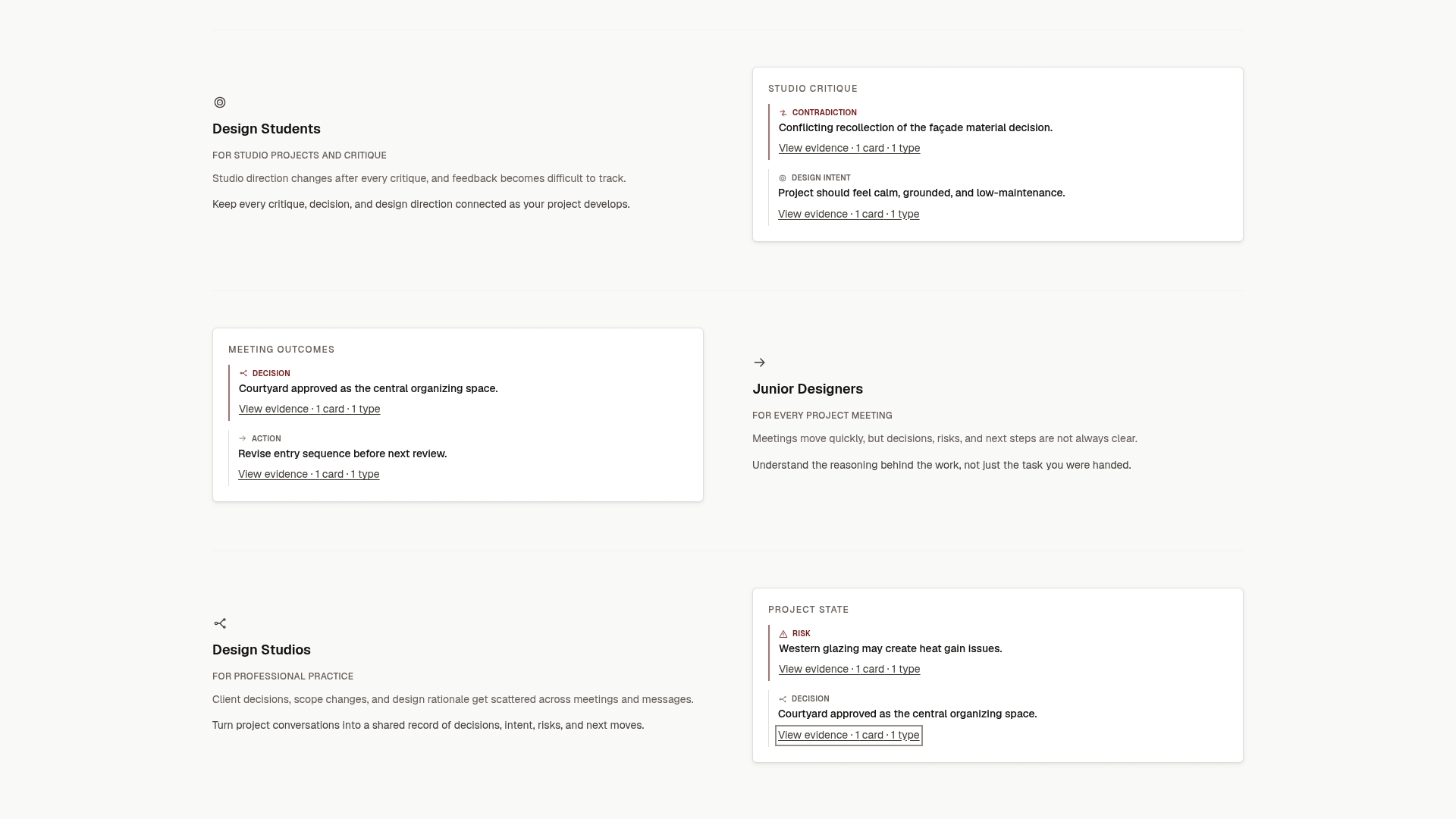
That is why we focus on source-backed records. An ILM Record turns a conversation into a structured entry covering decisions, design intent, risks, actions, commitments and unresolved questions, and it stays traceable to the conversation it came from. For a scope change log, that means each row can point to its origin instead of relying on someone’s memory.
A change log tells you what moved. A project memory tells you why it moved. Teams need both, and we think the second is what keeps a studio from relitigating the same decisions on every project.
Rajas
Put the log to work with ILM Records
If your scope changes start in conversations, The Intent Ledger turns those conversations, meeting notes, transcripts and client comments into ILM Records that capture decisions, risks, commitments and open questions, each traceable to its source. That gives your change log the reason and the origin for every entry.
You can start small. On the pricing page, the one-time packs begin with Working Set at $12 and Project Record at $29, and the monthly plans start with Working Memory at $29 per month. Practice Memory is $59 one-off and Studio Ledger is $119 one-off. Living Record is $79 per month and Shared Ledger is $149 per month. A freelancer with one live project and a studio running several have different needs, so pick the capacity that fits.
A simple setup you can start this week
You do not need special software to begin. Here is a minimal routine for a small team:
- Create one table with the columns above. A spreadsheet is enough.
- Agree at kickoff what counts as a change and who can approve at each size.
- After every client call or critique, spend five minutes logging any request that touches scope, with the source.
- Review the table weekly. Chase pending rows and confirm deferred ones still have a trigger.
- At each phase end, total the approved impact and share it with the client.
- At project close, read the log through once and write down three lessons.
The habit matters more than the tool. A plain table kept current beats an elaborate system that is updated monthly.
FAQ
What is the difference between a scope change log and a change request form?
The form holds the full detail of one request: the proposal, the impact analysis and the decision. The log is the summary table of all requests, showing status at a glance. You need both, and each log row should point to its form or source conversation.
Who should maintain the scope change log?
Usually the project manager or project lead owns it, but anyone who hears a request should pass it on to be logged. In a small studio or a freelance practice, that is often the same person. What matters is a single owner, so entries are not duplicated or forgotten.
Should rejected changes stay in the log?
Yes. A rejected entry with its reason prevents the same request from being reopened without new information, and it shows that the request was assessed. Keep the requester, the reason and the decision date.
How often should the log be reviewed?
The CDC’s change management guide says even simple projects should review requests at least weekly. On fast-moving projects, review after each major client meeting as well. Always check that pending items have an owner and a next action date.
What is the difference between scope creep and a scope change?
A scope change is a request that has been recorded, assessed and approved, with budget or schedule adjusted to match. Scope creep is change that happens without that control, and it can cause overruns. A maintained log is the simplest protection against creep.
Sources
- ERRATA, PMBOK Guide Sixth Edition (PMI)
- Forecasting project duration as a function of scope changes (PMI)
- Managing project scope and change (Victorian Government)
- Managing the Scope, Project Management Basics (Kirkwood Community College)
- What Is a Change Log in Project Management? (Business Value-Oriented Principles)
- Change Request Template: Free Form and Change Log (Neural Project Institute)
- Change management (Center for Project Innovation)
- Change Management Practices Guide (CDC)
- What is change control? (Association for Project Management)
- Critical Path Management in an Incremental environment (NDIA)